Operation
42
Powerware
®
9125 User’s Guide (2500–3000 VA) : Rev B www.powerware.com
Initiating the Self-Test
NOTE The batteries must be fully charged and the UPS must not be in Battery mode
to perform the self-test.
Press and hold the button for three seconds to initiate the self-test.
During the five-second test, the bar graph indicators cycle through
twice. If the UPS finds a problem, an LED indicates where the problem
is. For more information, see “Troubleshooting” on page 67.
Operating Modes
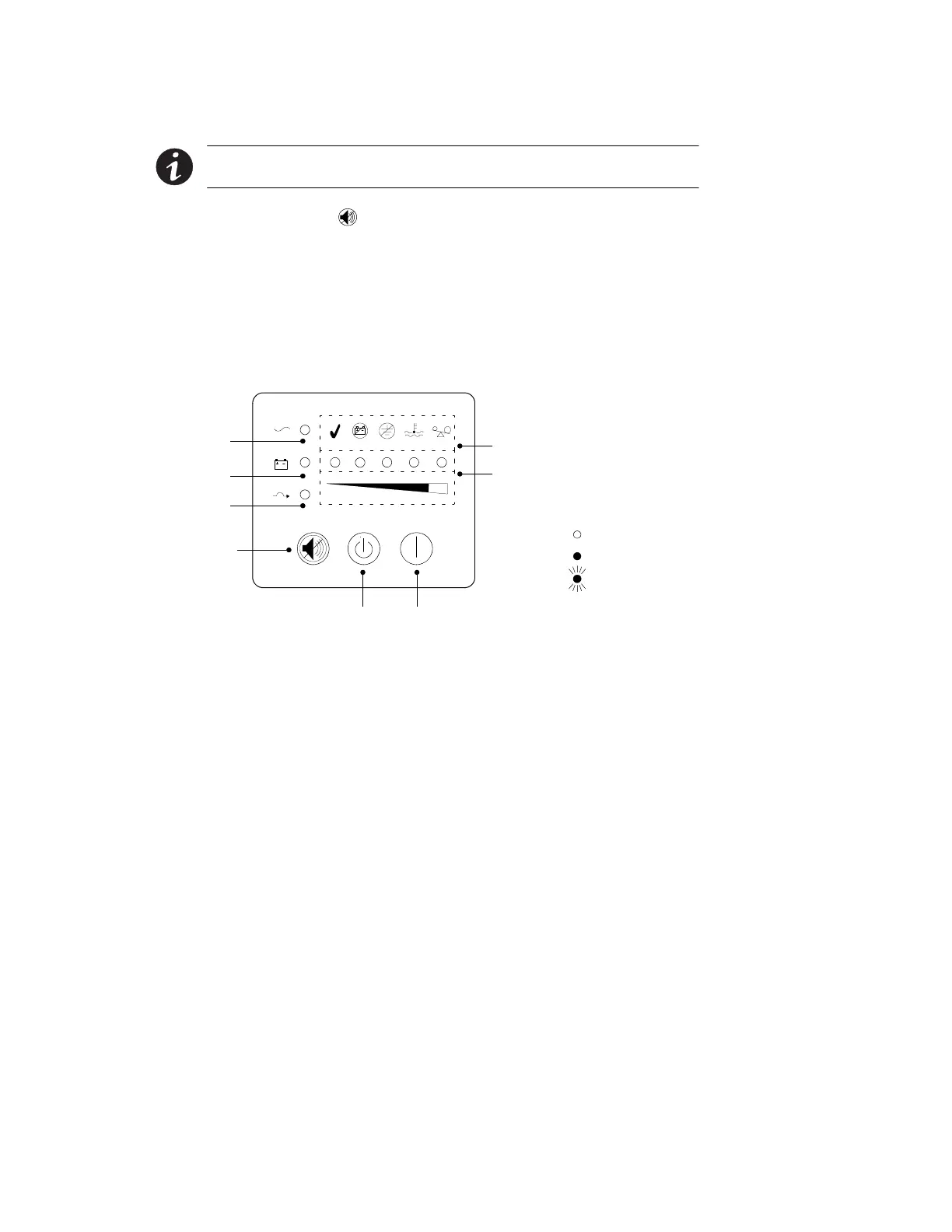
Powerware 9125’s front panel indicates the UPS status through the UPS
indicators. Figure 27 shows the UPS front panel indicators and controls.
Flashing
Unlit
Lit
Indicator Legend
Test/Alarm Reset Button
On ButtonOff Button
Bypass Mode Indicator
Battery Mode Indicator
Normal Mode Indicator
Bar Graph Indicators
Alarm Indicators (see page 67)
Figure 27. UPS Front Panel












 To Next Page