Operation
43
Powerware
®
9125 User’s Guide (2500–3000 VA) : Rev B www.powerware.com
Normal Mode
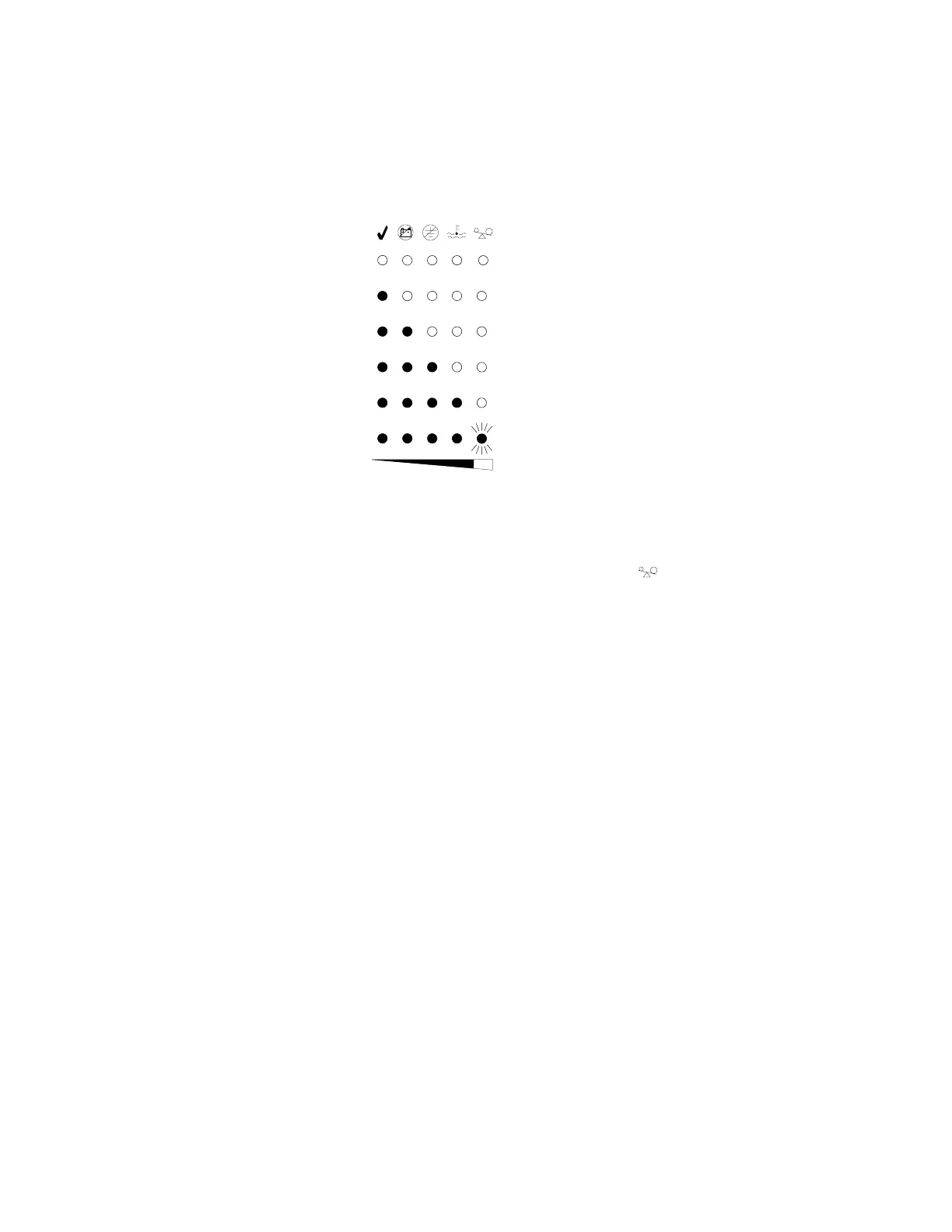
During Normal mode, the
indicator illuminates and the front panel
displays the percentage of UPS load capacity being used by the protected
equipment (see Figure 28). The UPS monitors and charges the batteries
as needed and provides power protection to your equipment.
<10%
10–25%
26–50%
51–75%
76–100%
>100%
Figure 28. Load Level Indicators
The LEDs do not illuminate when the UPS load is less than
approximately 10%. Each LED represents 1/4 of a full load rating.
When all of the bar graph indicators are illuminated and the
indicator flashes, power requirements exceed UPS capacity; see page 69
for more information.












 To Next Page