UPS Maintenance
60
Powerware
®
9125 User’s Guide (2500–3000 VA) : Rev B www.powerware.com
How to Replace Internal Batteries
CAUTION
Pull the battery out onto a flat, stable surface. The battery is unsupported when you
pull it out of the UPS.
Use the following procedure to replace internal batteries:
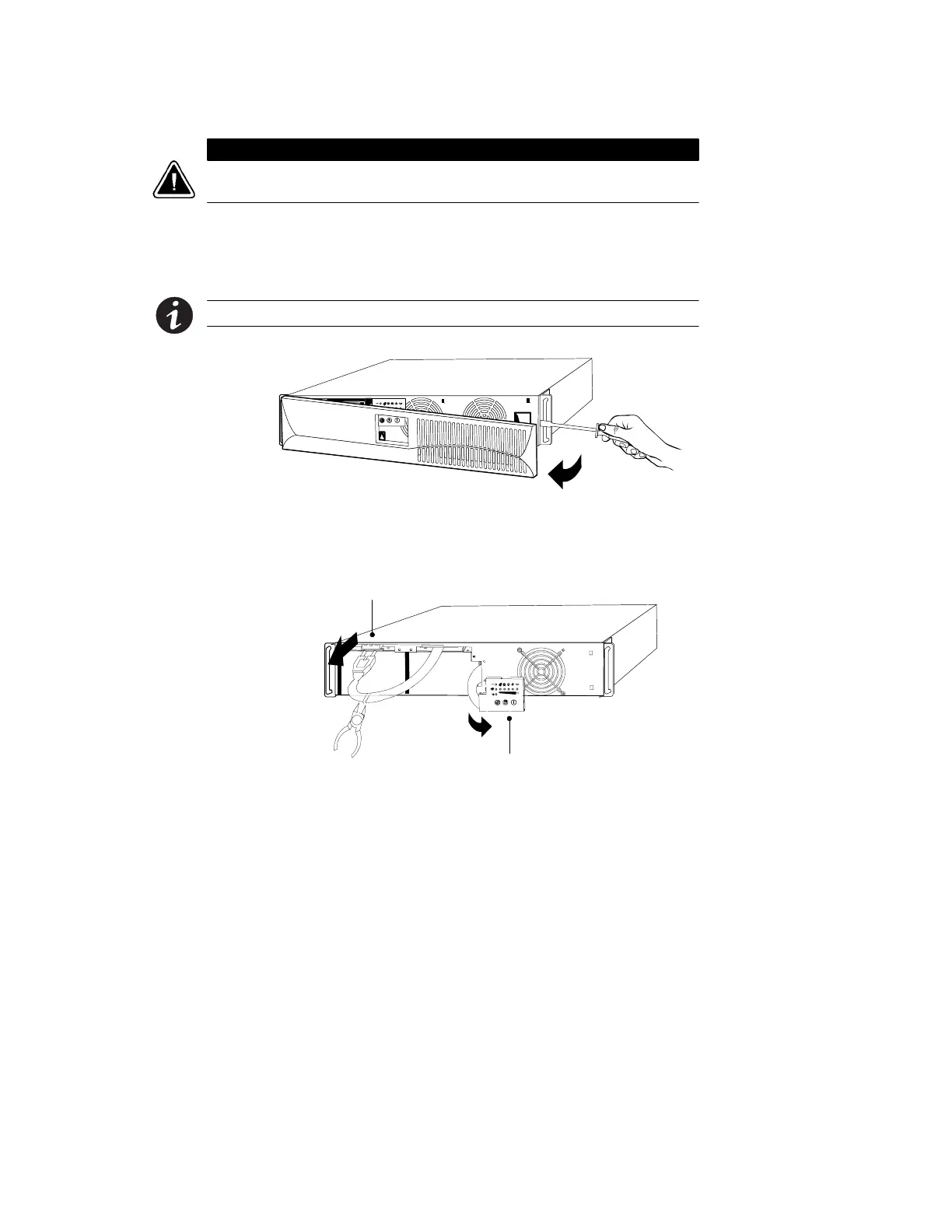
1. Using a flat-head screwdriver, open the right side of the front
panel and pull the front panel forward to access the battery.
NOTE DO NOT attempt to open the left side.
2. Push down and unsnap the LED panel.
3. Disconnect the battery cable from the UPS and cut the battery
cable wire tie.
LED Panel
Battery Cable












 To Next Page