67
Powerware
®
9125 User’s Guide (2500–3000 VA) : Rev B www.powerware.com
CHAPTER 9
TROUBLESHOOTING
This section explains:
:
UPS alarms and conditions
:
How to silence an alarm
:
Service and support
Audible Alarms and UPS Conditions
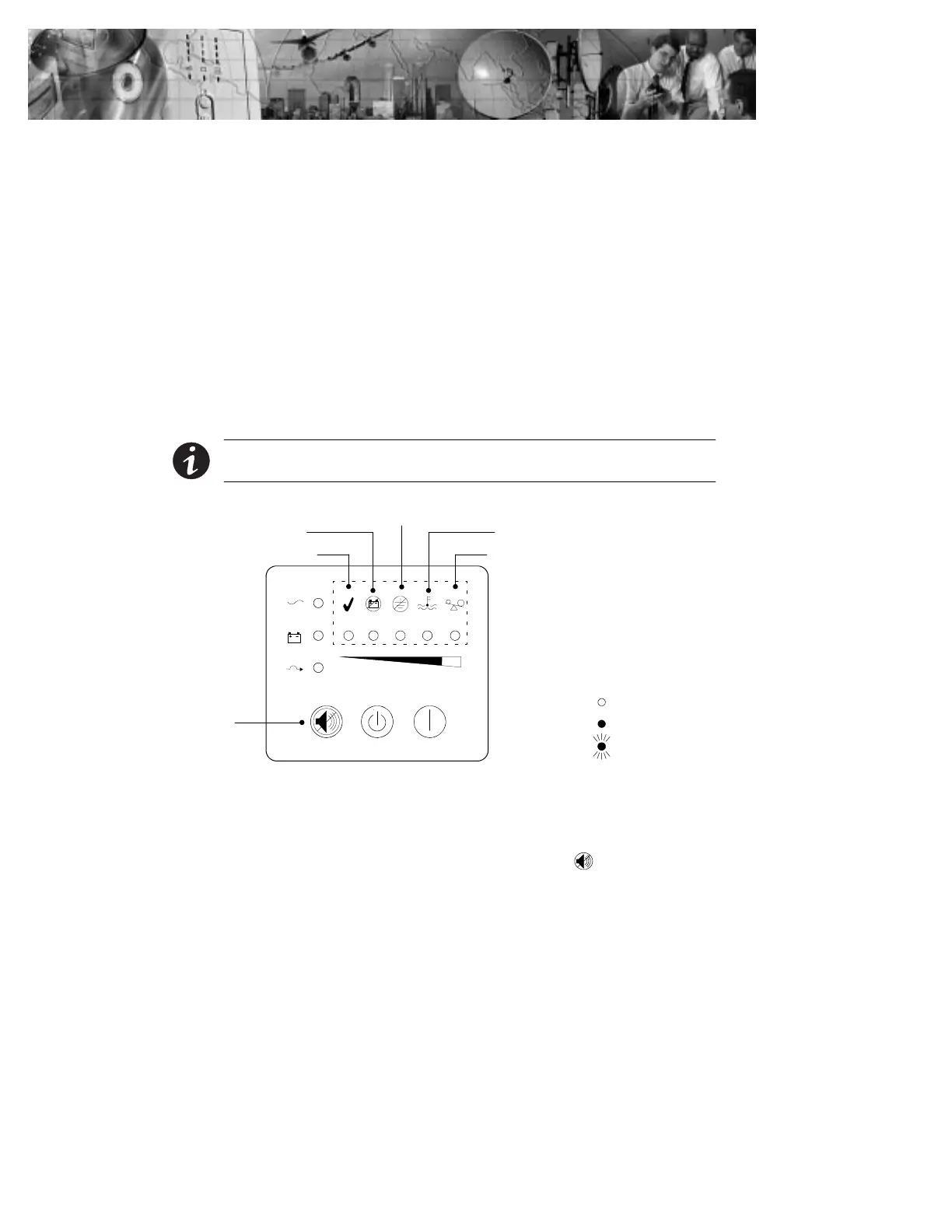
The UPS has an audible alarm feature to alert you of potential power
problems. Use Table 11 to determine and resolve the UPS alarms and
conditions.
NOTE Some alarms, such as the Overtemperature and Overload alarms, have to be
cleared by shutting down and restarting the UPS (see page 69 for more information).
Flashing
Unlit
Lit
Indicator Legend
Self-Test
Test/Alarm
Reset Button
Battery Service
Site Wiring Fault
Overtemperature
Overload
Figure 39. Alarm Indicators
Silencing an Audible Alarm
To silence the alarm for an existing fault, press the button. If UPS
status changes, the alarm beeps, overriding the previous alarm silencing.












 To Next Page