Installation
27
Powerware
®
9125 User’s Guide (2500–3000 VA) : Rev B www.powerware.com
EBM Installation
CAUTION
A small amount of arcing may occur when connecting an EBM to the UPS. This is
normal and will not harm personnel. Insert the EBM cable into the UPS battery
connector quickly and firmly.
If you are installing the optional Extended Battery Module(s), use the
following steps to the install the EBM(s):
1. If installing an EBM with a 230V UPS (E or EH model), skip to
Step 5; otherwise, continue to Step 2.
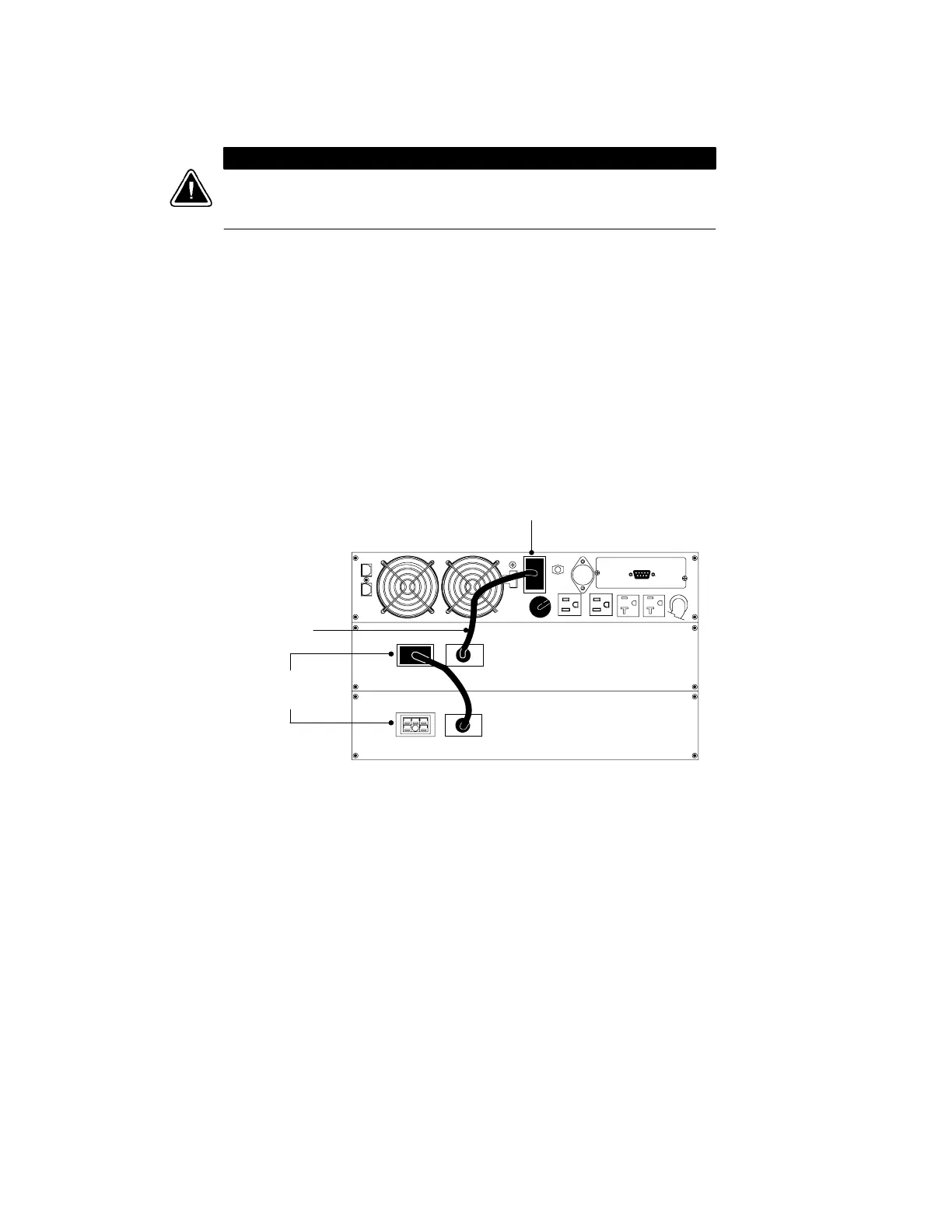
2. Plug the EBM cable into the UPS battery connector (see
Figure 11).
3. If additional EBMs are to be installed, plug the EBM cable of the
second cabinet into the battery connector on the first EBM.
Repeat for each additional EBM. Up to four EBMs may be
connected to the UPS.
4. Continue to “Plug-Receptacle UPS Installation” on page 30 or
“Hardwired UPS Installation” on page 32.
UPS Battery Connector
EBM Cable
EBM Battery
Connectors
Figure 11. Typical EBM Installation (120V UPS Model Shown)












 To Next Page