Installation
28
Powerware
®
9125 User’s Guide (2500–3000 VA) : Rev B www.powerware.com
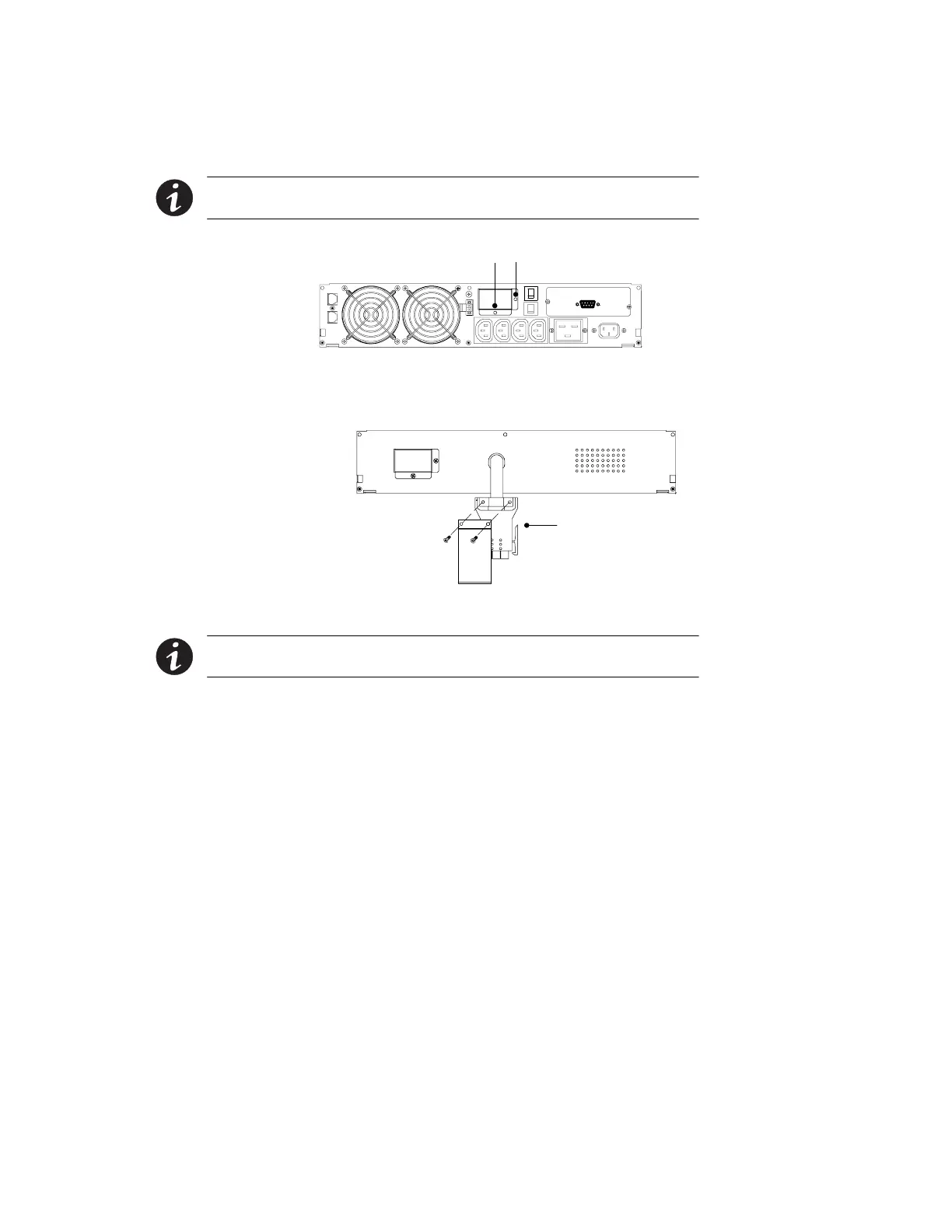
5. 230V UPS models have a battery connector cover that must be
removed before installing the EBM(s). Remove the cover from
the rear panel as shown in Figure 12.
NOTE Keep the battery connector cover for future use. If the UPS is stored or used
without an EBM, the battery connector cover must be installed as a safety precaution.
Battery Connector Cover Screws
Figure 12. Battery Connector Cover (230V UPSs Only)
6. Remove the cover from the EBM cable as shown in Figure 13.
EBM Cable with Cover
Figure 13. EBM Cable Cover (230V EBMs Only)
NOTE Keep the EBM cable cover for future use. If the EBM is stored or removed from
the UPS, the EBM cable cover must be installed as a safety precaution.












 To Next Page