Installation
29
Powerware
®
9125 User’s Guide (2500–3000 VA) : Rev B www.powerware.com
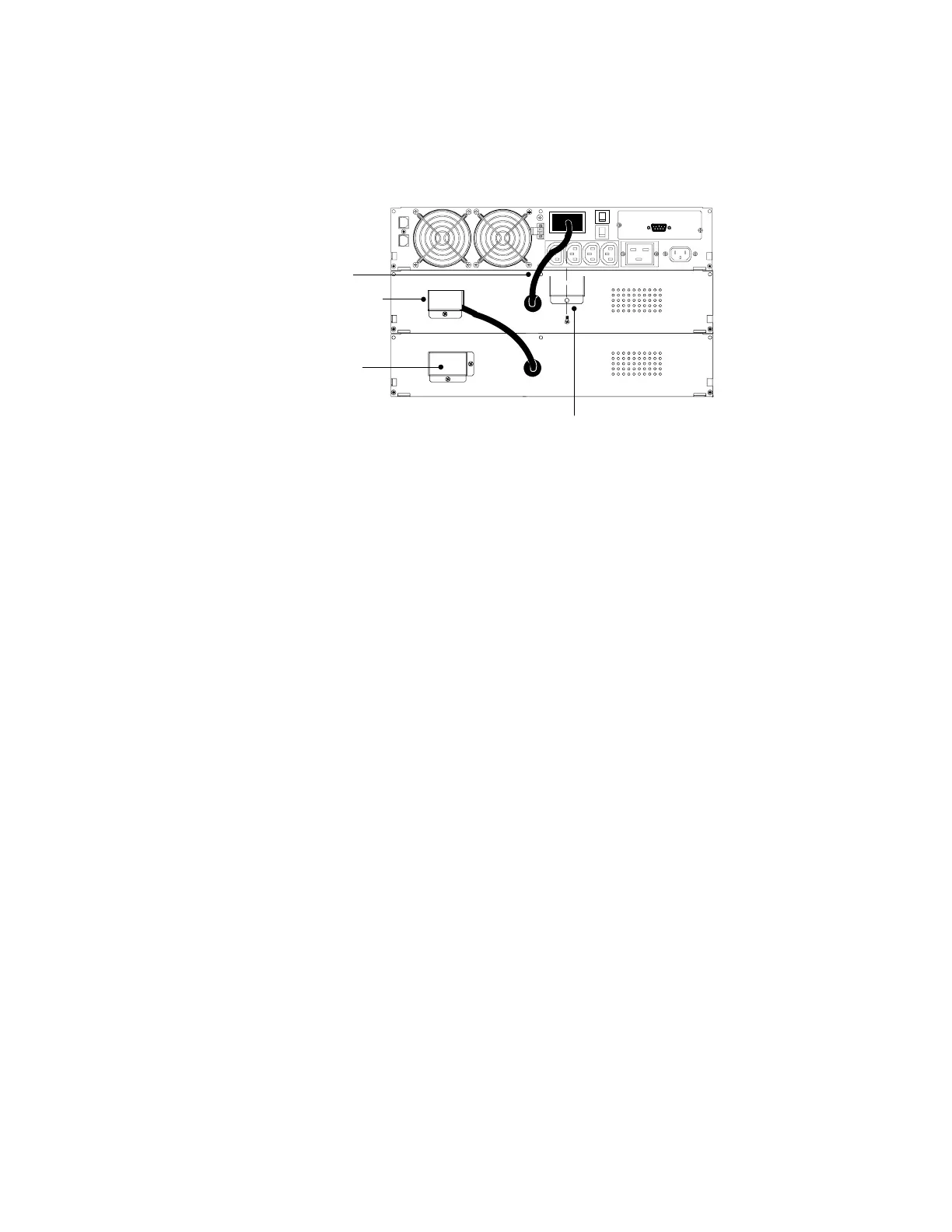
7. Plug the EBM cable into the UPS battery connector (see
Figure 14).
8. Attach the fixed cover plate (supplied in the accessory kit) to
the EBM cable as shown in Figure 14.
EBM Cable
EBM Cable with
Fixed Cover Plate
Fixed Cover Plate
EBM Battery
Connector
with Cover
Figure 14. Typical EBM Installation for 230V Models
9. If additional EBMs are to be installed, remove the EBM battery
connector cover. Remove the cover from the EBM cable of the
second cabinet and plug the EBM cable into the battery
connector on the first EBM. Attach the fixed cover plate to the
EBM cable.
Repeat for each additional EBM. Up to four EBMs may be
connected to the UPS.
10. Continue to the following section, “Plug-Receptacle UPS
Installation” or “Hardwired UPS Installation” on page 32.












 To Next Page