Configuration
48
Powerware
®
9125 User’s Guide (2500–3000 VA) : Rev B www.powerware.com
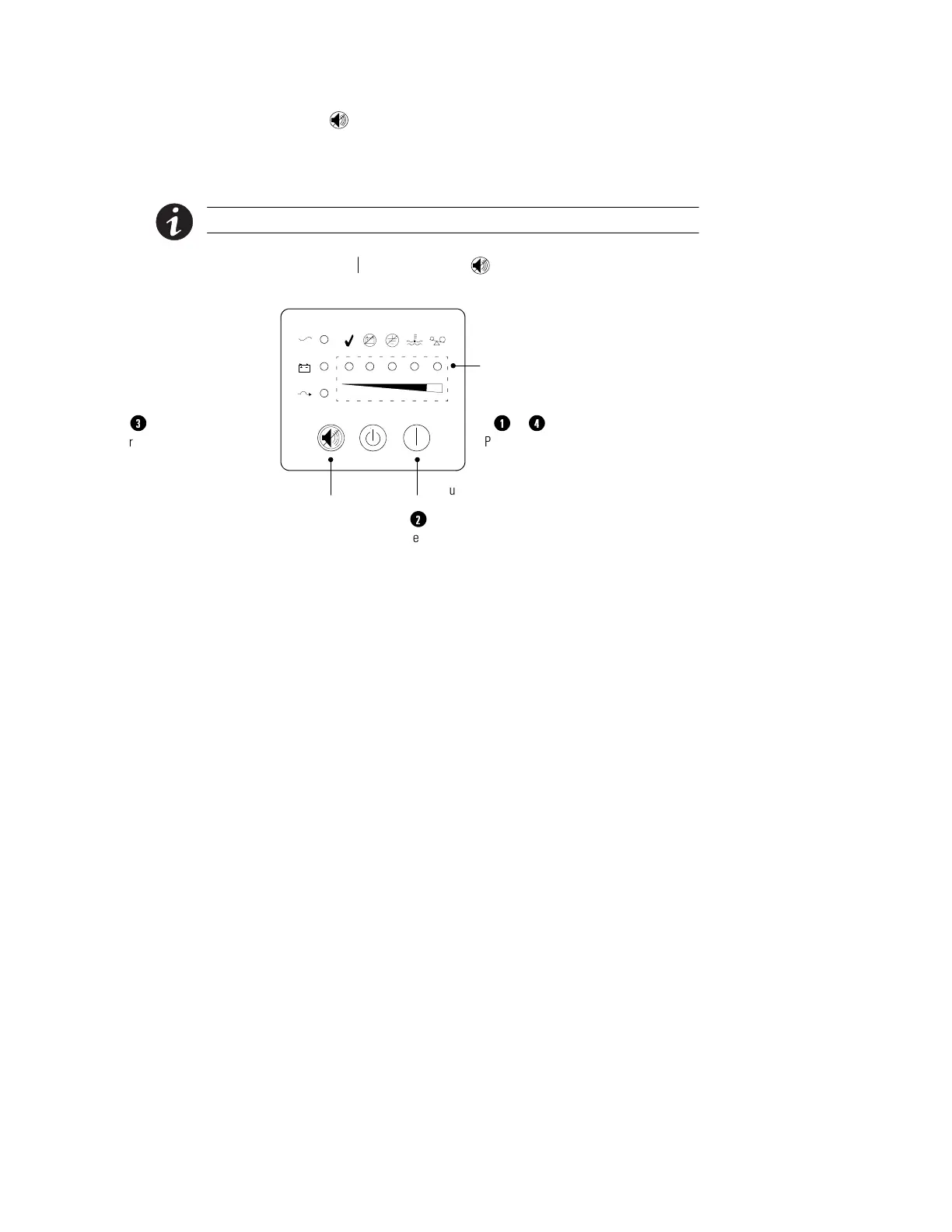
3. Press the button ONCE to toggle the selected option on or
off.
Repeat Steps 2 and 3 for each option. Scrolling past the last
LED returns to the first configuration option.
NOTE The UPS exits Configuration mode automatically after two minutes.
4. Press the On button and the button simultaneously to exit
Configuration mode at any time.
1
Press the On and Test/Alarm Reset
buttons simultaneously to toggle between
Configuration and Operation mode.
&
4
Press the Test/Alarm Reset
button to toggle an option
on or off.
3
Press the On button to
scroll to the next option.
2
On ButtonTest/Alarm
Reset Button
Bar Graph Indicators
Figure 30. Using the Configuration Mode












 To Next Page