Additional UPS Features
53
Powerware
®
9125 User’s Guide (2500–3000 VA) : Rev B www.powerware.com
The On-Bypass Relay Contact. You can enable the On-Bypass relay using the
jumper on the single-port card. The jumper default is disabled. To
enable the On-Bypass relay:
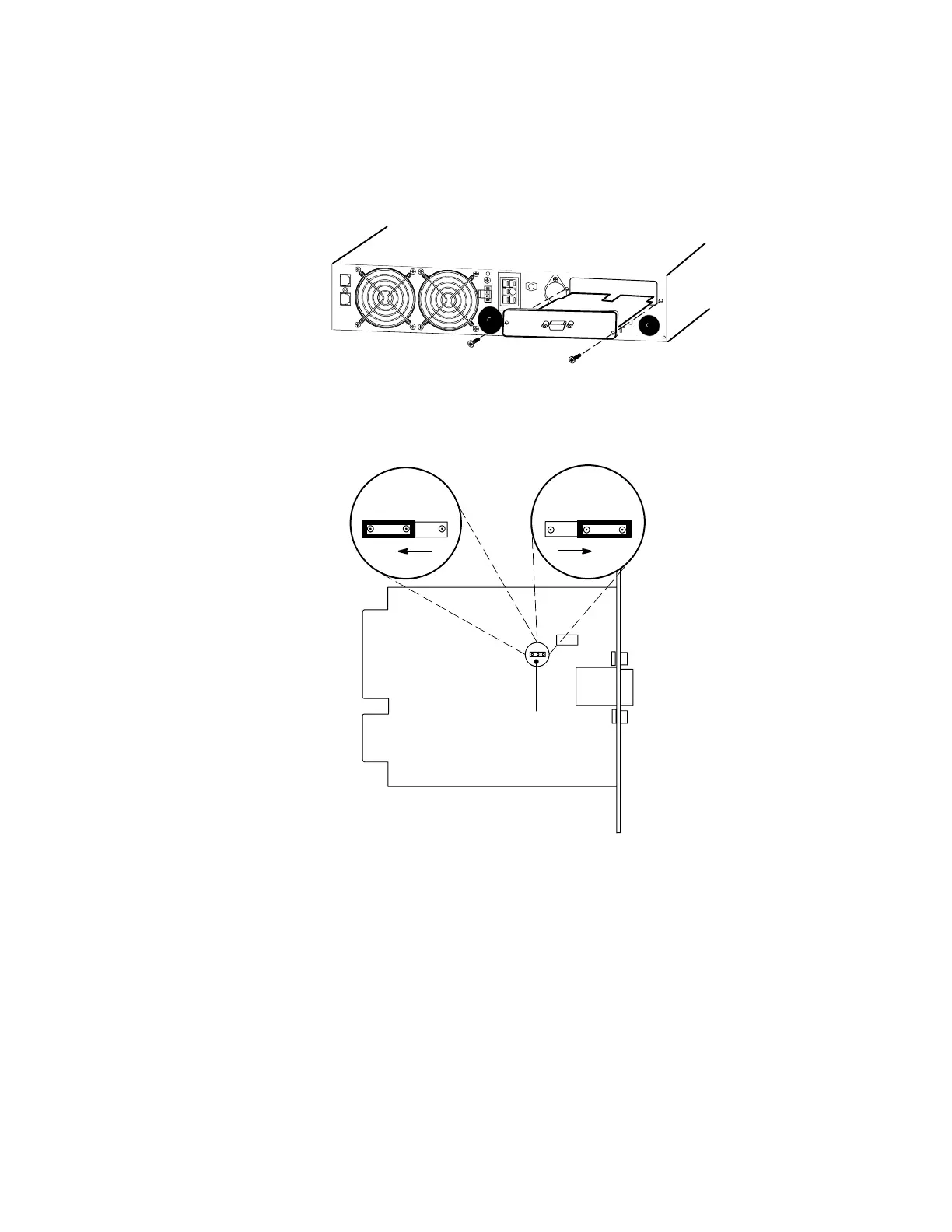
1. Remove the single-port card on the UPS rear panel. Retain the
screws (see Figure 33).
Figure 33. Removing the Single-Port Card
2. Move the J3 jumper to the AS/400 position to enable the
On-Bypass relay as shown in Figure 34.
On-Bypass Relay Jumper
(J3)
On-Bypass
Disabled
On-Bypass
Enabled
AS/400NORM
Figure 34. On-Bypass Relay Jumper












 To Next Page