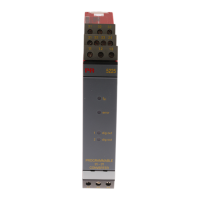
9116 - Product Version 9116-003 1
UNIVERSAL CONVERTER
9116
CONTENTS
Warning ....................................................................................................... 2
Safety instructions ................................................................................. 2
How to demount system 9000 ........................................................ 4
Advanced features ................................................................................. 5
Application ................................................................................................. 5
Technical characteristics ...................................................................... 5
Applications............................................................................................... 6
PR 4501 Display / programming front ........................................... 7
Ordering codes for 9116B .................................................................. 8
Accessories ............................................................................................... 8
Electrical specifications........................................................................ 8
Configuration of sensor error check................................................ 12
Input signal outside range .............................................................. 13
Sensor error detection ...................................................................... 13
Hardware error ..................................................................................... 14
Connections .............................................................................................. 16
Block diagram ........................................................................................... 17
Signal error and cable fault indications
without display front ......................................................................... 18
Configuration / operating the function keys ............................... 19
Routing diagram ...................................................................................... 24
Routing diagram, Advanced settings (ADV.SET) ........................ 26
Scrolling help texts in display line 3 ............................................... 27
Graphic depiction of window ............................................................. 29
Graphic depiction of setpoint ............................................................ 30
Appendix .................................................................................................... 31
IECEx Installation Drawing .................................................................. 32
ATEX Installation Drawing .................................................................. 36
FM Installation Drawing ....................................................................... 40
INMETRO Installation Drawing .......................................................... 44
Safety Manual .......................................................................................... 48


 To Next Page