User’s Manual | 100
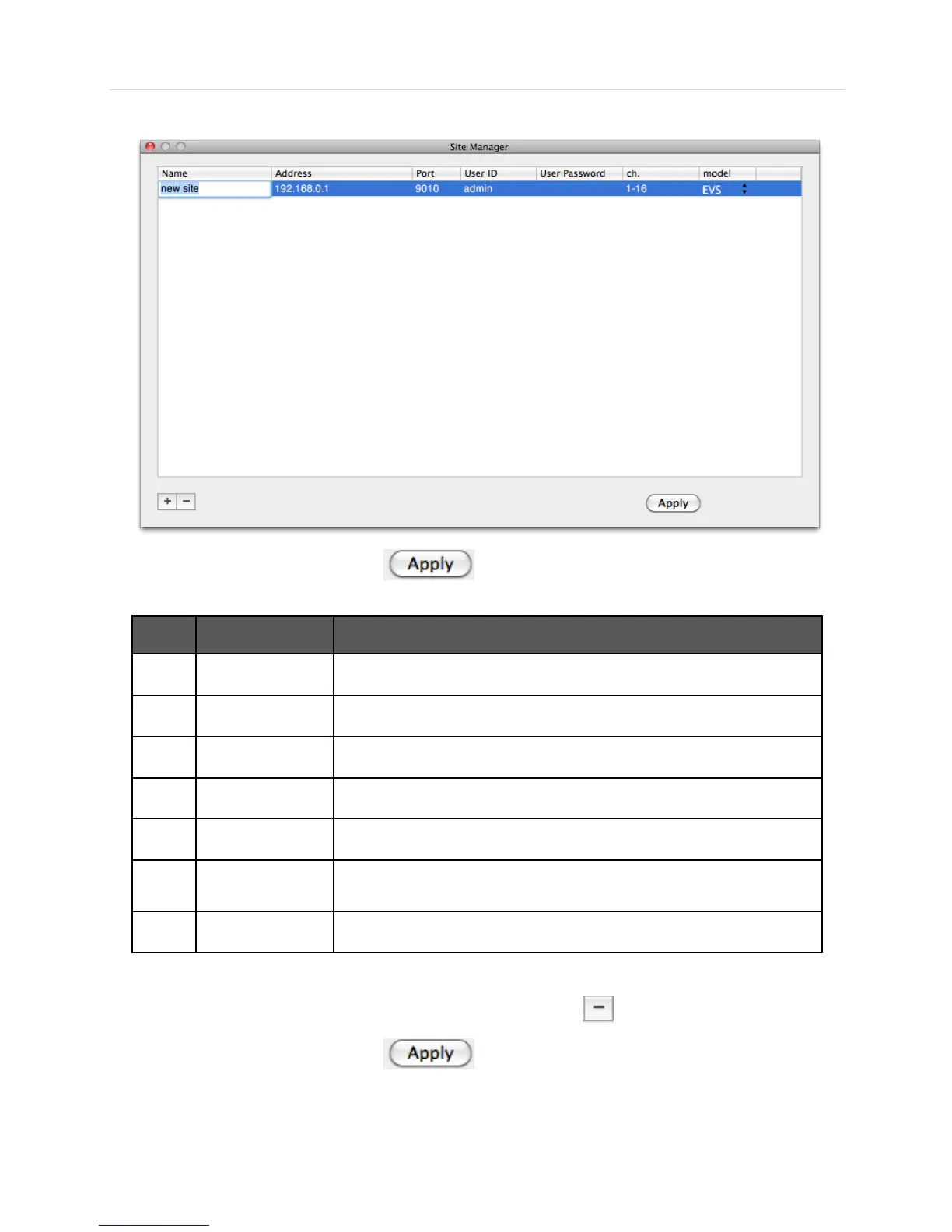
To fix, Double-Click on the item. For example, Double-click “ New Site “ to change the name.
After modifications have been made, press
No. Function
Description
1 Name Fill in the name of the site to be registered
2 IP Fill in the IP of the site to be registered
3 Port Fill in the PORT No of the site to be registered ( Default 9010)
4 User ID Fill in the ID of the DVR to be connected
5 User Password Fill in the PW of the DVR to be connected
6 Ch.
Fill in channel of the site to be registered
( ex, 16 Ch DVR: 1-16 or Registered by Camera : 1,3,5,7,9)
7 Model Select Model name of the DVR to be registered
Please double click the items, if you want to change the item from the registered information.
If you want to delete the registered DVR information, Select the DVR and click
After modifications have been made, press



 To Next Page