51 | Chapter 1 : DVR User Manual
4.3 Record
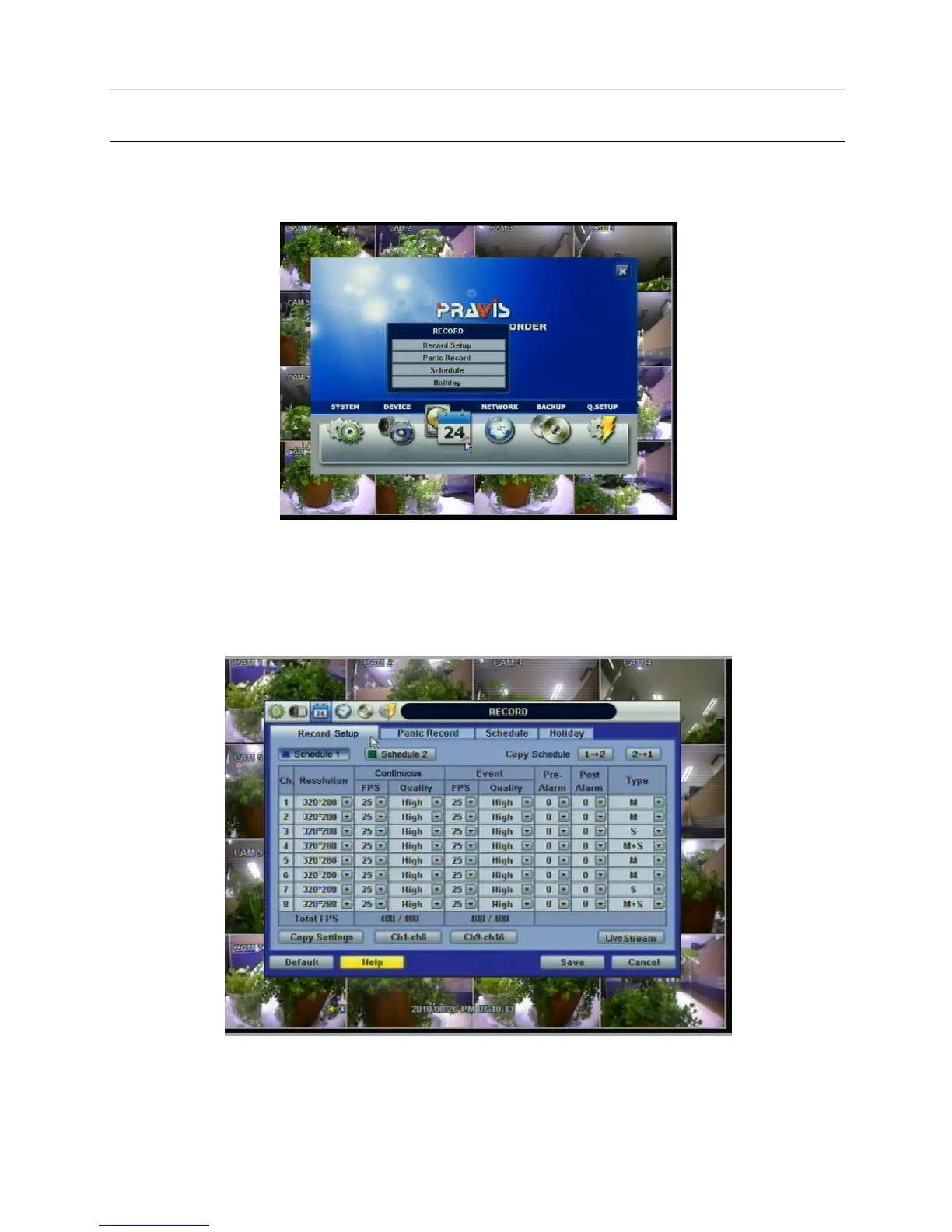
Users can configure various record settings such as Continuous, Event, and Panic for each individual camera channel in the
Record Setup Menu. Network Stream settings are independently configured from the Record settings in this menu as well.
Therefore, the user can optimize the bandwidth used by configuring the resolution, FPS, and image quality separately.
4.3.1 Record Setup
The Record Setup menu consists of two main schedule settings such as Schedule1 and Schedule2. A schedule simply
refers to the Record Setup page. Users have the option of setting one (1) schedule, or a combination of both Schedule 1 and
Schedule 2. This feature enables the user to create a more detailed record setting for each camera channel.
Users can configure record settings such as Resolution, FPS, Quality, Pre/Post Alarm, and Record Type for Normal
Recording (Continuous) and Event Recording (Alarm or Motion) in each Schedule.
It is recommended that a user first select a “Type” (Record Type) for each camera channel.



 To Next Page