User’s Manual | 82
6.5 Advanced Operation
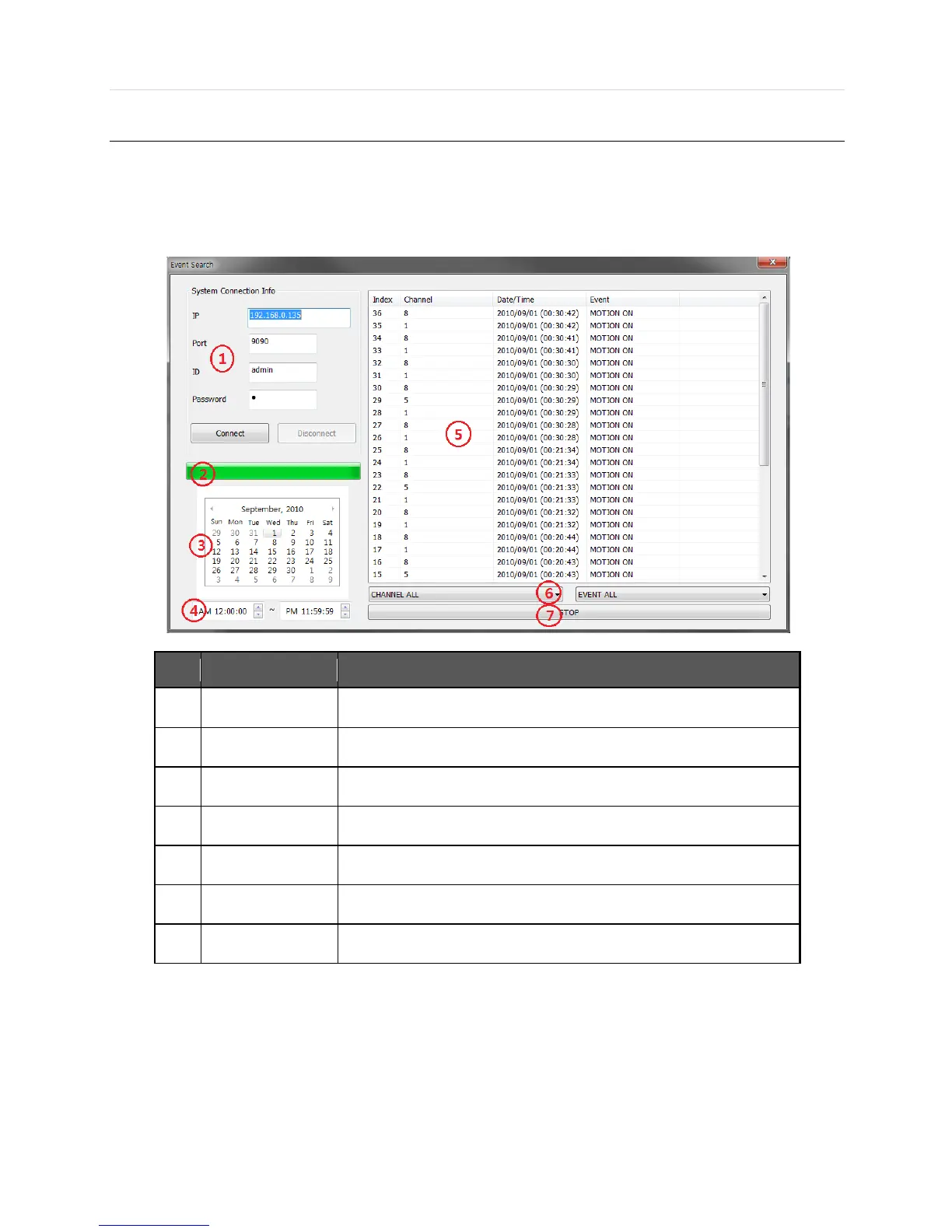
6.5.1 Event Search
- Click the right mouse button on Site list, and a pop-up menu will appear.
- Click to run ‘Event Search’.
No. Function
Description
1
Connection Info
Type in the DVR info to connect
2
Progress bar
Showing the progress status
3
Calendar Search
The event date will be shown in bold. Click the date to start event search
4
Time Filter
Set up the time for event search
5
Event List
Showing the event lists
6
Time/Event Filter
Select the channel or event type
7
Stop
Stop the event search



 To Next Page