49 | Chapter 1 : DVR User Manual
4.2.4 Motion Alarm
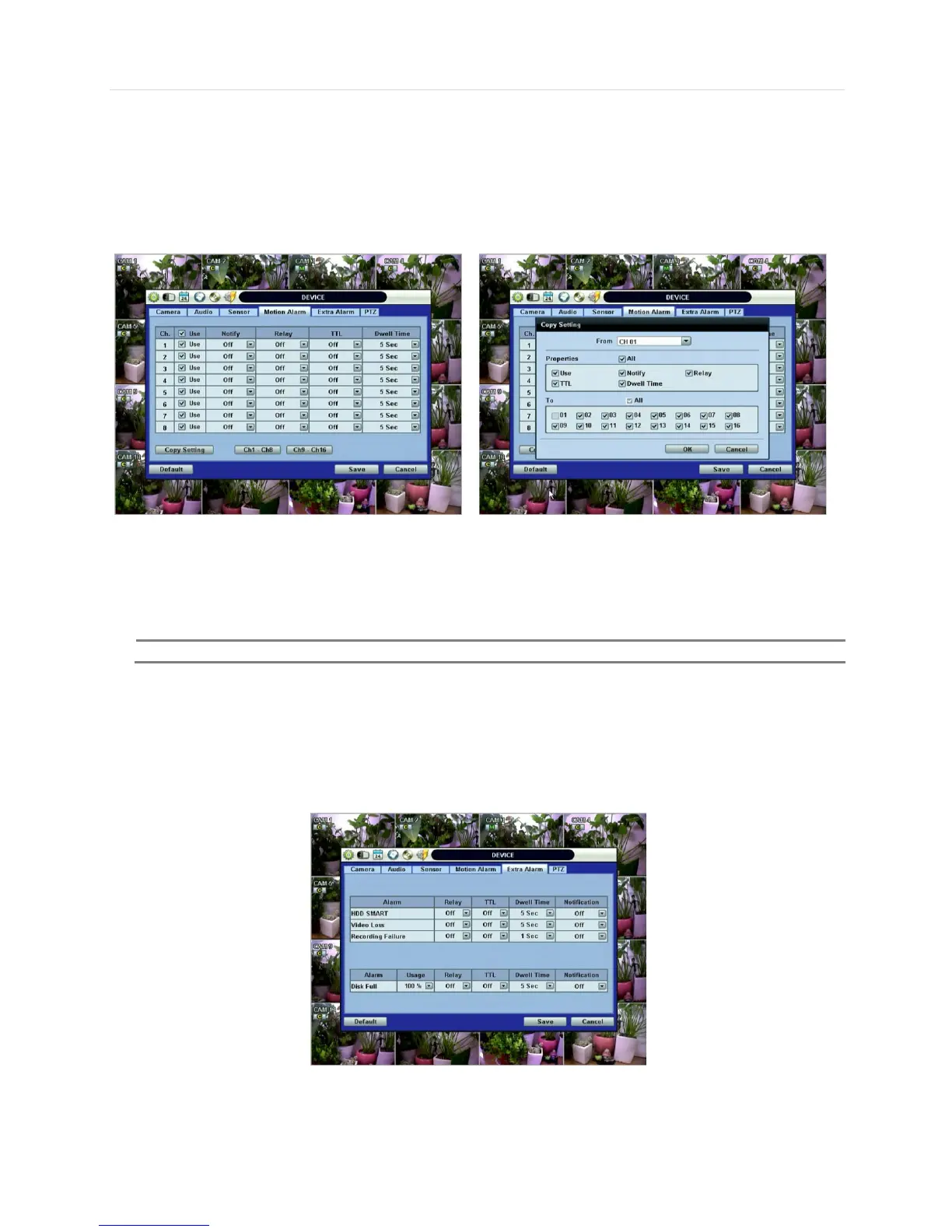
Select Motion alarm to record only when motion detection is triggered by DVR S/W upon user’s defined motion area.
The system records at the maximum recording speed upon motion detection, if user sets “Intensive” to “on”. Video will record
for the selected post-alarm dwell time and pre-alarm video will also record for the specified time. An alarm signal is sent via the
selected sensor-out channel.
COPY SETTINGS
Upon pressing Copy Settings button, Copy Settings popup will appear. In this popup, choose the camera the
user wants to copy from at the “From” field. Choose the parameters such as Use, Notify, Relay, TTL, and Dwell
Time on the check box. Check on the checkbox next to the sensor numbers to apply the copy setting(s) to
another channel on the “To” box.
4.2.5 Extra Alarm
S.M.A.R.T. alarm is an alarm signal triggered when the HDD is about to be out of operation.
This alarm is created by the HDD and captured by DVR. If the HDD does not create this alarm, then the DVR also cannot
capture and output this signal.
Users also set the percentage for HDD Usage. For example, when Usage is 50%, DVR will notify by a camera popup or a
beep sound when HDD is 50% full.



 To Next Page