User’s Manual | 28
3.7 Clean Button during Playback
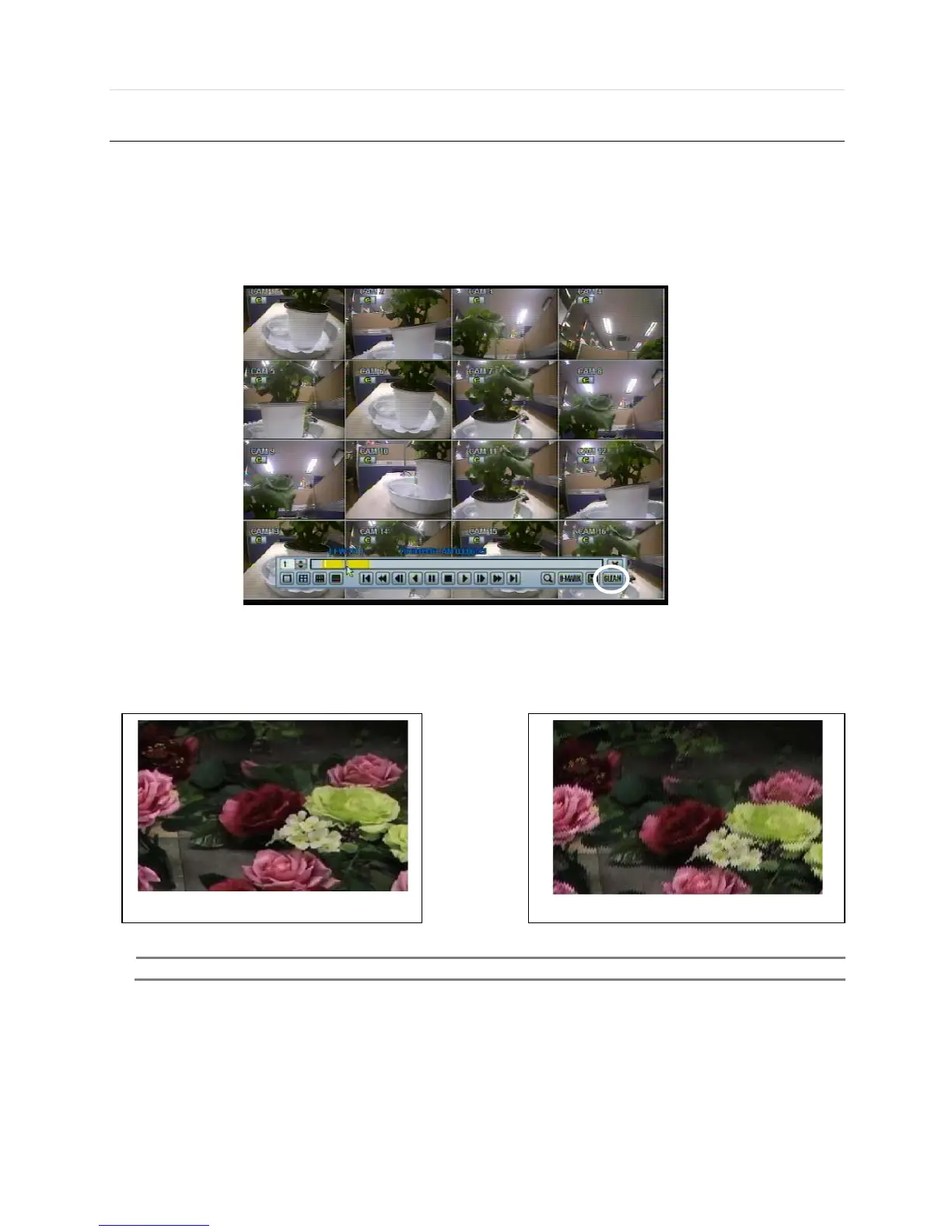
De-interlacing feature is required for smooth playback of video that is recorded by 720x480/576 (D1) resolution.
In playback mode, user can press “CLEAN” icon at the menu bar located in the bottom of the main screen, or user can click
the right button on the mouse and select “ De-interlace ”. After pressing “CLEAN” icon, a blue circle forms around the icon,
which means de-interlacing is activated. After changing to de-interlacing mode, press the pause and step forward icon. User
can get better image as shown below. Pressing “CLEAN” icon again, this function will be inactivated.
Click CLEAN icon Enable. Click CLEAN icon Disable.
The picture comparison below shows the difference between “Interlace” video and a “De-interlace” video clip.



 To Next Page