33 | Chapter 1 : DVR User Manual
Dark orange color - “Continuous” + “Sensor-activated” recording
The system records all the time by “continuous” as set by “CAMERA” in the “RECORD” menu but
will switch recording mode to the sensor configuration defined by “SENSOR” in the “DEVICE” menu,
if a sensor is triggered during dwell time. The system will also send a “sensor event” message to the
Advanced Client Software over the network.
If user sets “OFF” for “SENSOR” in the “DEVICE” menu and sets “CONT + SENS” in “SCHEDULE”,
then the system will record with continuous recording mode even though a sensor is triggered.
Pink color - “Motion detection” + “Sensor-activated” recording
The system does not record in normal operation but records only when motion is detected as set by
“MOTION” in the “DEVICE” menu and when a sensor is triggered as set by “SENSOR” of “DEVICE”.
If user sets “OFF” in both “MOTION” and “SENSOR” in the “DEVICE” menu, then the system will
neither record nor notify the Advanced Client Software or Central Management System.
Purple color - “Continuous” + “Motion detection” + “Sensor-activated” recording
The system records all the time by “continuous” as set by the “CAMERA” in the “RECORD” but will
switch recording mode to the motion configuration specified by “MOTION ALARM” in the “DEVICE”
menu, if motion is detected in the motion area. It will switch recording mode to the sensor
configuration defined by “SENSOR” in the “DEVICE” menu, if a sensor is triggered during dwell time.
3.9.2 Event Log
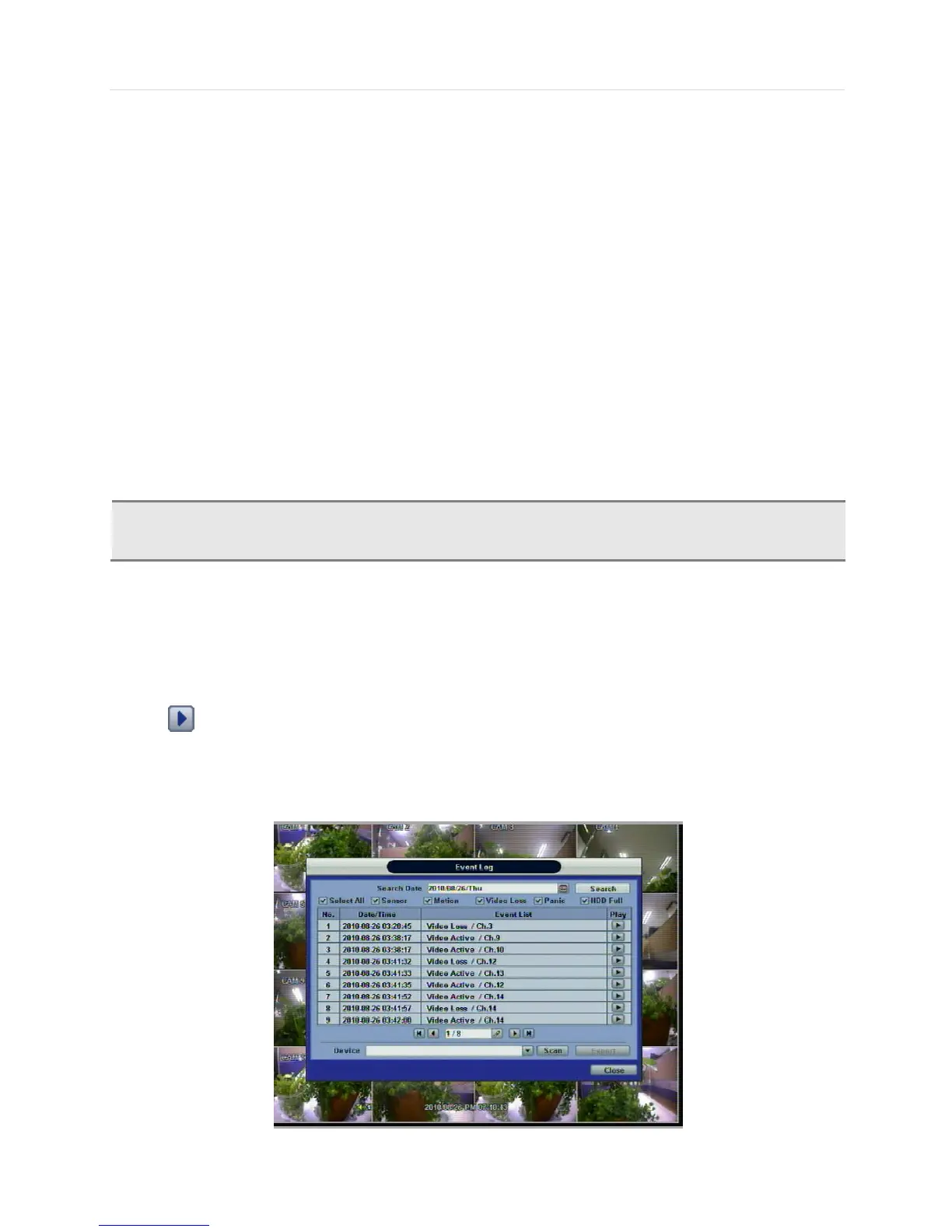
The Event log search is used to find particular event, quickly and easily.
Click play icon to play back the selected event data.
Users can copy this event list to a USB memory device in text file format.
Once a USB memory stick is inserted into the USB port, the user must press “SCAN” button to detect the USB stick and then
press “EXPORT” to copy the log information to the media.



 To Next Page