39 | Chapter 1 : DVR User Manual
4.1 System
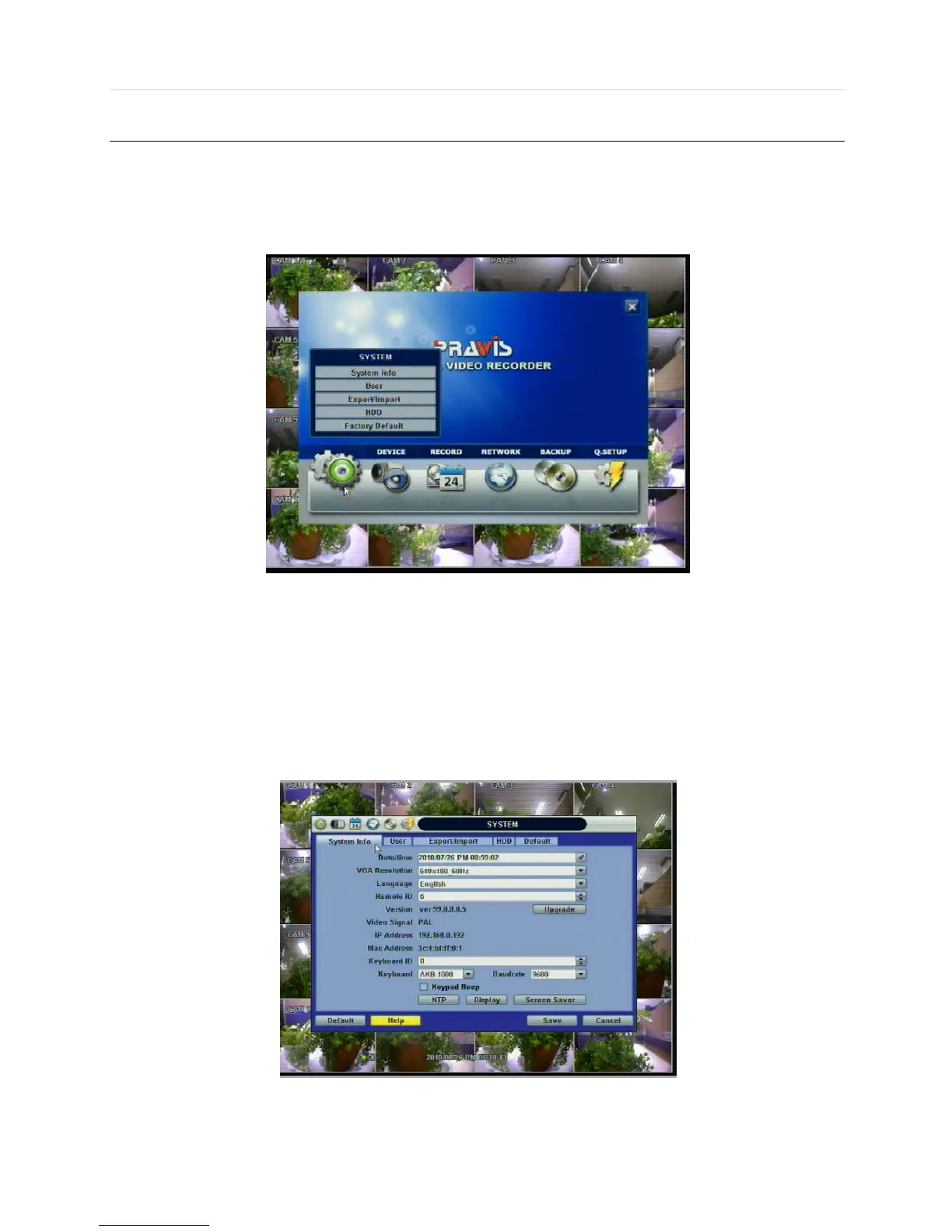
The system menu button is selected by clicking “TOOL” on the menu bar or clicking the right mouse button.
Users can move mouse pointer from “System” through “Quick Setup” to instantly look around the sub-menus on the menu
screen. Using the left mouse button, the user can select a desired category for editing.
4.1.1 System Info
Use this submenu to check system information status or to change the system-related configuration.
Users can then move to other sub-menu of the System; System Info, User, Export/Import, HDD, and Factory Default by
moving mouse pointer or pressing the front arrow buttons.
Mac address is a unique network identification number for each system.
NTSC/PAL is convertible by moving the selection switch on the rear panel of the system and rebooting.



 To Next Page