85 | Chapter 2 : ACS Client Software User Manual
6.6 ACS Setup
: Option for DVR Registration, User, Display, and other options.
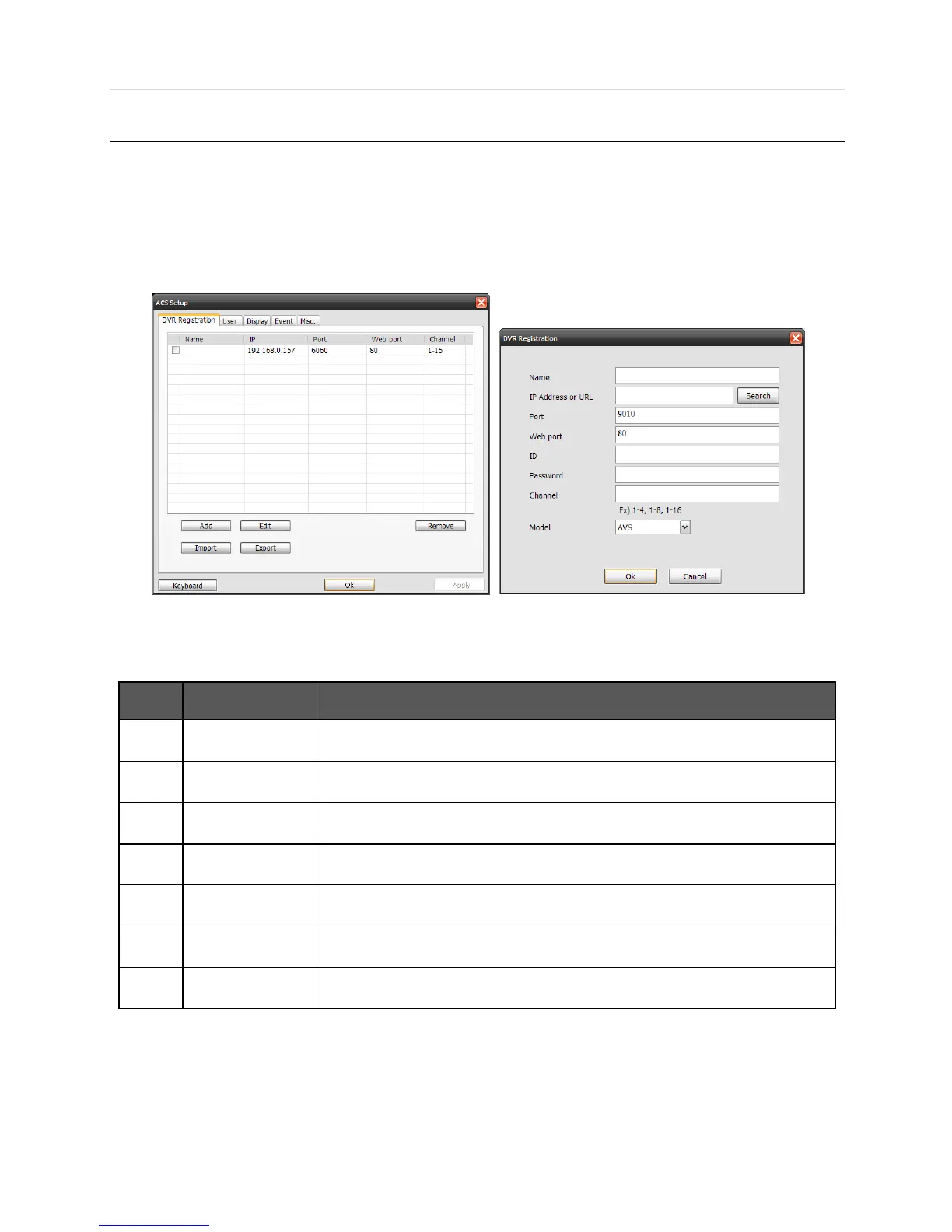
6.6.1 DVR Registration
Add, Modify, or Remove DVR site information.
Ex) Adding a new DVR site
Function
Description
1
Name
Type in the site name
2
IP
Type in the IP address
3
Port
Type in the Port number (Default : 9010)
4
Web port
Type in the Web port number (Default : 80)
5
ID
Type in the DVR ID to connect
6
Password
Type in the DVR password to connect
7
Channel
Type in the DVR channel to connect (i.e, 16ch DVR : 1-16) )
- To modify and/ or remove DVR information, click [Add] or [Remove] to amend DVR site information.



 To Next Page