61 | Chapter 1 : DVR User Manual
4.5 Backup
4.5.1 Manual Backup
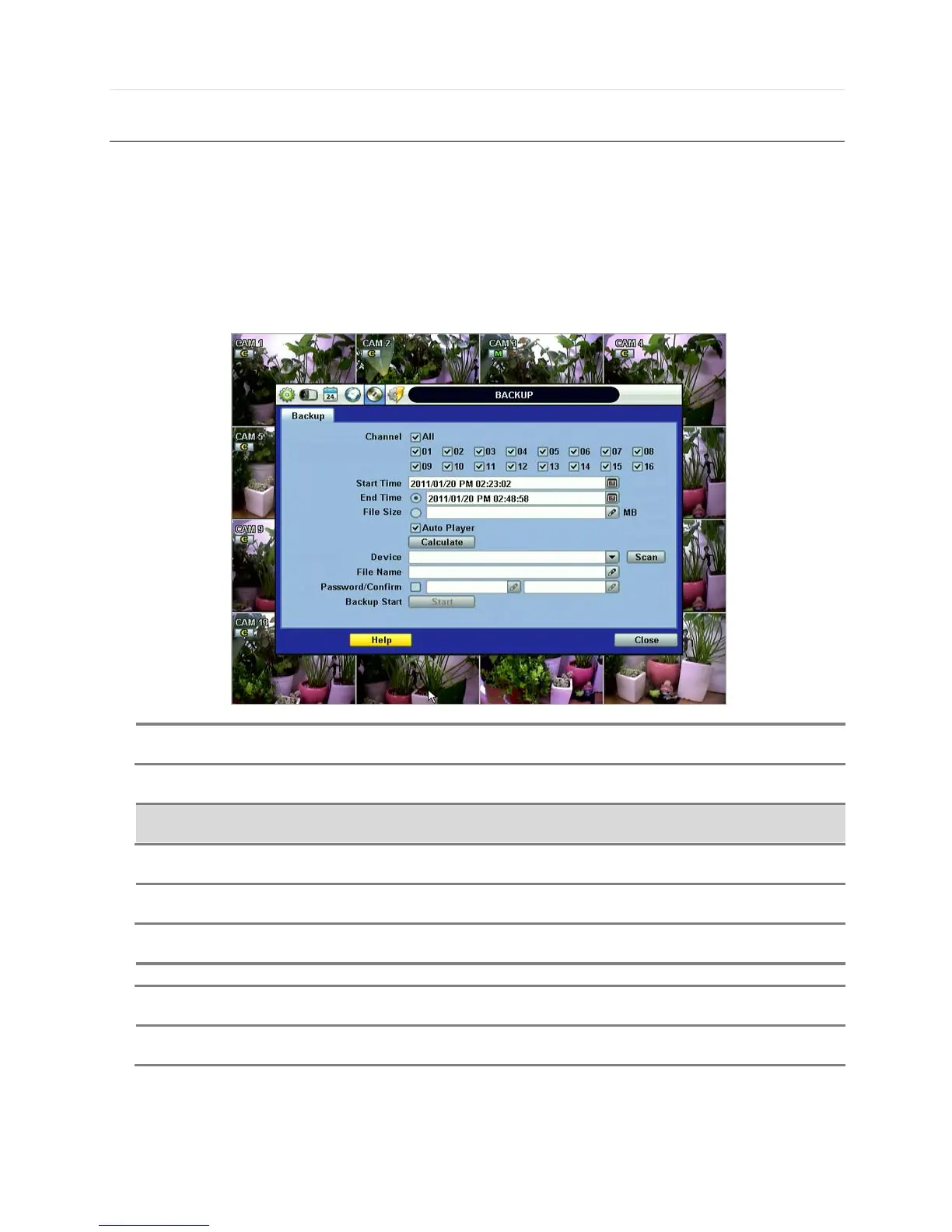
Users can archive a video clip recorded for a certain period on a selected channel or channels as shown below.
Connect an appropriate USB memory device, like USB thumb drive, USB HDD, or a built-in CD or DVD burner and press
“SCAN” button to get the system to recognize it before archiving. Necessary file size will be shown before burning.
Users can select the “Auto Player” check box to save automatically with an executable viewer file. This allows the user to
play the video clip without having to install another program on his/her computer. Otherwise, the file backup format will be in
the manufacturer’s proprietary “PSF” format.



 To Next Page