User’s Manual | 10
2 EXPLANATION FOR EACH FUNCTION
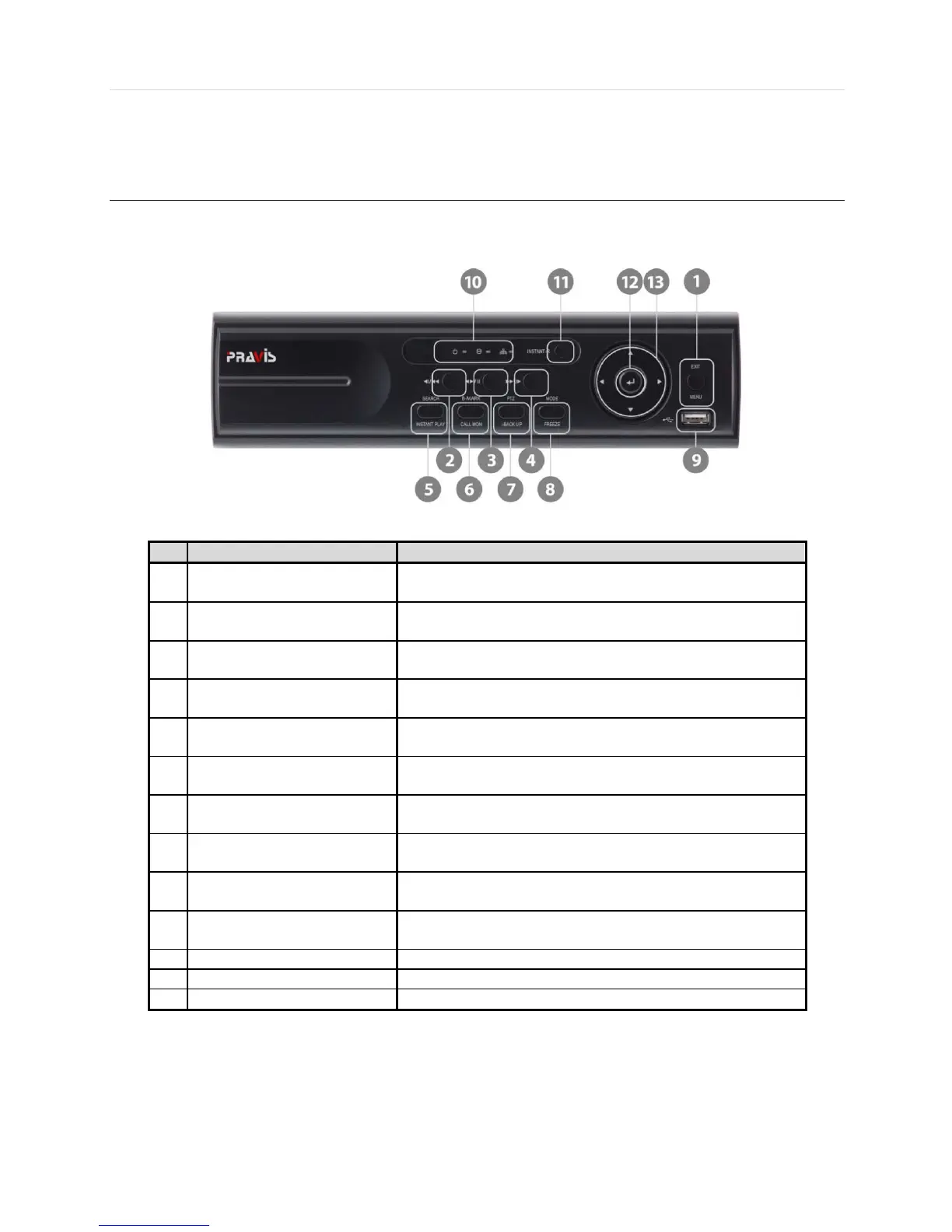
2.1 Front Panel
[4CH Compact Case (W)270x(H)71x(D)215mm]
1
Menu
Exit
Open system menu /
Return to previous mode
2 Fast Rewind Button
Forward Playback : Decrease the speed /
Reverse Playback : Increase the speed
3
Forward & Backward Play /
Forward play & Backward Play (Long Press) /
4 Fast Forward Button
Forward Playback : Increase the speed /
Reverse Playback : Decrease the speed
5
Search
Instant Play (Press and hold)
Go to search mode /
Used to initiate Instant Reverse Playback
6
Book-Mark
Call Monitor (Press and hold)
Used to display full screen video of a selected spot out channel
I-backup (Press and hold)
Bring up PTZ Camera control /
Used to initiate instant back up
Used to initiate Freeze function
9 USB Port
USB port (Ver. 2.0) for mouse operation and backup device or
F/W update
10 LED Indicator
Indicates system status
Power, Record, HDD and Remote Control
13 Direction Button Move to the direction that user wants to select



 To Next Page