User’s Manual | 40
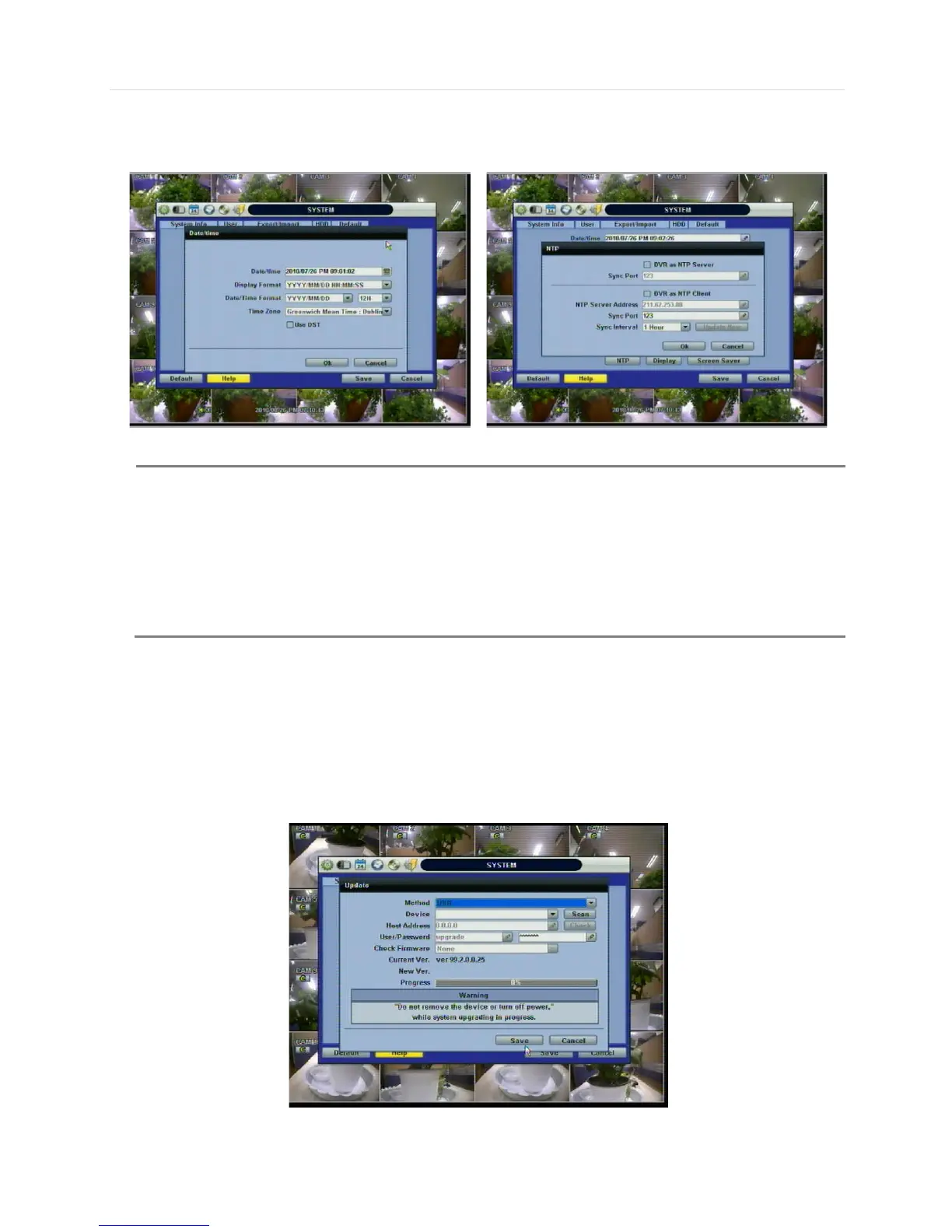
In “DATE/TIME SET,” user can activate DST (Daylight Saving Time). Select the time synchronization server and other basic
settings like time zone/time format.
Keyboard ID: users must setup Keyboard ID to match the ID setting in keyboard, if user wants to use a keyboard to control the
DVR. The user also needs to select the KEYBOARD model and BUAD RATE setting.
Remote ID: users must setup the Remote ID to match the ID setting in the IR remote controller in order for the remote to
function.
Upgrade: Users can easily upgrade the system in “Upgrade” menu via DVD/CD/USB/FTP server, upon the selection as
shown below:
There are two types of TIME SYNC MODE.
1) Server Mode
The operating DVR is set as a Time Sync Server, which can synchronize the time clock of another
DVR(s) connected over the same network environment.
2) Client Mode
The operating DVR is set as one of the client DVR(s). Input the IP No of designated DVR, Advanced
Client Software (ACS), or Central Management System (CMS), as a Time Sync Server in “SYNC
SERVER”; and then its time clock is synchronized with Time Sync Server by the setup time in “SYNC
CYCLE”.



 To Next Page