User’s Manual | 52
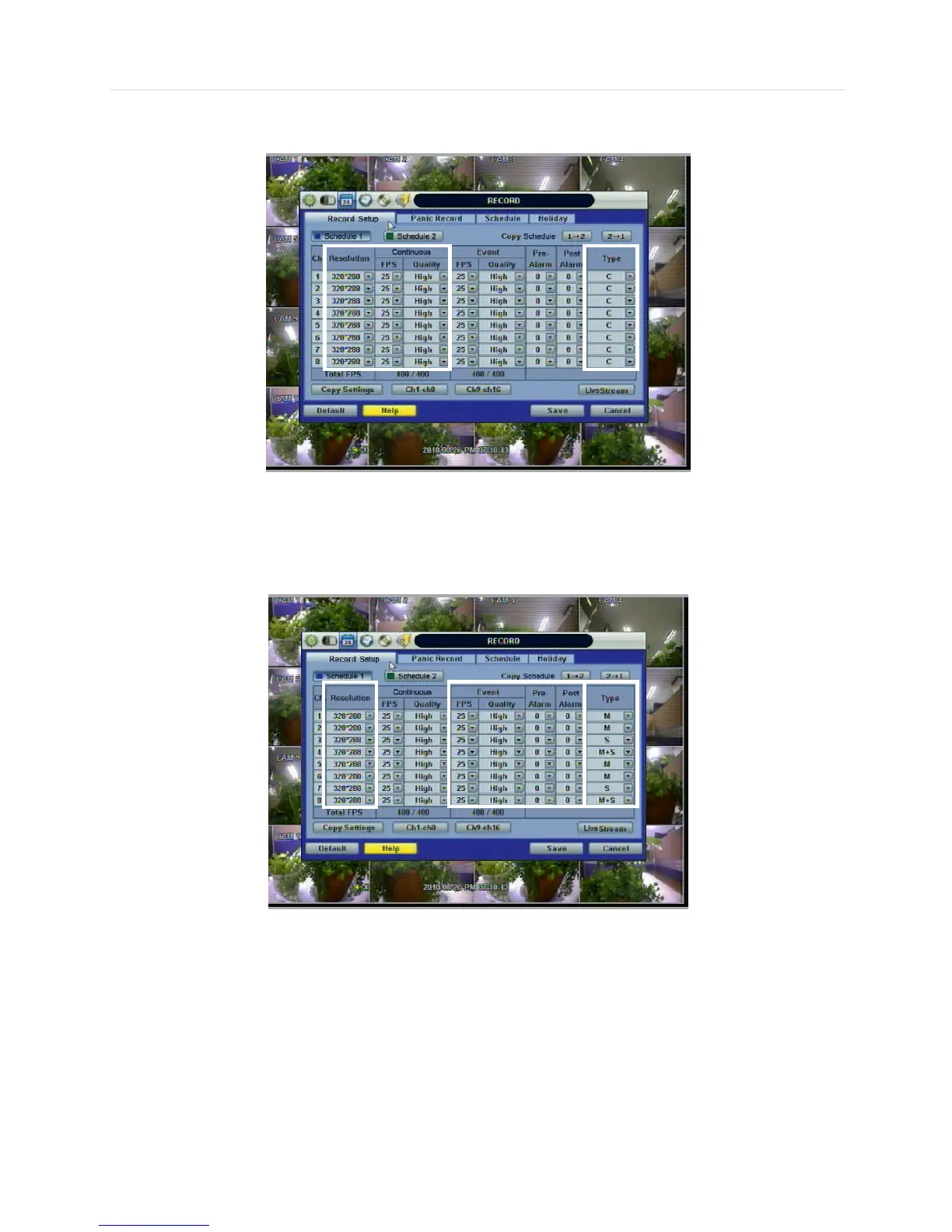
For example, if the Type is “C” (Continuous), Event Recording will be disabled, and the DVR will use the settings for
Continuous Recording only.
<Continuous Record setting>
If the Type is set to “M” (Motion) or “S” (Sensor/Alarm), the DVR will use the Event Recording settings only.
<Event Record setting>
In the case that the Type is set to “C+M” (Continuous + Motion), “C+S” (Continuous + Sensor), or “C+M+S” (Continuous +
Motion + Sensor), both Continuous and Event Record settings are simultaneously engaged.
If there is no event (Motion, Sensor, Alarm), the DVR records continuously with the Continuous Record settings. If there is an
event (Motion, Sensor, Alarm), the DVR records with the Event Record Settings.



 To Next Page