8. S40 control unit and available settings
Premier Tech 42 / 64 Solido SMART
DOKK5110E 15.04.2020
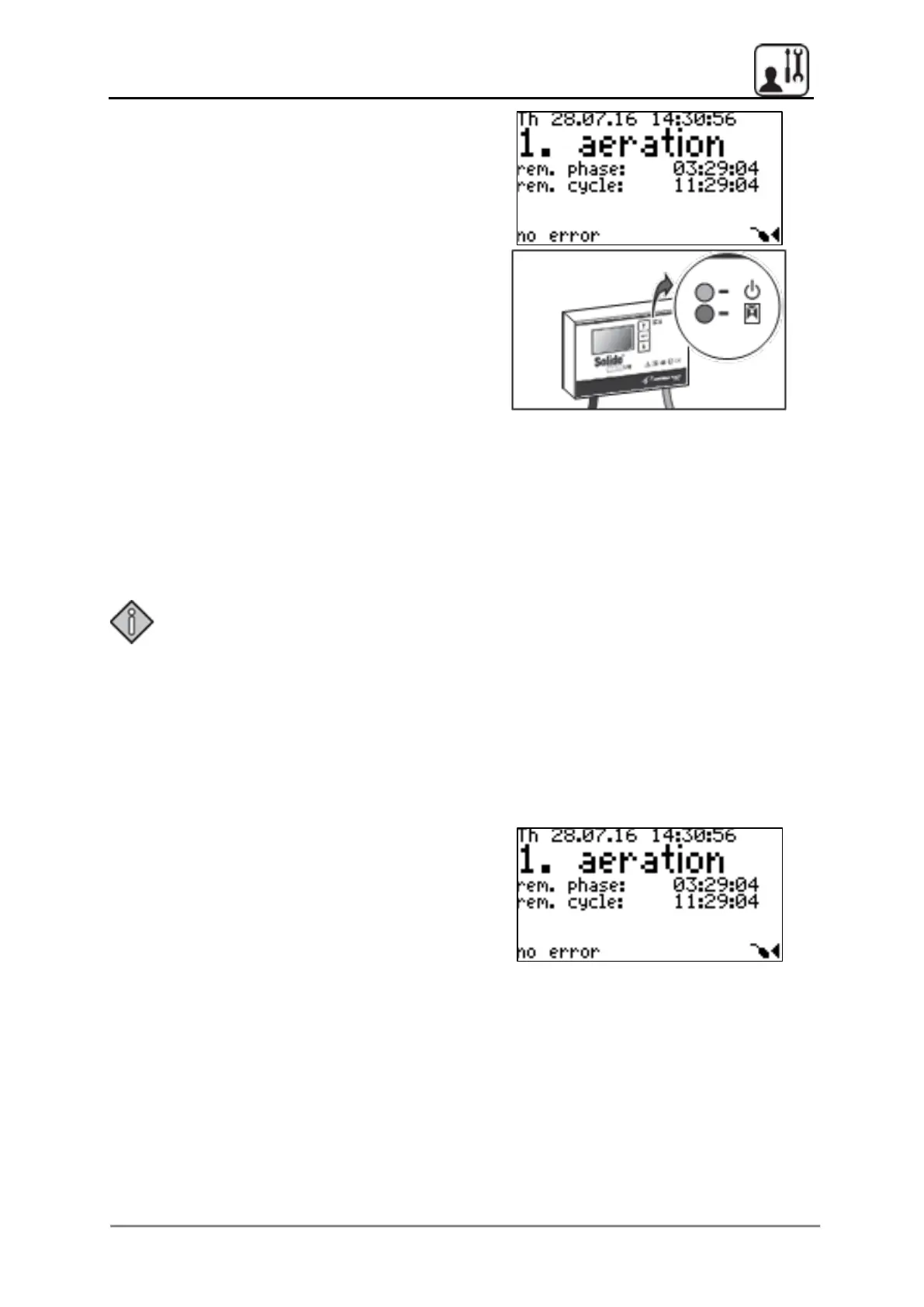
Once start-up is complete, the control unit
starts with a clearwater discharge process. The
basic screen then appears and the control unit
returns to the current cycle after a short
synchronisation pause:
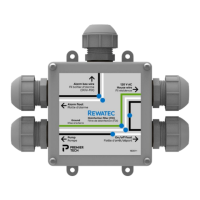
The green, upper LED on the control unit
illuminates, showing that it is ready for
operation.
The red, lower LED on the control unit flashes
when there are alarm messages.
8.5 Power failure recognition
The control unit has a power failure recognition function. If the power supply is interrupted, a
recurring audible alarm is emitted. “Network not available” is displayed on the screen. Switch
off the alarm completely by pressing and holding the middle button for longer than six
seconds.
Note:
• After a network interruption of more than 45 min, the controller restarts with a
clearwater discharge process.
• After a network interruption of less than 45 min, the controller restarts at the
relevant point in the cycle.
8.6 Menu structure
8.6.1 Basic screen
The following information is displayed on the
basic screen:
• Weekday - date - time
• Current cycle activity
• Remaining time - phase
• Remaining time - cycle
• Error - float switch symbol


 To Next Page