8. S40 control unit and available settings
Premier Tech 47 / 64 Solido SMART
DOKK5110E 15.04.2020
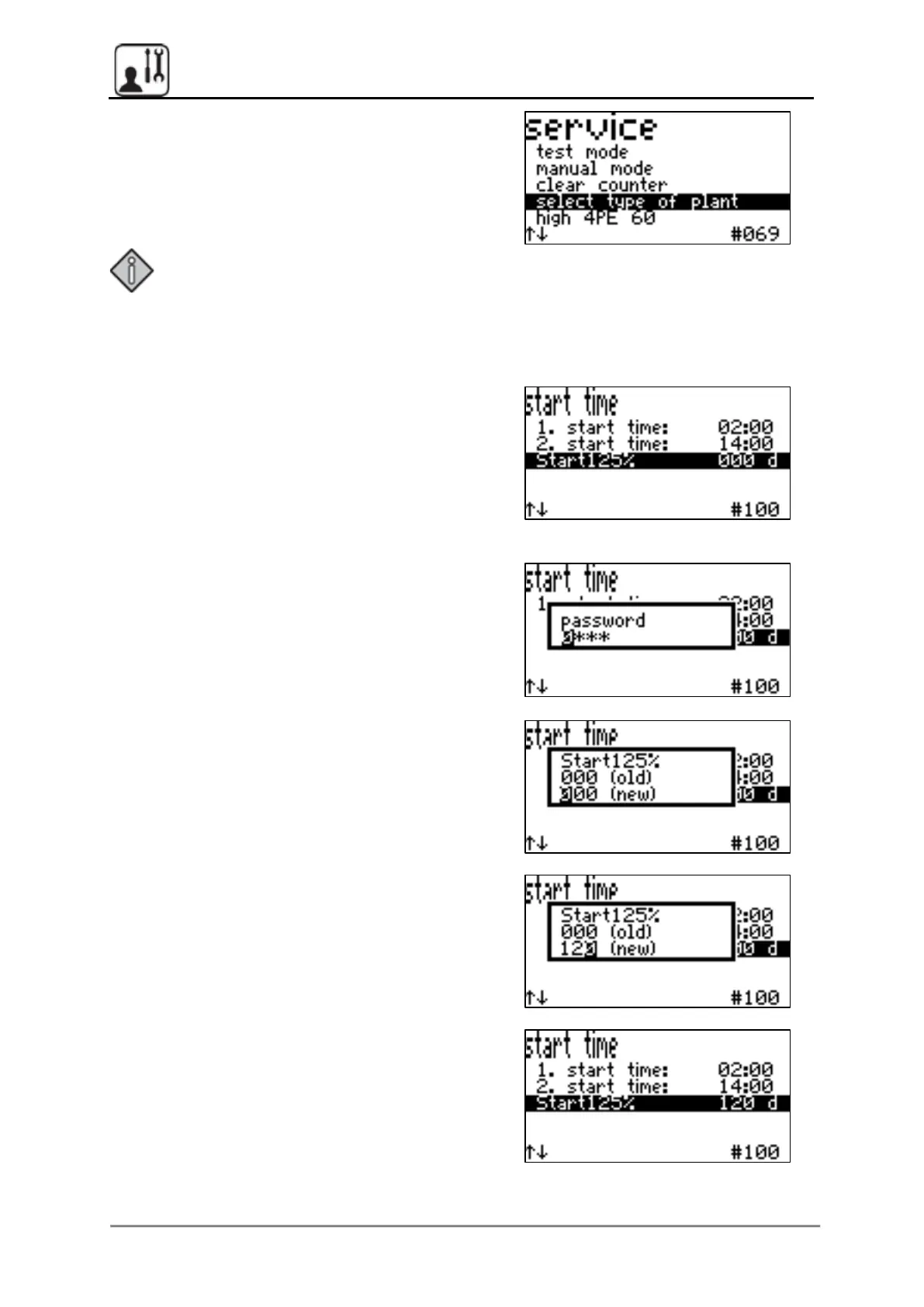
Press the middle button again to close the
Select type of plant menu item.
The plant type that is now selected is a Solido
SMART, aeration level high, 4 PT and a
60 l/min compressor.
Note:
After changing the plant type, the “Start125%” start-up phase is always
activated automatically; to deactivate it, see chapter ‘8.6.4 “Start125%” start-up
phase’.
8.6.4 “Start125%” Start-up phase
If the start-up phase is activated, the aeration
time is automatically increased to 125% of the
set value, but at max. 18.0 min.
The duration can be set.
From software version V1.08 on, the default
value is 0 days (not activated). In former
versions the default value was 240d.
Press the middle button again and then enter
the service password.
Enter the desired duration in number of days
and confirm with the middle button.


 To Next Page