130130
PreSonus StudioLive
™
16.4.2
Quick Start:
Level
Setting
Overview Hookup Controls Connecting
to a
Computer
Tutorials Technical
Information
Trouble-
shooting
and Warranty
Scenes, Presets,
and System Menu
7 Software: Universal Control, SL Remote, Capture, Studio One Artist
Software: Universal Control,
SL Remote, Capture,
and Studio One Artist
7.5 Studio One Artist Quick Start
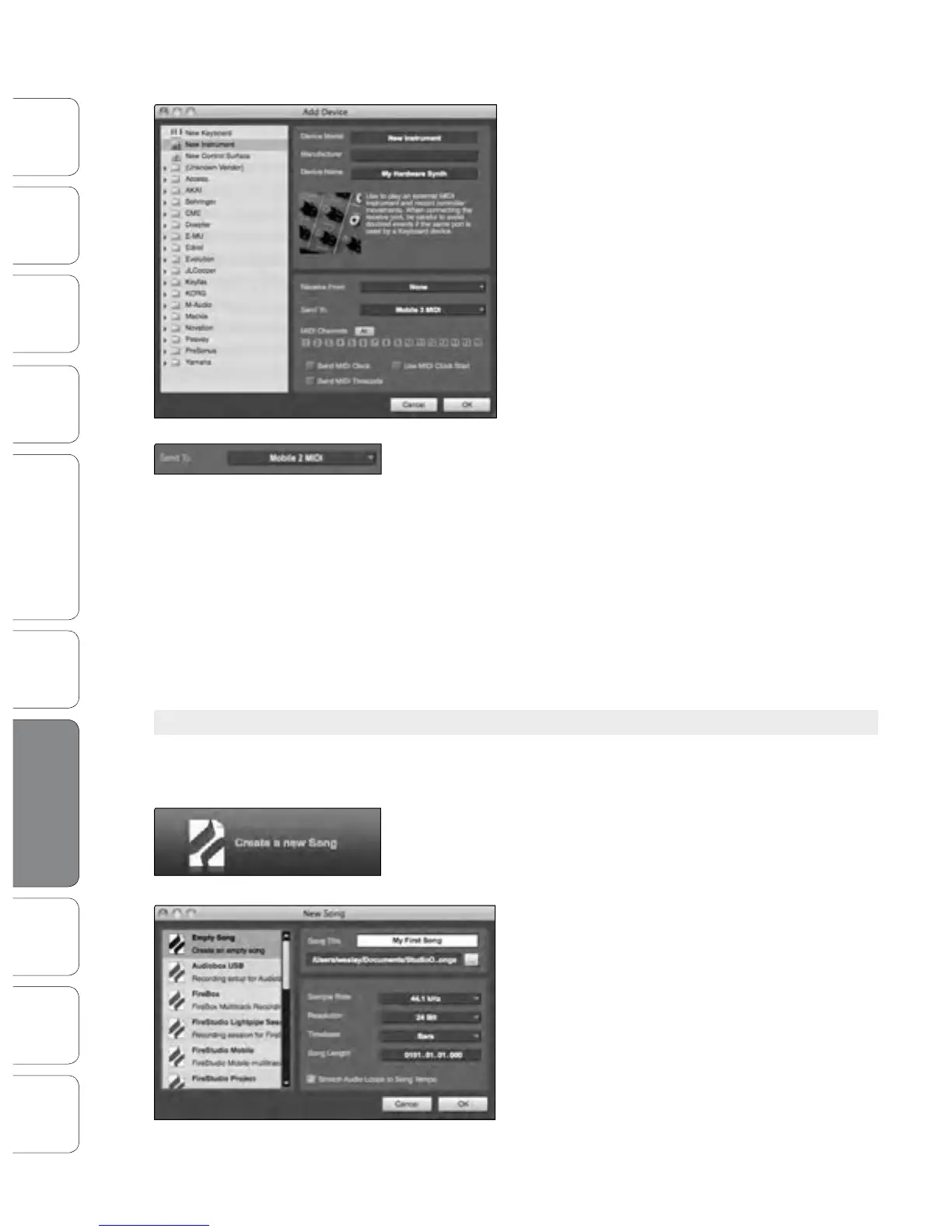
2. The Add Device window will launch.
From the menu on the left, select “New
Instrument.” At this point, you can customize
the name of your sound module by entering
the manufacturer and device names.
Specify which MIDI channels will be used to
communicate with this keyboard. For most
purposes, you should select all MIDI channels. If
you are unsure of which MIDI channels to select,
we suggest you select all 16.
3. In the Send To drop-down menu, select the MIDI-interface output from
which Studio One Artist will send MIDI data to your sound module.
In the Receive From drop-down menu, select the MIDI-interface
output from which Studio One Artist will receive MIDI data from
your sound module. If your sound module will not need to send
information to Studio One, you can leave this unspecied.
Click OK and close the External Devices window. You are
now ready to start recording in Studio One Artist. The
rest of this Quick Start Guide will go over how to set up
a Song and will discuss some general workow tips for
navigating through the Studio One Artist environment.
7.5.4 Creating a New Song
Now that you’ve congured your MIDI devices, let’s create a
new Song. We‘ll start by setting up your default audio I/O.
1. From the Start page, select “Create a new Song.”
2. In the browser window, name your Song and
choose the directory in which you’d like it saved.
You’ll notice a list of templates on the left. The
StudioLive 16.4.2 template will create a Song with a
track for each of the 16 inputs. Every track is armed
for recording, and no further setup is required.
Select this template and click “OK.”
The rest of this section will guide you through
creating a Song from an empty session.











 To Next Page