3434
PreSonus StudioLive
™
16.4.2
Quick Start:
Level
Setting
Overview Hookup Connecting
to a
Computer
Tutorials Technical
Information
Trouble-
shooting
and Warranty
Scenes, Presets,
and System Menu
Software: Universal Control,
SL Remote, Capture,
and Studio One Artist
4 Controls
Controls
34
4.3 Input Channel Strip
4.3 Input Channel Strip
The StudioLive is equipped with all of the standard input controls of an analog mixer.
In addition, the StudioLive provides the added exibility of routing a playback stream
from your audio-recording software to the mixer via the FireWire bus, just as if it were
an analog input. This lets you incorporate digital audio tracks into the main mix as
well as inserting plug-in eects and software instruments from your audio program.
4.3.1 Input Channel Controls
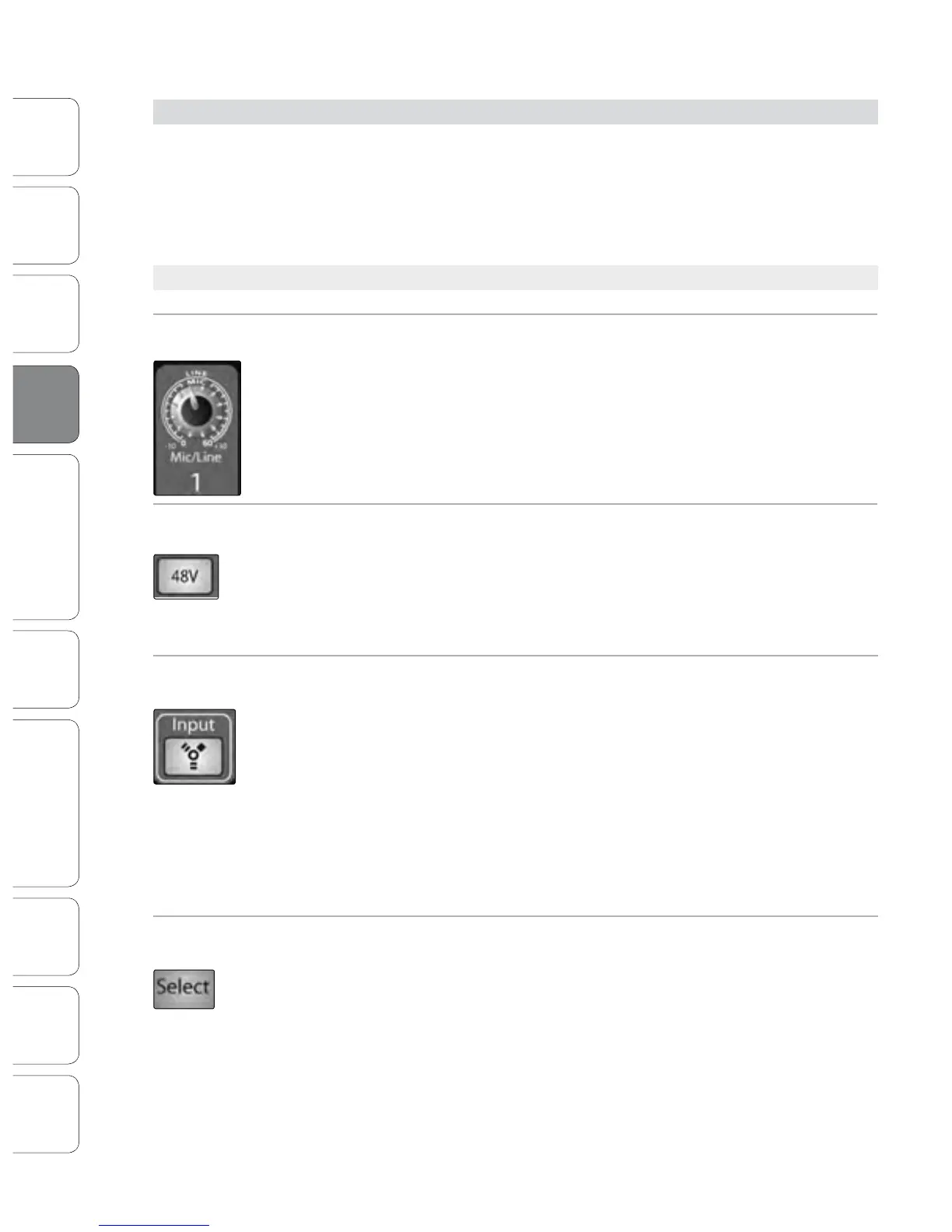
Trim Control Adjusts the Input Gain Level.
The Trim control adjusts the gain of the channel’s analog input.
Power User Tip: It is very important to properly adjust this control in order to minimize noise and
avoid overload distortion. Follow the Quick Start level-setting instructions on page 5 before operating
a channel.
Phantom Power Button Turns Phantom Power On/Off.
The StudioLive is equipped with individual phantom power for every microphone
input. The 48V button will illuminate when phantom power is activated. For more
information on phantom power and the microphones that require it, please review
Section 8.1.
FireWire Input Select Switch Turns FireWire Playback Streaming On/Off.
The FireWire Input button routes a playback stream from your audio software to the
StudioLive’s channel inputs, where it is routed and processed the same way as analog
input signals. For example, if you want a particular recorded track to play back on
mixer channel 3, simply route that track in your audio software to StudioLive Output
3. This button can also be used to insert a plug-in eect into the mix. For more
information on this feature, please review Section 6.4.2.
Engaging a FireWire Return will mute the analog input on that channel globally to
the mix bus, however the signal will still be routed to the FireWire send so that it can
be recorded or processed by a plug-in. For more information see Section 6.4.2.
Input-Channel Select
Button
Enables Fat Channel Processing and Routing.
As previously described in Section 4.1.1, the Select button routes its channel through
the Fat Channel, allowing you to add dynamics processing, EQ, and panning; assign
the output routing; and more.











 To Next Page