2222
PreSonus StudioLive
™
16.4.2
Quick Start:
Level
Setting
Overview Hookup Connecting
to a
Computer
Tutorials Technical
Information
Trouble-
shooting
and Warranty
Scenes, Presets,
and System Menu
Software: Universal Control,
SL Remote, Capture,
and Studio One Artist
4 Controls
Controls
22
4.1 The Fat Channel
4.0 Controls
4.1 The Fat Channel
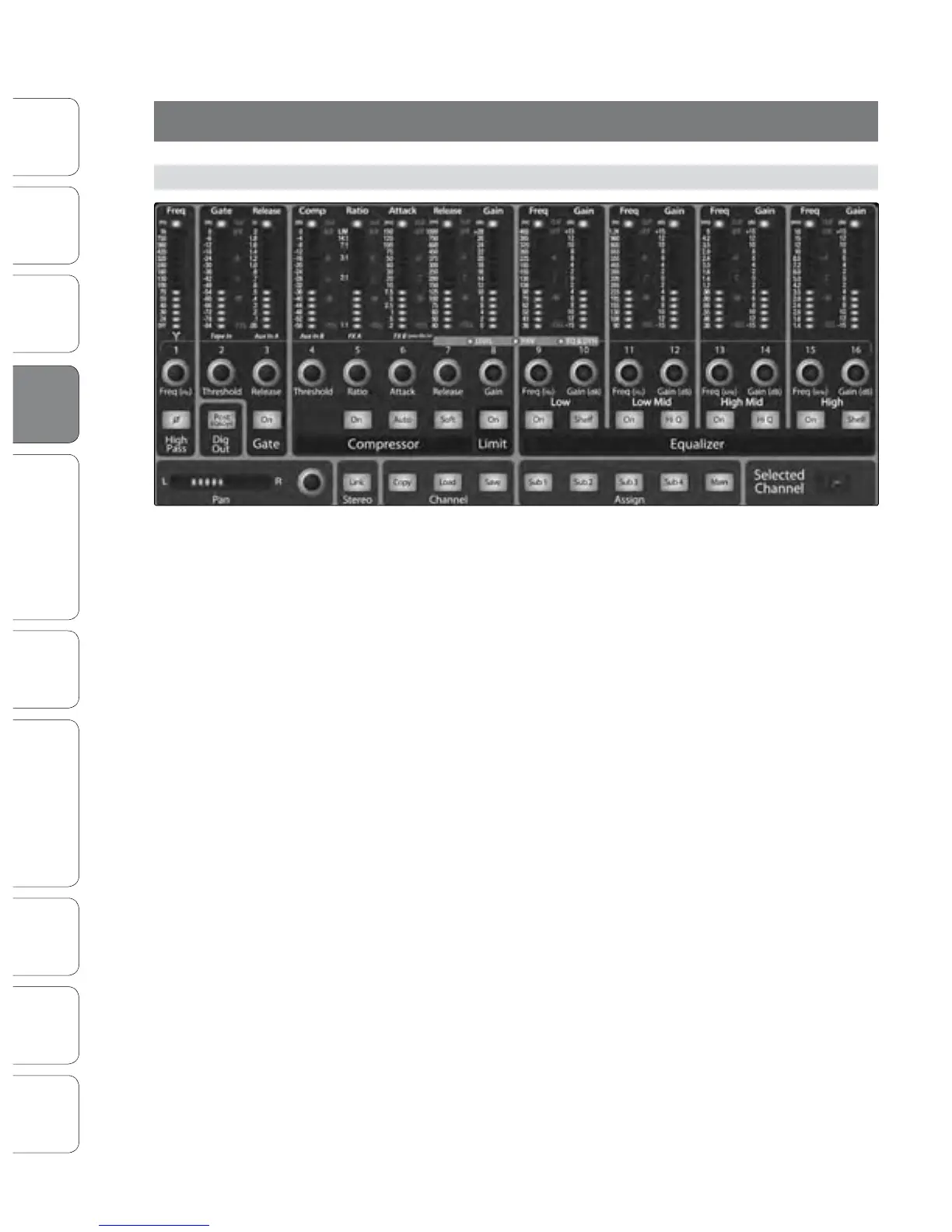
The heart of the StudioLive is the revolutionary Fat Channel. The Fat Channel
makes dynamics, routing, and panning for every input and output on the
StudioLive available at the touch of a Select button. The 16 multipurpose
knobs and meters located in the Fat Channel control nearly every adjustment
you will need to make on your StudioLive. From the Fat Channel, you can:
• Add dynamics processing and EQ to every input and output
• Create sends and eects mixes for all six analog aux
sends and both internal eects buses
• Assign subgroup and main routing
• Meter inputs, post-dynamics-processing outputs,
and gain reduction for all 16 channels
• Meter aux-send outputs
• Copy, save, and load mix Scenes
• Recall your fader position for stored mixes











 To Next Page