3939
Owner’s Manual
Quick Start:
Level
Setting
OverviewHookupConnecting
to a
Computer
TutorialsTechnical
Information
Trouble-
shooting
and Warranty
Scenes, Presets,
and System Menu
Software: Universal Control,
SL Remote, Capture,
and Studio One Artist
Controls 4
Controls
39
4.5 Subgroups
As explained in Section 8.4, subgroup mixing is very useful for
grouping channels for master level control of a submix (e.g.,
drums) and for providing a fader level for eects.
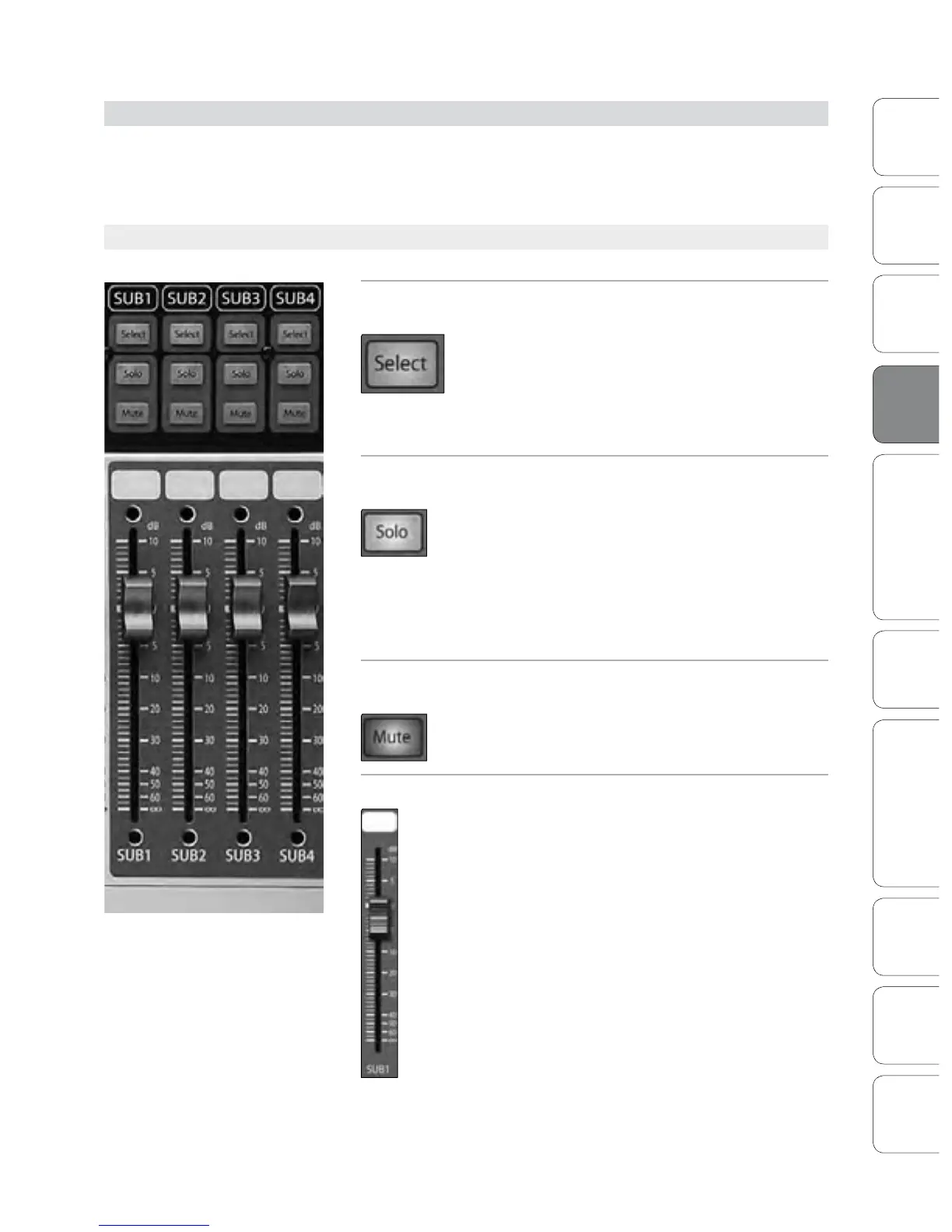
4.5.1 Subgroup Controls
Subgroup Channel
Select Button
Enables Fat Channel Adjustments of Subgroup.
As previously described in Section 4.1.1, the
Select button routes its channel through the
Fat Channel, allowing you to add dynamics
processing, EQ, panning, etc. or to patch a
Subgroup to the Main Bus.
Solo Button Turns Soloing On or Off for the Subgroup Bus.
This button will solo its subgroup to the
monitor outputs, post-fader. PFL and SIP are
not available for the Subgroups.
When a Solo button is enabled, that channel
or bus will automatically be selected
and its Select button will illuminate.
Mute Button Turns Muting On or Off for the Subgroup Bus.
This button mutes its subgroup. It will
illuminate red when the channel is muted.
Subgroup Fader Controls the Level of the Subgroup Bus.
The fader controls the overall volume of the
signal on its subgroup output.
The white area above the fader can be used
as a scribble strip. Use only oil pencils. Other
types of pens or pencils cannot be wiped o.
To clean the scribble strip, use a lightly
damp cloth to remove the writing.
Subgroups 4.5











 To Next Page