4141
Owner’s Manual
Quick Start:
Level
Setting
OverviewHookupConnecting
to a
Computer
TutorialsTechnical
Information
Trouble-
shooting
and Warranty
Scenes, Presets,
and System Menu
Software: Universal Control,
SL Remote, Capture,
and Studio One Artist
Controls 4
Controls
41
Master Section 4.7
4.7 Master Section
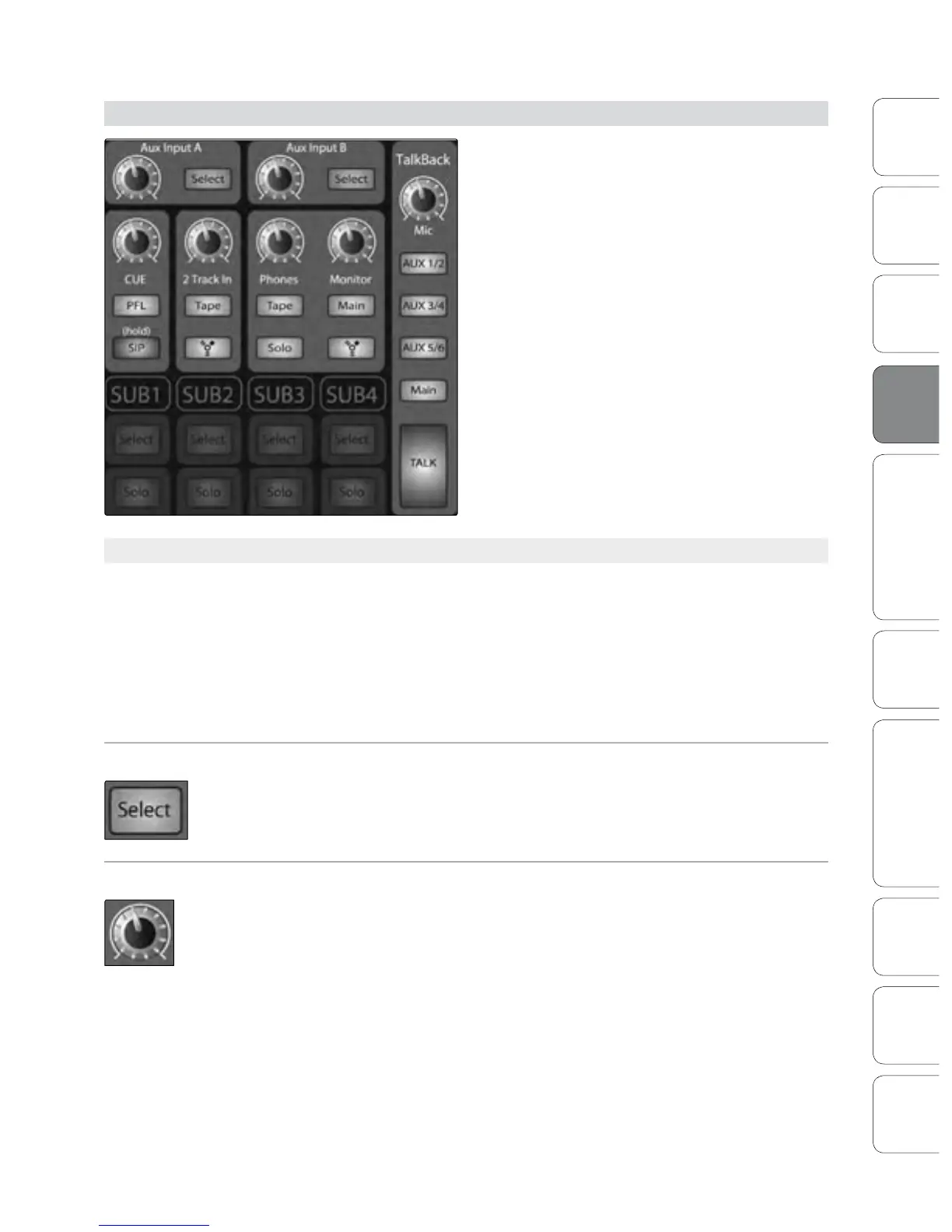
The Master section of the StudioLive controls the
monitoring, talkback output, solo bus, and aux and
tape inputs.
4.7.1 Aux Inputs A and B
The StudioLive features an internal eects processor that allows you to
load two dierent eects at the same time. You also can patch processed
return signals from an external eects processor using Aux Inputs A and B.
Section 8.5 goes into the connections and procedures in greater detail.
Power User Tip: Aux Ins A and B can also be used as stereo line input channels
for devices like keyboards, synths, amp modelers, and other line-level devices.
In eect, this makes your StudioLive 16.4.2 an 18 channel mixer!
Aux Input Select Button Enables Fat Channel Viewing.
As previously described in section 4.1.1, the Select button routes its channel through
the Fat Channel, allowing you to add dynamics processing, EQ, and panning, as well
as enable output assignments.
Aux Input Level Control Controls the Signal Level of the Aux Input.
This knob controls the overall volume of the Aux Input signal.











 To Next Page