5050
PreSonus StudioLive
™
16.4.2
Quick Start:
Level
Setting
Overview Hookup Controls Connecting
to a
Computer
Tutorials Technical
Information
Trouble-
shooting
and Warranty
Software: Universal Control,
SL Remote, Capture,
and Studio One Artist
5 Scenes, Presets, and System Menu
Scenes, Presets,
and System Menu
5 Scenes, Presets, and System Menu
Your StudioLive will be zeroed out as follows:
SETTINGS
INPUTS AND BUSES ASSIGN PAN SOLO MUTE SELECT LINK SENDS MODE
INPUT CHANNELS MAINS C OFF OFF CH1 OFF NULL
SUBGROUPS NULL C OFF OFF NULL OFF
AUXES 1-6 N/A C OFF NULL OFF PRE 1
FX A / FX B MAINS C OFF NULL NULL POST / F1
AUX IN A/B MAINS C NULL NULL
TALKBACK NULL NULL
MAIN BUS C NULL
SOLO BUS AFL
MONITOR BUS MAIN
TAPE IN NULL NULL NULL
METER MODE NULL
MASTER CONTROL FX
The Fat Channel will be restored to the same setting for every input and
output on your StudioLive. Each of the dynamics processors and the four
bands of the EQ will be turned o. Their parameters will be set as follows:
FAT CHANNEL PARAMETERS
HIPASS NOISE GATE LIMIT COMPRESSOR EQ LOW L.MID H.MID HIGH
OFF KEY N/A OFF THR 0 dB P/S PEAK n/a n/a PEAK
THR 0.05s RAT 2:1 Q n/a low low n/a
ATK 20 ms FREQ 130 Hz 320 Hz 1.4 kHz 5 kHz
REL 150 ms GAIN 0 dB 0 dB 0 dB 0 dB
GAIN 0 dB
KNEE hard
Power User Tip: Before beginning any new mixing situation, it is always recommended
to recall the Zero Out (Board Reset) Scene. This is the easiest way to ensure that there are
no lingering parameter settings that could cause you some trouble in your new mix.
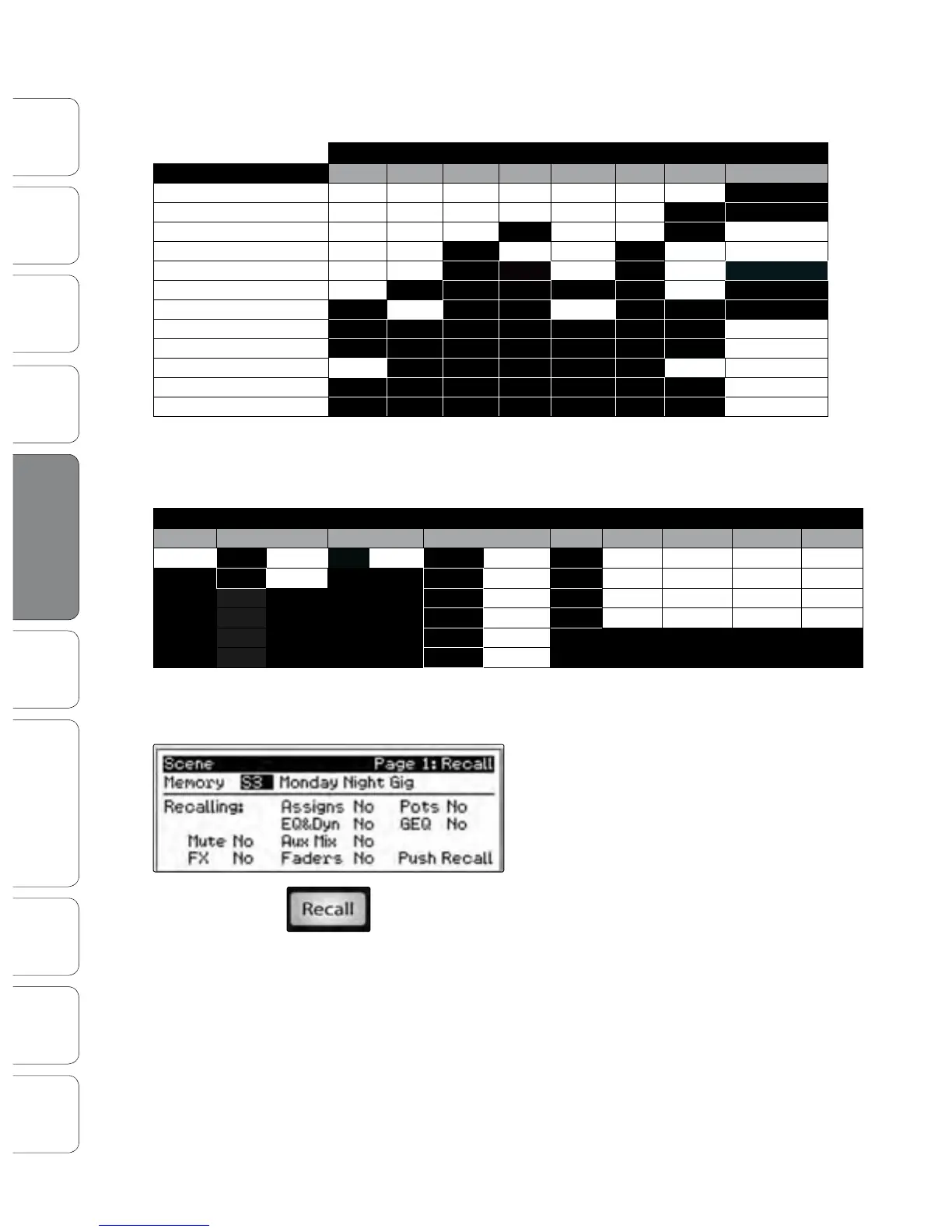
To recall a Scene, press the Scene button and use the
Value encoder to scroll through the Scene library.
When you have found the Scene you wish to recall,
press the Recall button. By default, the StudioLive will
recall all stored parameters (Fat Channel settings,
channel muting and soloing, aux mixes, and internal
eects parameters) except fader, knob, and GEQ
positions.
If you do not wish to recall a certain set of parameters,
simply use the Next and Prev buttons to navigate
through the screen. When the parameter that you
wish to disable is selected, turn the Value Encoder
counter-clockwise to move it to the No (o)
position. Once you have disabled the parameters
you do not wish to recall, press the Recall button.
5.1 Creating and Recalling a Scene











 To Next Page