Steering
column
controls
al.INKER
OR
HORN
LE"
TUAN
SIGNAL
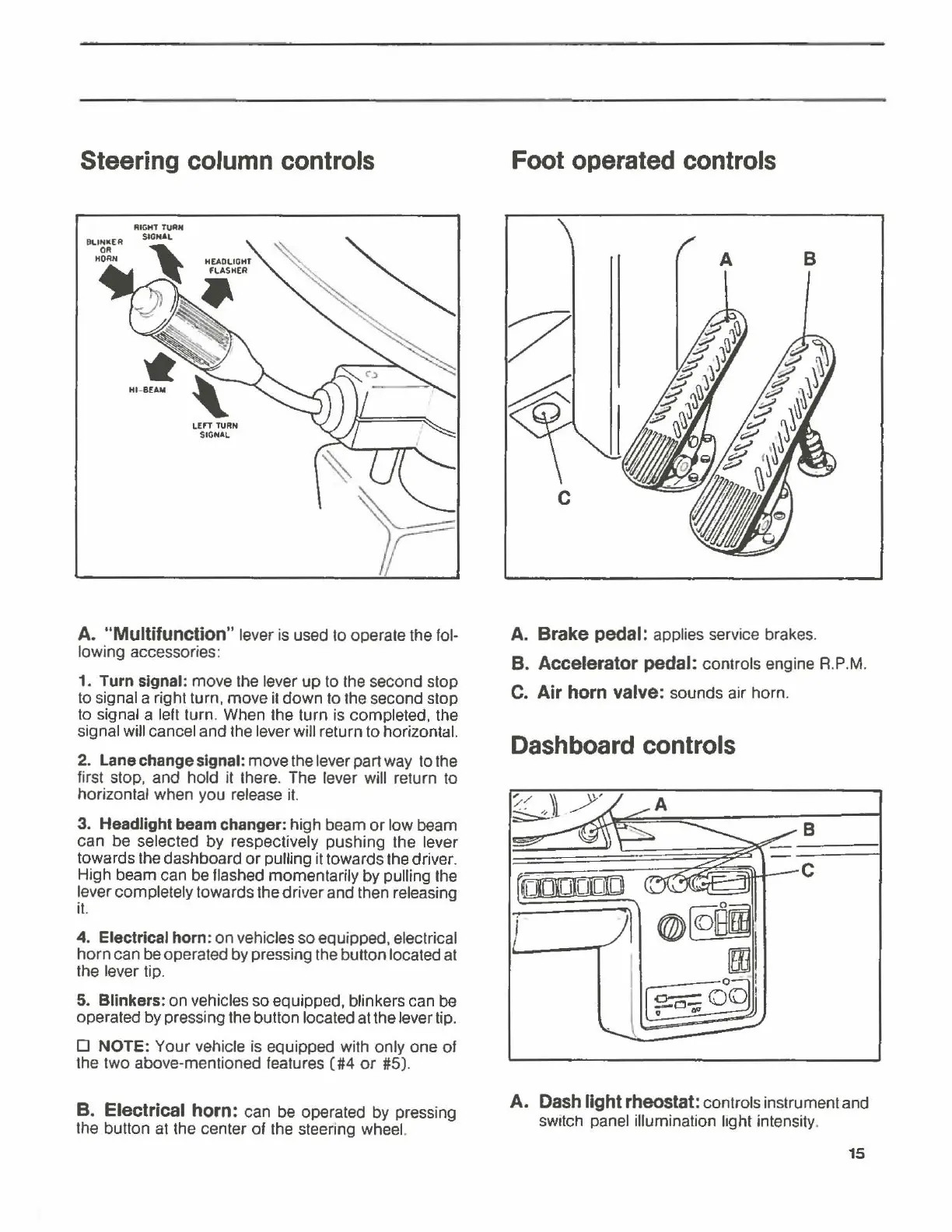
A. "Multifunction" lever is used to operate the fol-
lowing accessories:
1.
Turn signal: move the lever
up
to the second stop
to signal a right turn, move it
down
to the second stop
to signal a left turn. When the turn is completed, the
signal will cancel and the lever will return to horizontal.
2.
Lane change signal: move the lever part way to the
first stop, and hold it there. The lever will return to
horizontal when you release it.
3.
Headlight beam changer: high beam
or
low beam
can
be
selected
by
respectively pushing the lever
towards the dashboard
or
pulling it towards the driver.
High beam can be flashed momentarily by pulling the
lever completely towards the driver and then releasing
it.
4.
Electrical horn:
on
vehicles so equipped, electrical
horn
can be operated by pressing the button located at
the lever tip.
5. Blinkers: on vehicles so equipped, blinkers can be
operated by pressing the button located at the lever tip.
0
NOTE:
Your
vehicle is equipped with only one
of
the two above-mentioned features
(#4
or
#5).
B. Electrical horn: can be operated by pressing
the button at the center
of
the steering wheel.
Foot
operated
controls
A
B
A.
Brake pedal: applies service brakes.
B.
Accelerator pedal: controls engine R.P.M.
C.
Air horn valve: sounds air horn.
Dashboard
controls
A.
Dash
light
rheostat:
controls instrument and
switch panel illumination lrght intensity.
15



 To Next Page