Installation
27
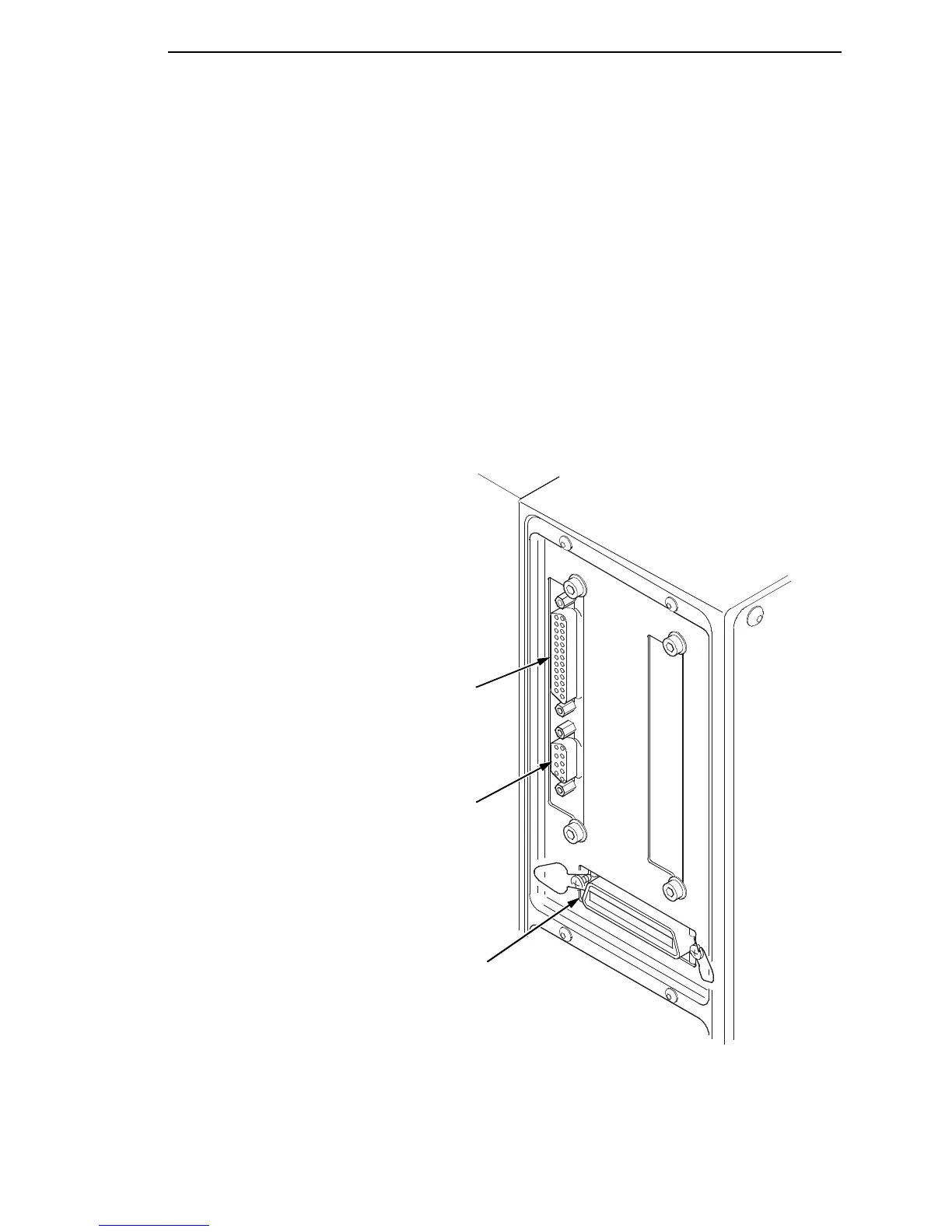
5. Attach Interface:
a. Parallel Interface
Attach a suitable parallel printer cable from the computer to the
Centronics/IEEE 1284 interface connector at the back of the printer.
Snap the bail locks to the Centronics connector to secure the
interface cable to the printer.
b. Serial Interface
Attach a suitable serial printer cable from the computer to the DB-25
RS-232 Serial interface connector at the back of the printer. For
additional information on serial cable wiring, refer to “Diagnostics And
Troubleshooting” on page 241.
NOTE: The printer supports simultaneous connection of the Parallel and
Serial interfaces using the Auto Switching feature. Auto Switching is
described on page 233.
Serial Connection
Parallel Interface
Debug Connection














 To Next Page