28
Chapter 1 Setting Up The Printer
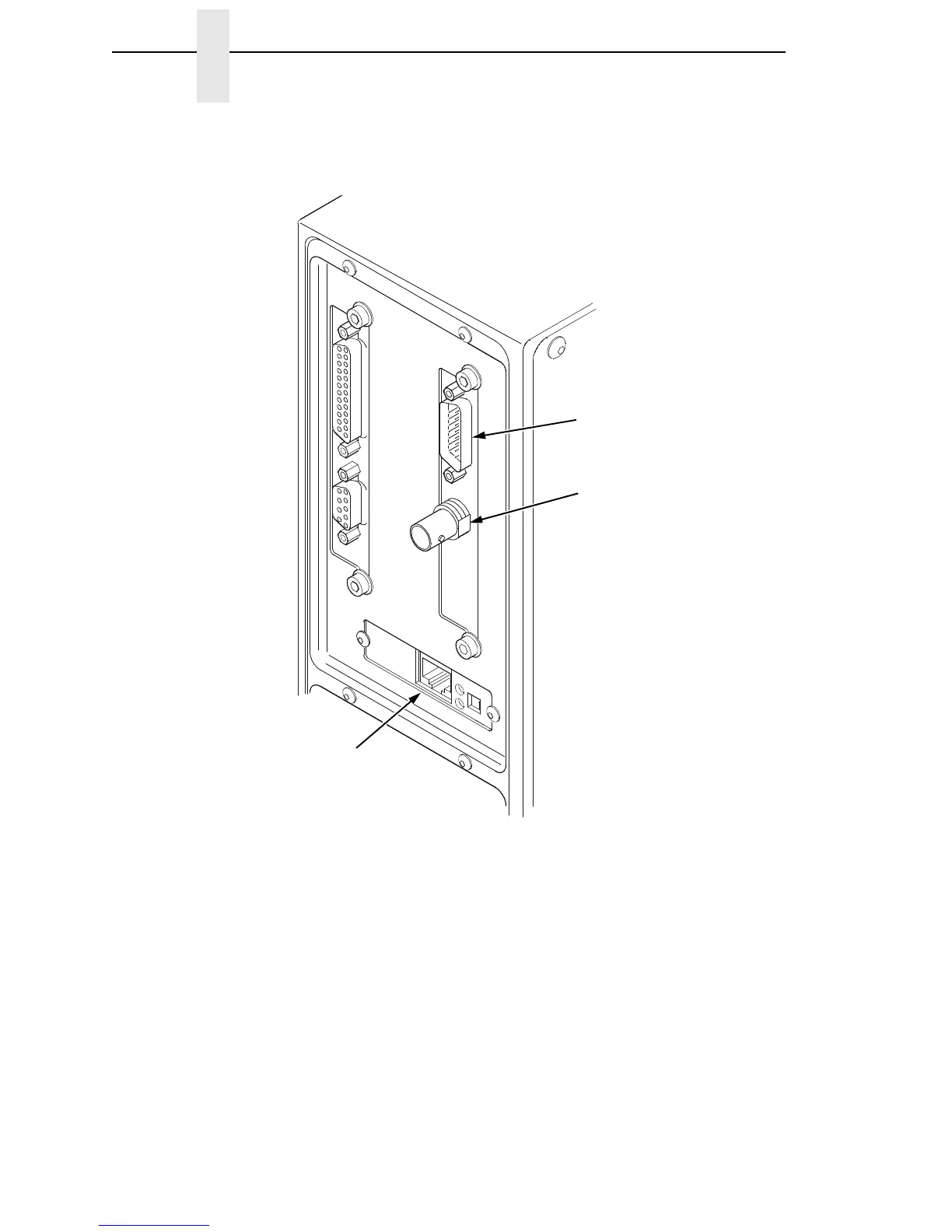
If your printer is equipped with the Coax/Twinax and Network Interface
Card (NIC) interfaces, the rear I/O panel will look like the picture below.
c. Coax Connection
Attach a suitable coaxial cable from the computer to the coax
connector located in the I/O plate in the back of the printer.
d. Twinax Connection
Attach a suitable twinax cable from the computer to the twinax
connector located in the I/O plate in the back of the printer.
e. NIC Connection
Insert a suitable NIC cable from your hub or switch to the NIC
connector located in the I/O panel in the rear of your printer.
Twinax Connection
Coax Connection
NIC Connection














 To Next Page