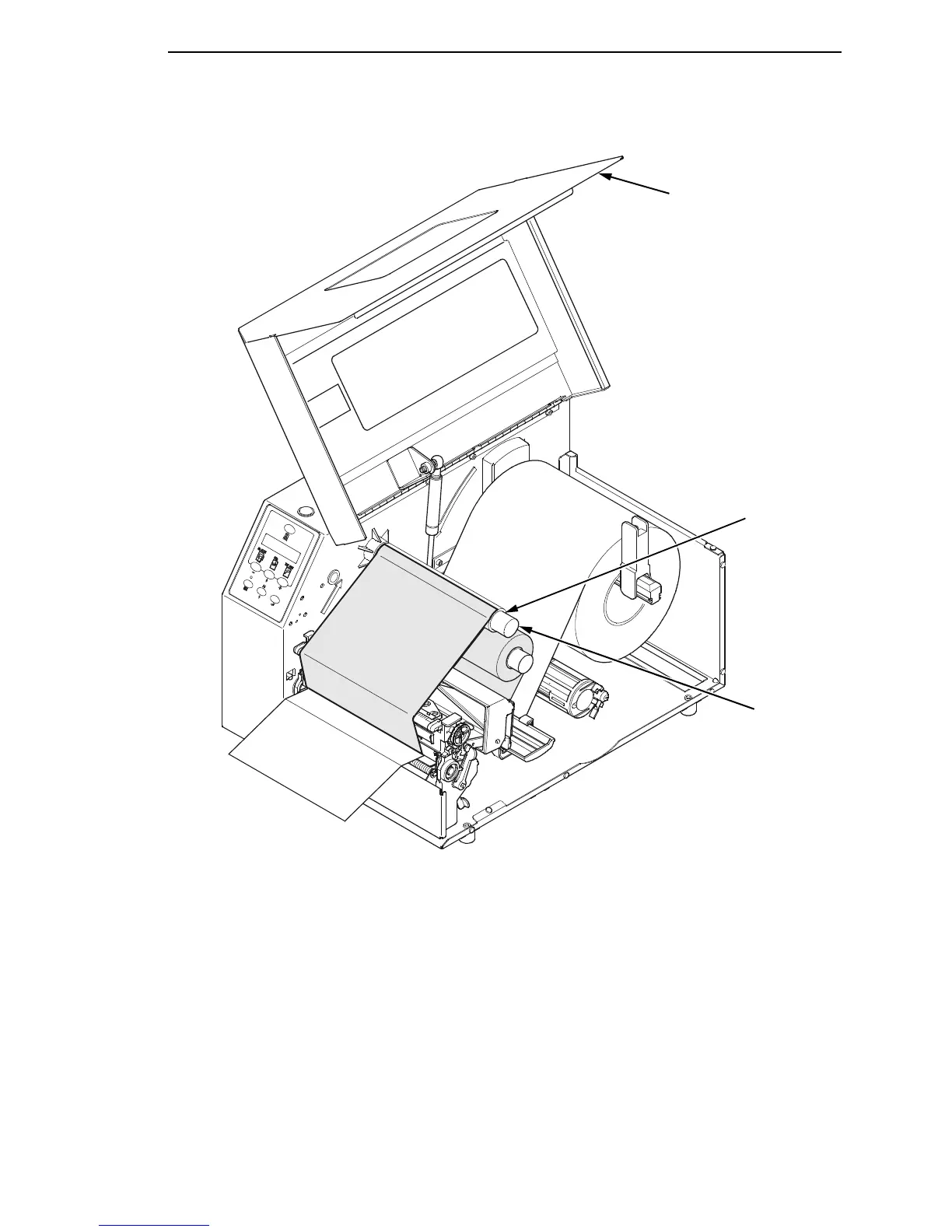
Loading Ribbon
47
5. Wrap the ribbon from the front of the printhead assembly to the front of
the ribbon take-up spindle. Attach the ribbon to the fiberboard core on the
ribbon take-up spindle with tape.
When installing a new roll of ribbon, attach the ribbon leader adhesive
strip to the ribbon take-up core. Manually rotate the spindle clockwise to
feed the unusable portion of the ribbon leader around the take-up spindle.
IMPORTANT
Do not attach the ribbon to the ribbon take-up spindle without a core
installed. Proper ribbon tension and ribbon removal is based on the use
of a fiberboard core.
6. Close the pivoting deck (see page 44).
7. Close the printer media cover if the rewinder is not needed.
Take-up
Spindle
Take-up
Core
Media Cover














 To Next Page