52
Chapter 2 Using The Optional Internal Rewinder
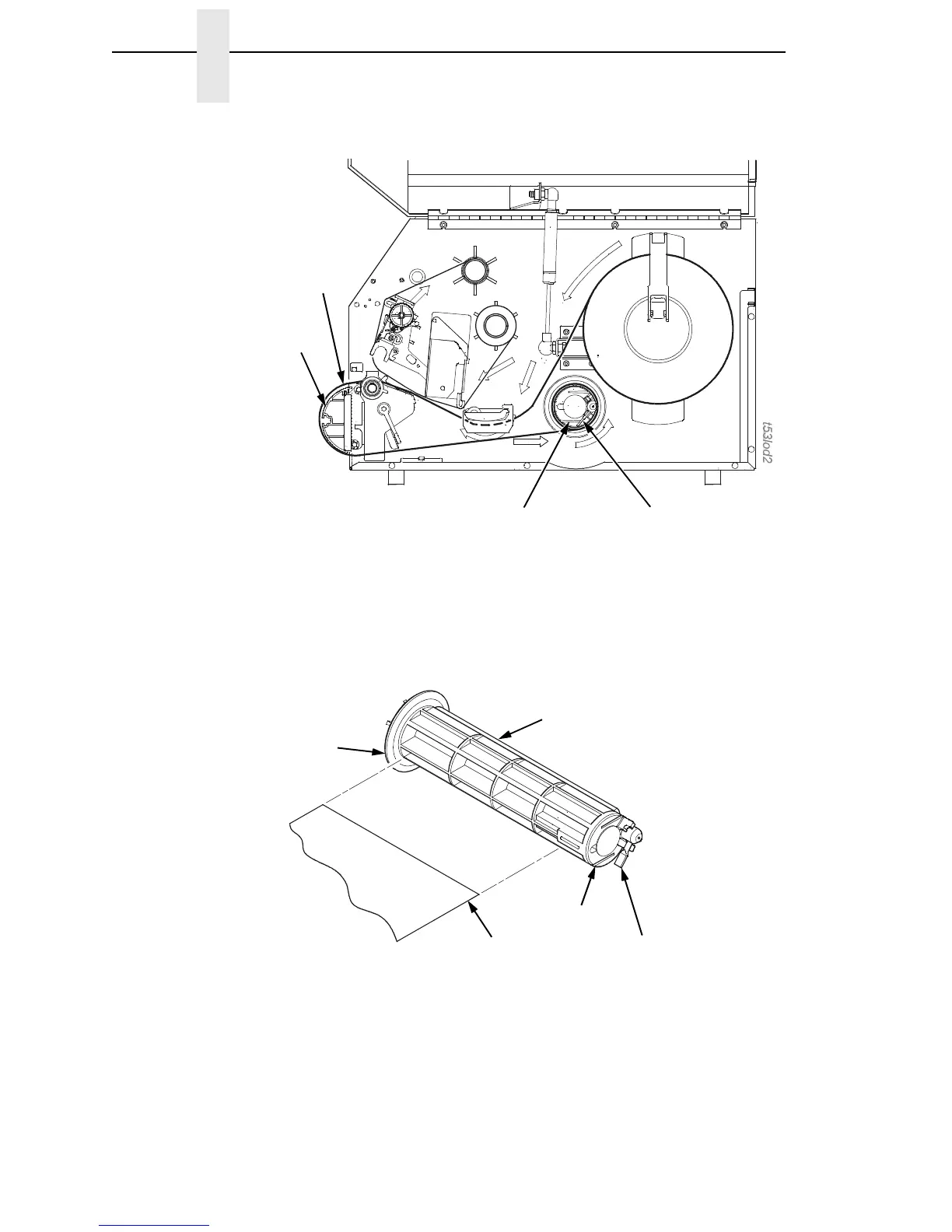
2. Thread the media over the front of the media guide and through the
opening under the front door toward the internal rewinder.
IMPORTANT
If you do not complete the following step, it will be extremely difficult to
remove the printed labels from the rewinder.
3. Turn the release lever on the rewinder counterclockwise and lock it in
place. This forms a raised ridge along the width of the rewinder.
4. Insert the leading edge of the media into the closest slot of the rewinder,
and slide the media against the back flange.
5. Hold the media edge in the slot and manually rotate the rewinder one full
revolution counterclockwise until the media is taut.
Release
Lever
Slot
Media
Guide
Media
Back Flange
Raised Ridge
Slot
Release Lever
(counterclockwise position)
Media or Liner














 To Next Page