45
Advanced Gap Sensing
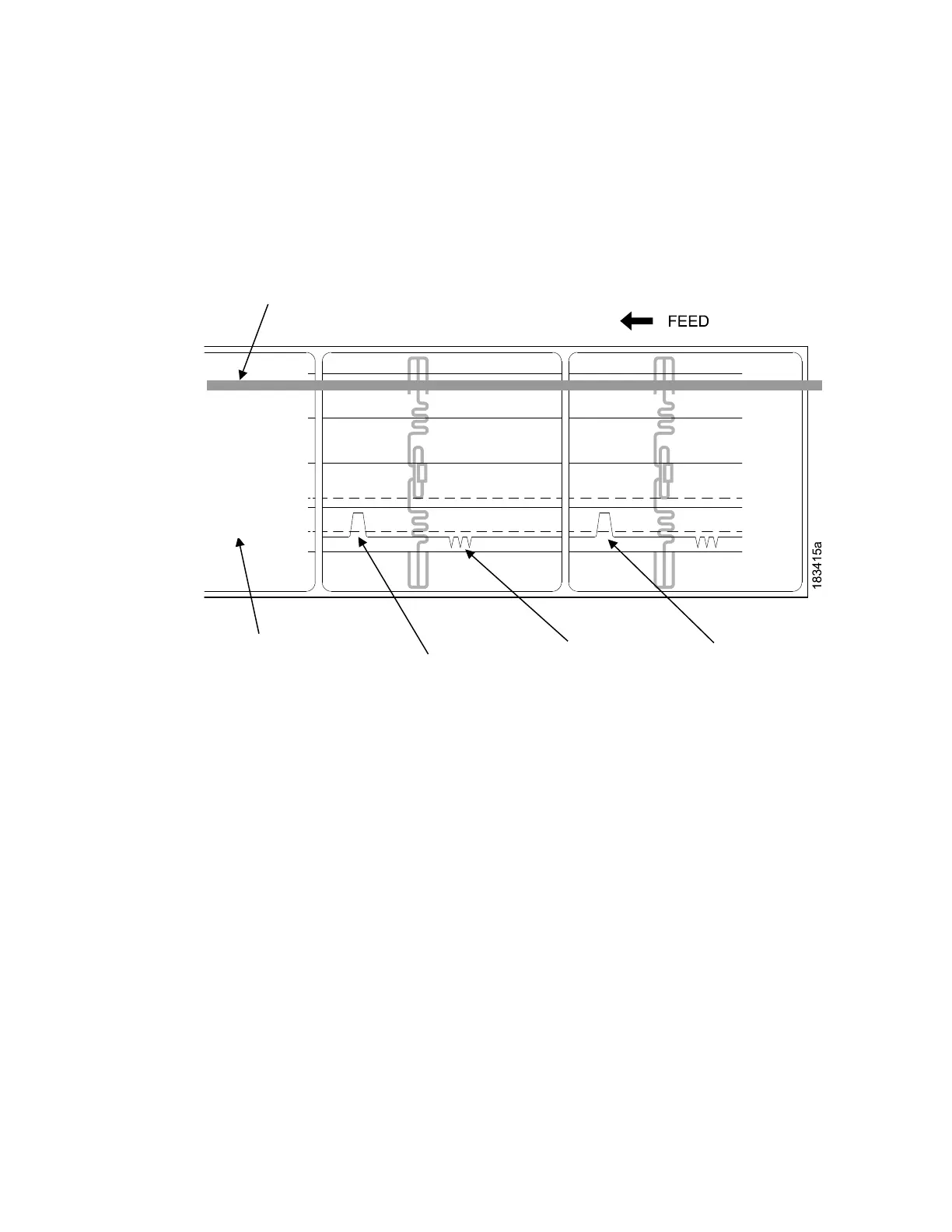
This figure shows a Media Profile printout of a smart label where Sensors > Control > Gap/Mark
Sensor
menu is set to Advanced Gap.
In this example, the gap threshold value the printer selected (represented by
the Gap/Mark dotted line) is
too close to the baseline (die cut label). If there is
an increase in noise or the opacity of the liner or ribbon,
the printer may
falsely use the noise as the gap (top-of-form).
To avoid this problem, increase the Threshold Range value to 60% of the maximum in the
Sensors >
Control > Gap/Mark Thresh menu (the default is 50%), then run an Auto Calibrate
again (Cross-ref to Auto
Calibrate).
NOTE: Any changes to Threshold Range will not take effect until you run an
Auto Calibrate again.
This will raise the Gap/Mark threshold high enough so that the printer will not
falsely use the antenna or
noise as the gap (top-of-form).
Indicates Type of Gap/Mark
Sensing Selected
Detected Amplitude
of the Antenna
Detected Amplitude
of the Gap














 To Next Page