ProfiHub B5+ / B5+RD User Manual
_______________________________________________
Version 2.0 – July 2014 Page 17 / 56
ProfiHub-B5-Plus-Manual-EN.docx © PROCENTEC 2014 - Copyright - all rights reserved
Procedure
To connect the 24V supply to the 2-pin screw-type terminal, proceed as follows:
- Strip the insulation from the cable or the conductors for the 24V power supply.
- Add cable crimp terminals/wire ferrules to the conductors.
- Secure the crimp terminals in the screw-type terminal.
To connect the power supply, you need a 3 mm screwdriver.
Testing
If the power is switched on it can be diagnosed by the following indicators:
- LEDs should be blinking in a circular animation for a short time.
- The POWER LED of the respective power connector (1, 2 or both) is ON.
- The READY LED is ON or Blinking, depending on baud rate lock.
2.5 Grounding of the power
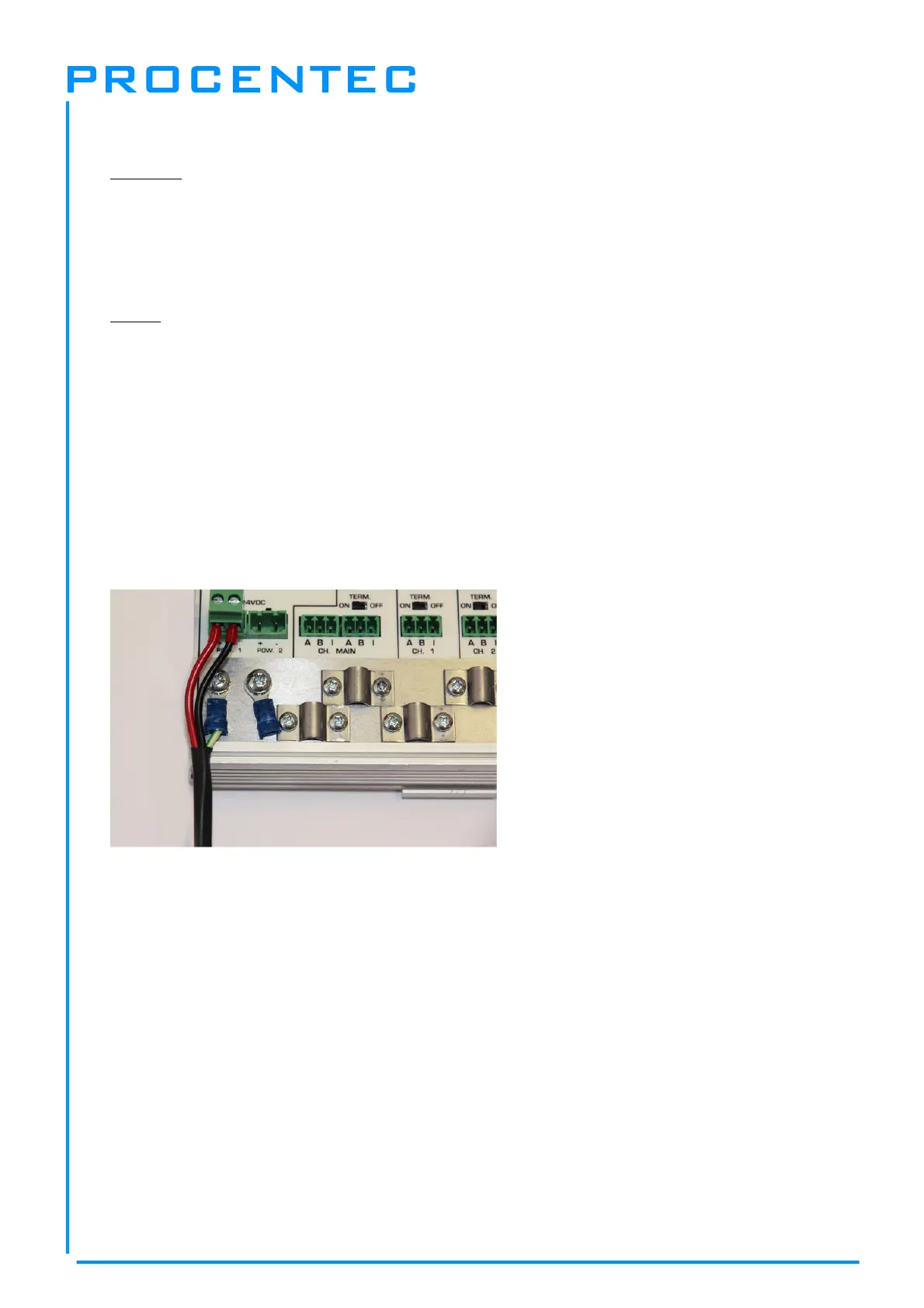
It is recommended to use a power supply with a ground lead (3-wire). Connect the ground
lead of the power lead to the Ground Rail of the ProfiHub B5+. Connect the Ground Rail to the
common ground with a separate ground lead. See
Fig. 12
for an example.
Fig. 12 - Connection to Ground Rail


 To Next Page