ProfiHub B5+ / B5+RD User Manual
_______________________________________________
Version 2.0 – July 2014 Page 36 / 56
ProfiHub-B5-Plus-Manual-EN.docx © PROCENTEC 2014 - Copyright - all rights reserved
3.4.2 Using the Plugin
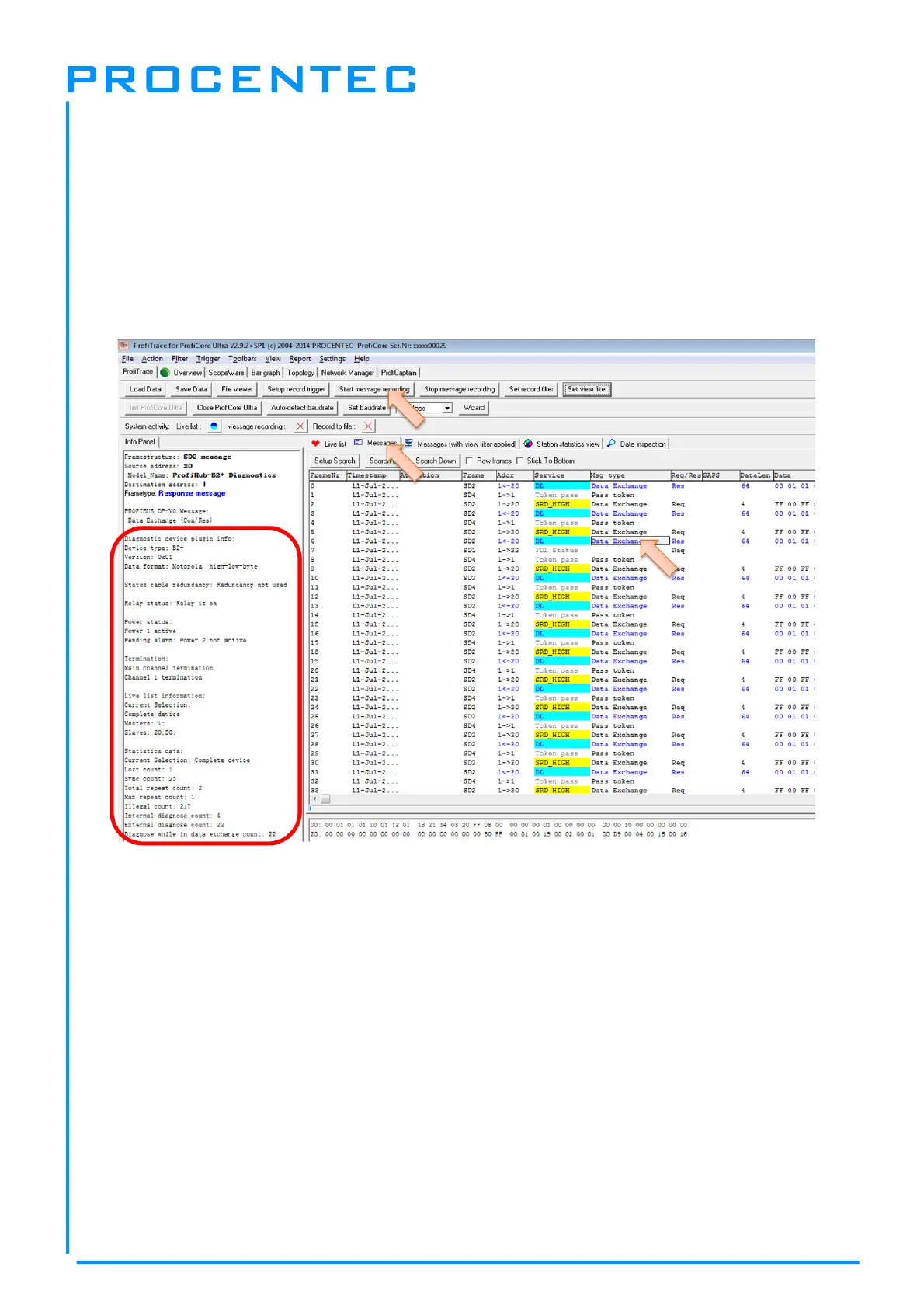
When the Plugin is correctly started and you have a ProfiHub with Diagnostics Device running, click
‘Start Message Recording’ in ProfiTrace, and view the screen with messages (see Fig. 23). If you
click on a data exchange message to or from a Diagnostics Device, you will see all the interpreted
data bytes in the Info Panel. This is very useful for Troubleshooting activities.
A good example is the Statistics. These statistics are available per individual channel or station
address (see paragraph 3.2.10), so it is easy to see the source of the problem.
Fig. 23 - Info Panel with ProfiHub Diagnostics information


 To Next Page