ProfiHub B5+ / B5+RD User Manual
_______________________________________________
Version 2.0 – July 2014 Page 22 / 56
ProfiHub-B5-Plus-Manual-EN.docx © PROCENTEC 2014 - Copyright - all rights reserved
2.11 Channel Redundancy
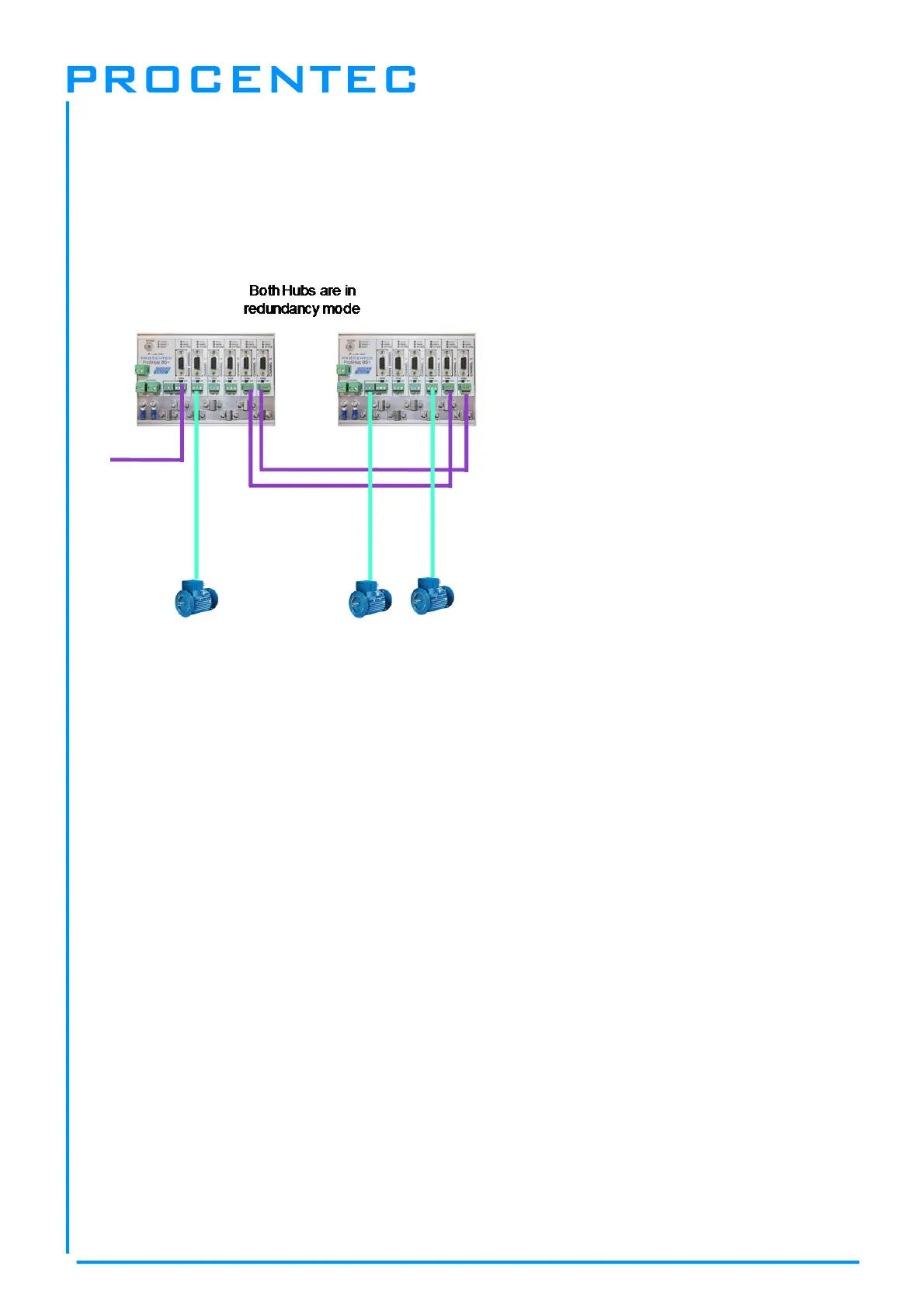
To use the Redundancy option of the B5+, set the rotary switch to the ‘C’ position.
This enables the last two channels (4 and 5) to be one redundant path to another B5+, to a redundant
COMbricks, or to any other supporting product. See Fig. 17 for an example.
Fig. 17 - Redundant path between two ProfiHubs
The telegrams are transferred onto both redundant channels. The logic inside the ProfiHub determines
which telegram is used to be transferred onto the other channels. A message received by a redundant
channel is repeated on all other channels, except the other redundant channel. A message received
by a normal channel is repeated on all other channels.
When one redundant cable breaks, the other cable ensures safe delivery of the telegram. In this event
the built-in alarm contact will close. The red ‘ERROR’ LED will blink with an interval of 100ms. When
the redundant path is fixed, press the ‘ALARM RESET’ pushbutton to reset the alarm.
ATTENTION:
Using the ProfiHub B5+ in Redundancy mode causes a delay in processing the telegrams. When used
together with COMbricks in redundancy mode it is required to increase the default MinTSDR in the
PLC busparameters slightly. Recommended is to increase the MinTSDR with a value according to the
Delay Time table, column ‘Robust Mode’, described in the Technical Data chapter.


 To Next Page