ProfiHub B5+ / B5+RD User Manual
_______________________________________________
Version 2.0 – July 2014 Page 18 / 56
ProfiHub-B5-Plus-Manual-EN.docx © PROCENTEC 2014 - Copyright - all rights reserved
2.6 Relay contact
The ProfiHub B5+ features a potential-free relay contact. This alarm contact can be used to monitor
the power supplies. Example applications are: Connect a LED tower, alarm buzzer, SMS server or use
it as a digital signal for the PLC. On the B5+RD version the relay can also be used for alarming in case
of retires, illegals, or other events. For more information refer to Chapter 3.
If only one power supply is used, the alarm contact is closed after 60 seconds after start-up. If two
power sources are connected, the contact is open. When one of the power supplies fails for 3 seconds
or more, the contact will close and the Power Indicator LED will blink. If you are using only one power
source and wish to use the Relay contact, simply connect Power 1 to Power 2.
In the case of an interrupted power supply you can reset the contact by pressing the ‘Reset’ button.
The contact will open and the LEDs will stop blinking.
The Alarm contact is also switched when the ProfiHub is in Redundant mode and one of the redundant
paths fails.
The maximum power to be connected to the alarm contact is 24 VDC. The maximum current
consumption is 500 mA.
It is advised to use a Limited Power Source (LPS) of NEC Class 2 or CEC Class 2 for powering the
alarm contact.
2.7 Backbone
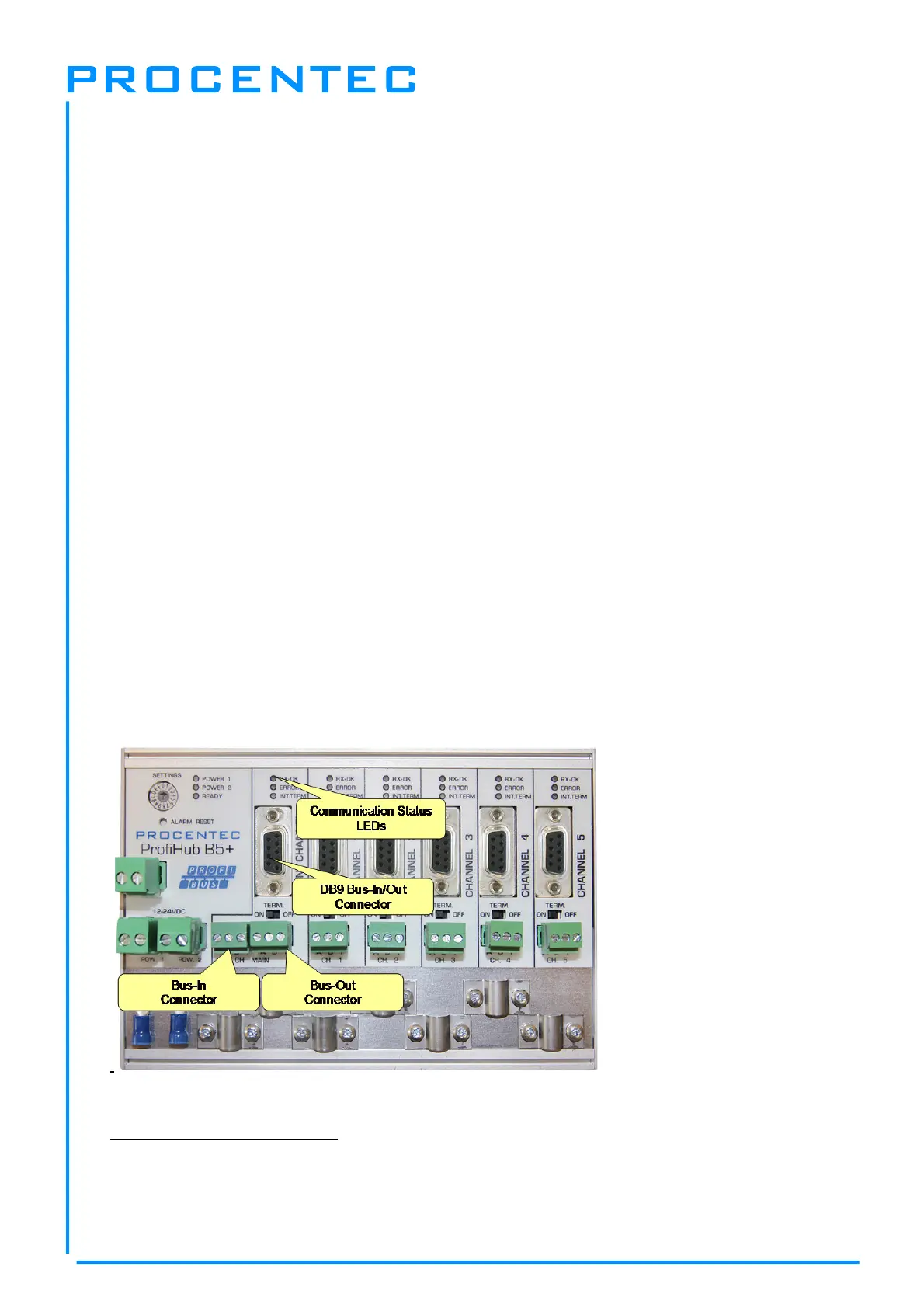
Connect the DP backbone cable to the bottom-left connector of the Main-Channel (
Fig. 13
). If the
ProfiHub is not the last device on the bus segment, connect the Bus-Out cable to the right connector
of the Main-Channel (
Fig. 13
). The second method is to place a PROFIBUS standardized plug with an
in/out cable on the DB9 connector.
Pin layout of the screw terminals:
Pin “A”: Green wire
Pin “B”: Red wire
Pin “I”: Indirect cable shielding
Fig. 13 - PROFIBUS DP backbone connection


 To Next Page