22 PRODIGIT
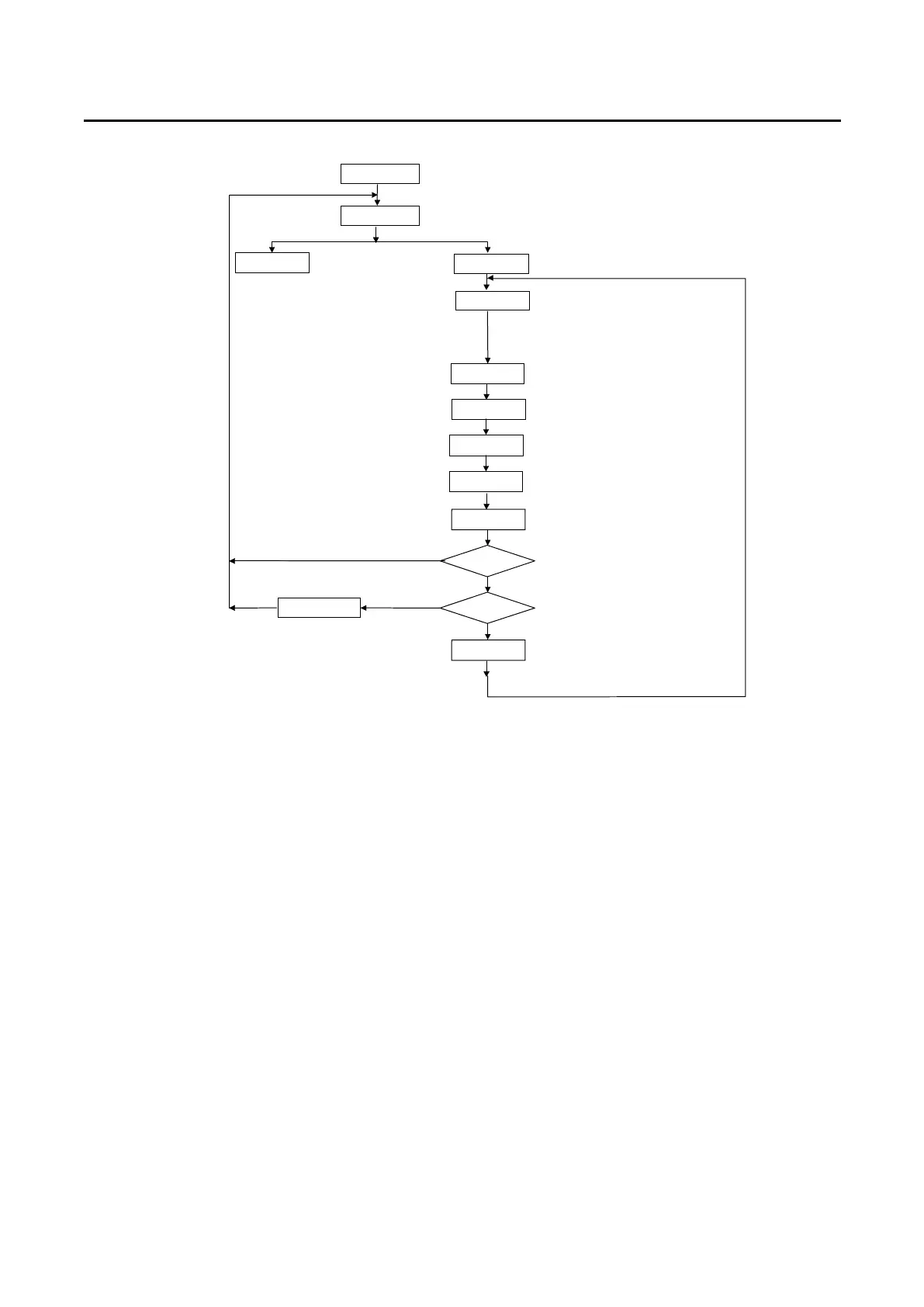
S3+S4
Show n1-n9
Store Mode
1.Press S3+S4 key
2.Show AUTO SEQ. No.1-No.9,
Press Up/Down key to set n1-n9
Press Store
3.Press Store key to Store Mode
Set State
Set State No.1~5
Show t1
Set T1
Press Up/Down key to set T1,
t1 = 01-99, Unit = 100mS
Exit
Press Exit key
Show SP= 0
Set T2
Step = F?
Yes
Yes
End?
Sp=Sp+1
Initial=n1~n9
Sp = 0 ~ F(16 step)
Show t2
Press Store key to next item
When press Store key, LED show t1
Press Store key to next item
When press Store key, LED show t2
Press Up/Down key to set T2,
t1 = 00-99, Unit = 100mS
Press Store key to next item
Is last step (16 step)?
Press Exit key
Fig.3-4 STORE (EDIT) MODE OPERATIONO FLOW-CHART
3.3.2 TEST MODE
The TEST Mode of Auto-Sequence function is entered by press S3 + S4 key
simultaneously, the S3 and S4 LED are ON to indicate Auto-sequence mode, then
the Test mode of Auto-sequence function is proceed by press START key.
The TEST MODE flow chart is described below:
3.3.2.1 After press START key, the 3260A series load controls all the module
within the mainframe to recall correspond memory which had been stored
in Auto-sequence (n1~n9) memory.
3.3.2.2 The sequence start from (Step 0 - t1 - t2), then (step 1 - t1 - t2), and so on
until last step or stop by press EXIT key.
3.3.2.3 The two digit LED display will show GO (flash) if all the test in all module is
pass, and will show nG (flash) if there is at least one failure during the test.
3.3.2.4 User can press Start key to continue another test, or the 3300C can quit
from Auto-Sequence mode by press EXIT key.



 To Next Page