The main plug connector is designed for a minimum number of 10 mating cycles. If the minimum
number of mating cycles is exceeded, individual parameters could be out of the specification. The
basic function of the main plug connector remains intact. Please be aware that the process of the
CANlink wireless system integration is not designed for a high number of mating cycles. Ideally the
device is configured with an adapter cable from the Launch Kit in the first instance and in the
second step installed and cabled within the machine.
NOTICE
Risk of property damage
Leakage and contamination due to an increased number of mating cycles and improper
disconnecting of the main plug connector.
* Make sure the device is switched off during installation.
* Do not forcibly lever the main plug connector off the device connector.
* Refer to the handling manual from the manufacturer at Automotive Connector Manufacturer
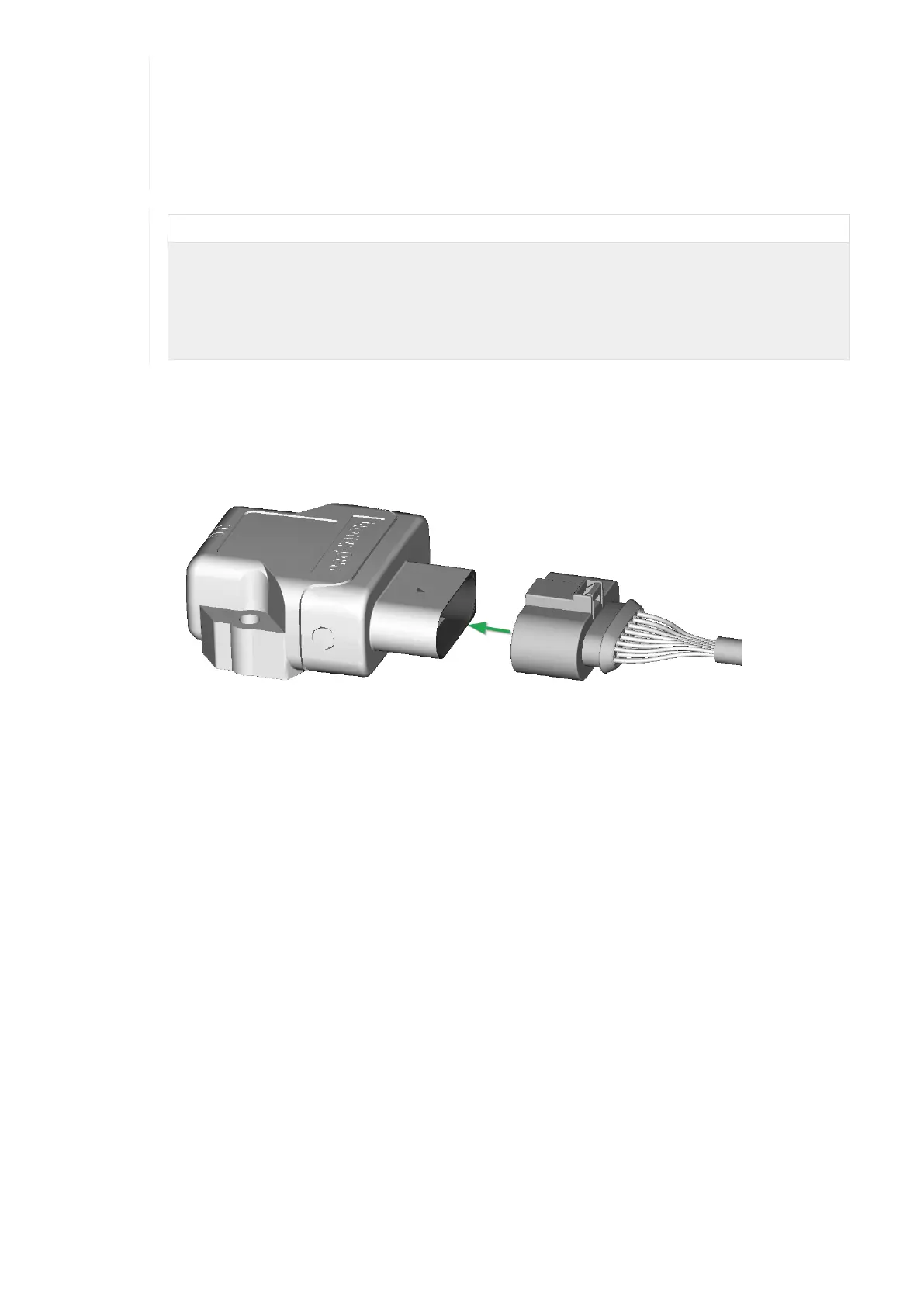
Connect main plug connector
Carefully connect the cable with the main plug connector. When connecting the plug, there must be a clear audible
click. Then the lock is correctly engaged.
Figure 7. Connect main plug connector
Disconnect main plug connector
Use an appropriate flat-blade screwdriver to release the lock. To do this, insert the screwdriver into the tab from above,
then gently lever it down and back. At the same time, pull the plug slightly backwards by hand. If you can hear a click,
the lock has been released and the connector can be removed.
CANlink wireless 4000 Device Manual



 To Next Page