4.2.2. RF Antenna
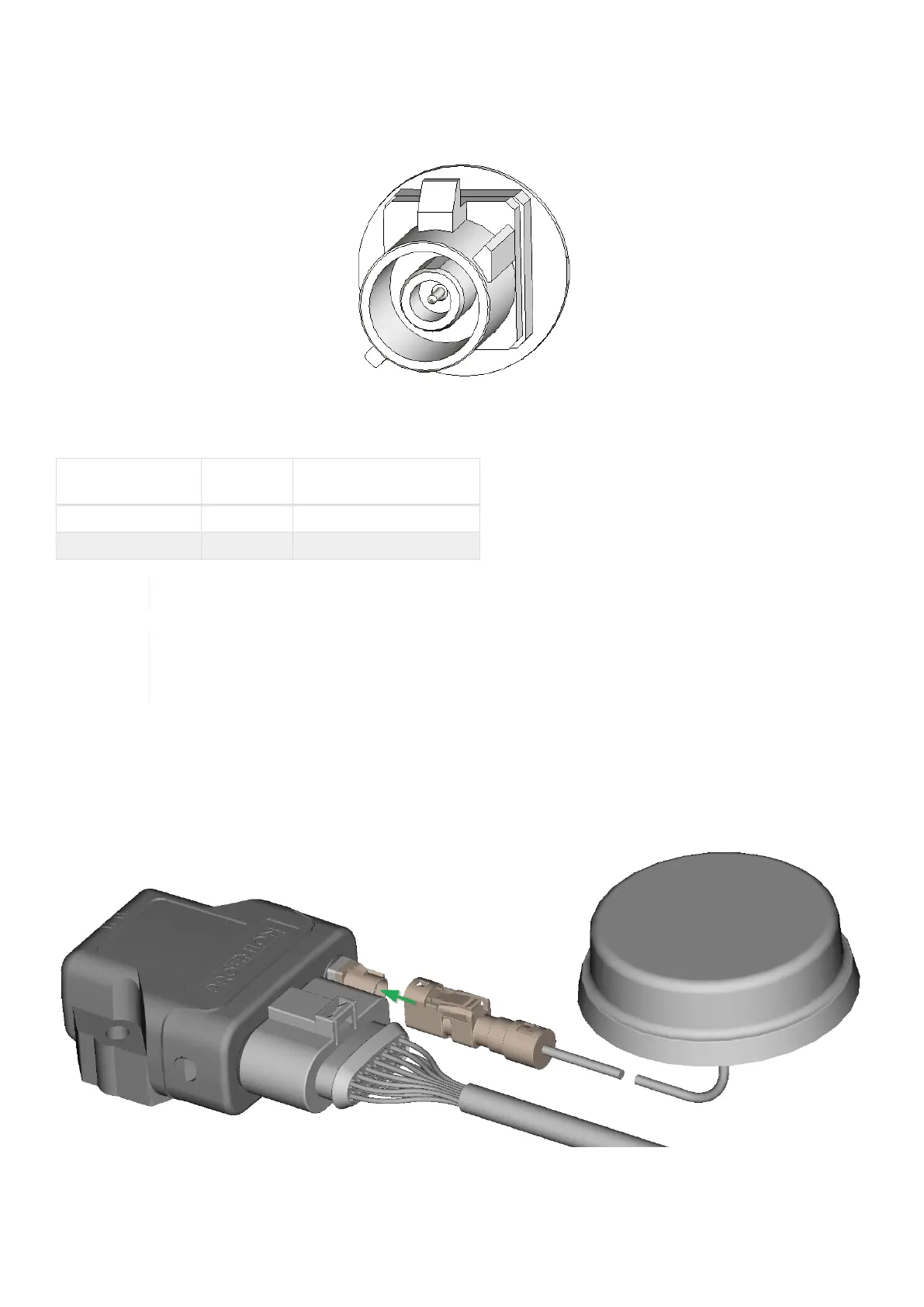
Using the FAKRA antenna connector (Type 4003), connect the device with an RF antenna to receive WLAN /
Bluetooth signals.
Figure 9. RF antenna connector for Type 4003 (FAKRA, male)
Table 13. Pin layout of RF antenna, Type 4003
Pin Designatio
n
Description
inner pin Signal WLAN or Bluetooth signal
outer pin (shielding) Ground Shielding/ housing
With Type 4001, antenna connector is replaced by an integrated antenna.
The wireless antenna port is designed for a minimum number of 100 mating cycles. If the minimum
number of mating cycles is exceeded, individual parameters could be out of the specification. The
basic function of the antenna port remains intact.
Connect antenna connector
Ensure that the coding of the BT/WLAN Antenna is matching the coding of the antenna connector at the CANlink
wireless 4000. Carefully connect the antenna with the FAKRA connector. When connecting the plug, there must be a
clear audible click. Then the lock is correctly engaged.
Figure 10. Connect antenna connector
CANlink wireless 4000 Device Manual



 To Next Page