¬ Both LEDs light up green for a second and change to LED ON = steady green and STATUS = green blinking.
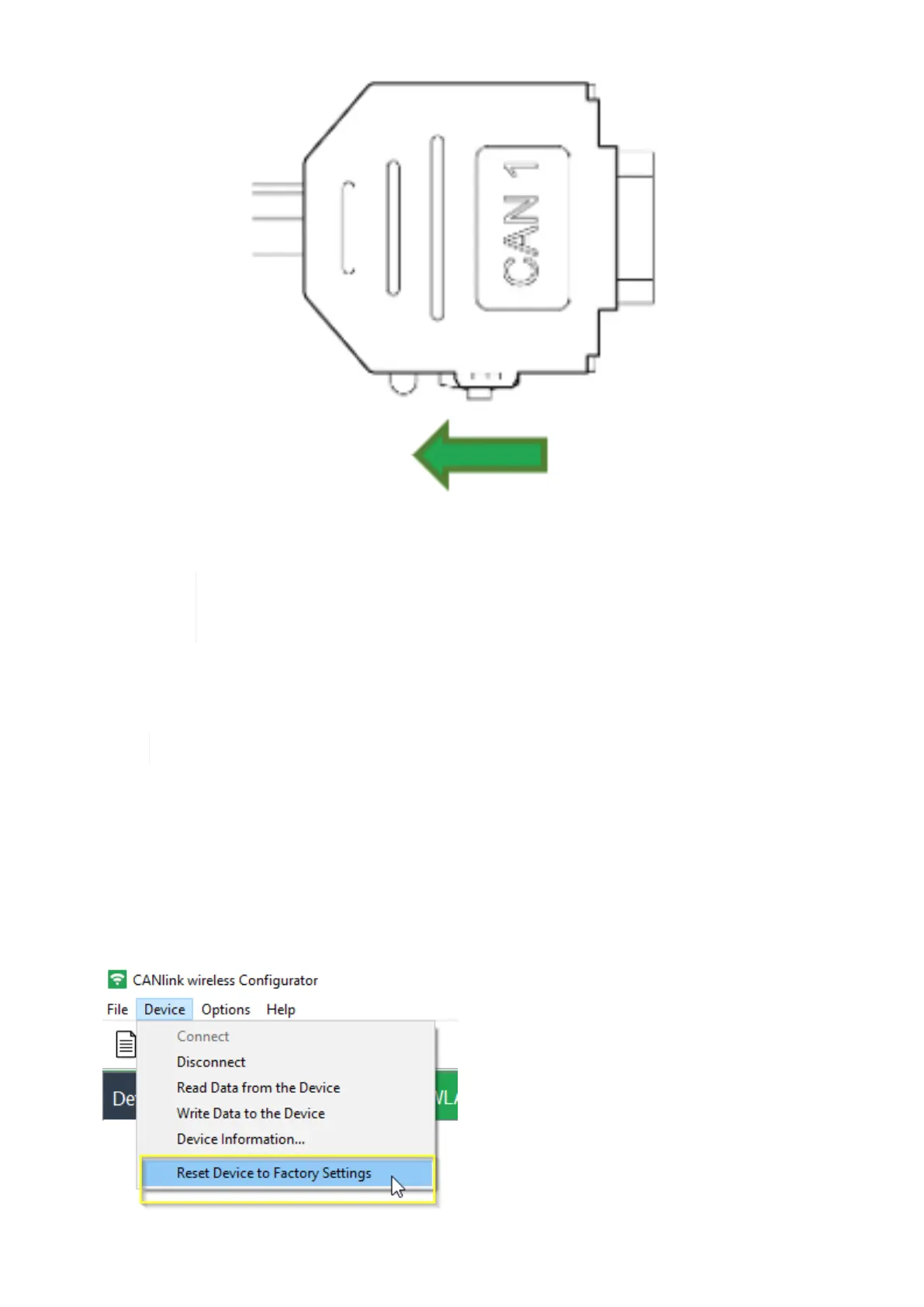
To abort the device reset , disconnect the power supply while the LEDs are still orange and
slide the switch on the D-Sub connector (CAN1) toward the LED while the device is powered
off.
¬ After the reset to factory settings, the device goes into mode ready for pairing.
¬ The CAN bit rate is 250 kbit/s.
For further information on the LED status signals, see chapter Indicator Element (LED).
6.4.2. Reset Device to Factory Settings via CANlink wireless configurator
The CANlink wireless configurator software also offers an option to perform a factory reset.
1. Establish a Connection with a PC via Bluetooth.
2. Connect the corresponding CANlink wireless 4000 with CANlink wireless configurator.
3. Click on Device ¬ Reset Device to Factory Settings.
¬ After the reset to factory settings, the device goes into mode ready for pairing.
CANlink wireless 4000 Device Manual



 To Next Page