Best Practices:
Onmostsystems,itisbesttoleavetheindividualzoneweightatitsdefault(1).Shouldyouneedtoincreaseazone’sspecic
weight,setitto2or3.Abovethat,theinuencefromanygivenzonebecomestoogreatandmaycreateasystemimbalance.
1.3 - Conguring a Math Function (Unit Controller Menu)
• Open a Unit Controller (Zoning Rooftop or Zoning Heat Pump Controller) by double-clicking on its icon.
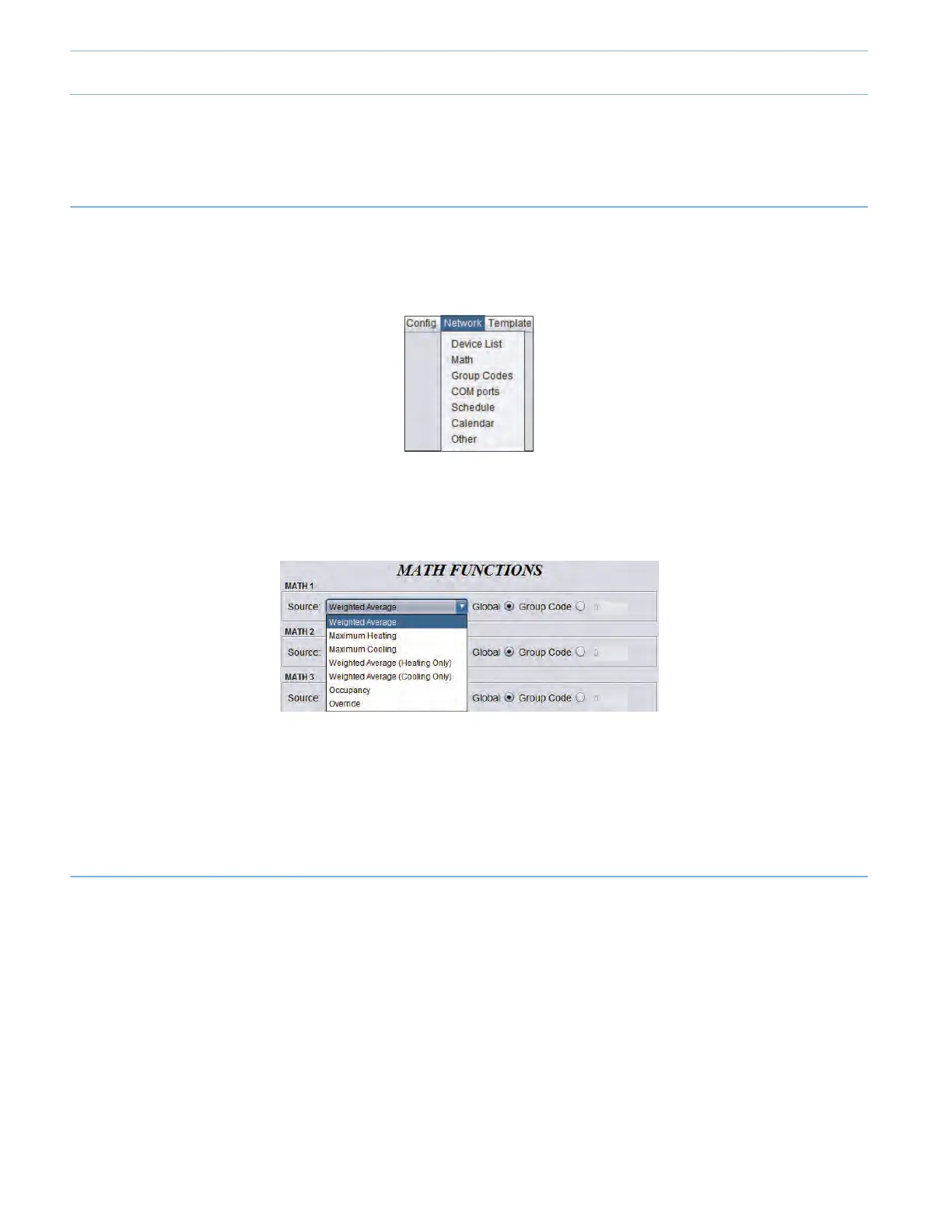
• On the top left of the screen, select “Network” and then “Math”.
• Select the Math Functions as follows:
> Math1->WeightedAverage(Coolingonly)*
> Math2->WeightedAverage(Heatingonly)**
* Weighted Average (Cooling only): this is calculated by multiplying the demand of each follower with a COOLING DEMAND
by its respective weight and adding them together. The result is then divided by the total weight of zones in the system.
This provides a math function whose nal result is more inuenced by the zones with greater weight. (See Annex B)
** Weighted Average (Heating only): this is calculated by multiplying the demand of each follower with a HEATING DEMAND
by its respective weight and adding them together. The result is then divided by the total weight of zones in the system.
This provides a math function whose nal result is more inuenced by the zones with greater weight. (See Annex B)
Best Practices:
• If you are setting up a system with few zones (i.e. 2 or 3 zones), in most cases it may be more appropriate to set the Math
1 to “Maximum Cooling” and Math 2 to “Maximum Heating”, so the unit will respond to the zone with the highest cooling
or heating demand.
• If you are setting up a system with more than a few zones (i.e. 4 zones or more), it is best to select the “Weighted Average
(Cooling Only)” and “Weighted Average (Heating Only)” functions, as seen above.
• Keep the Math function toggle to “Global”. It is not recommended to use “Group Code” (used for more advanced and
specicapplications,notseeninthisguide).
9-4



 To Next Page