Start Here MVI56E-GSC/GSCXT ♦ CompactLogix or MicroLogix Platform
User Manual Enhanced Generic ASCII Serial Communication Module
Page 20 of 140 ProSoft Technology, Inc.
April 24, 2017
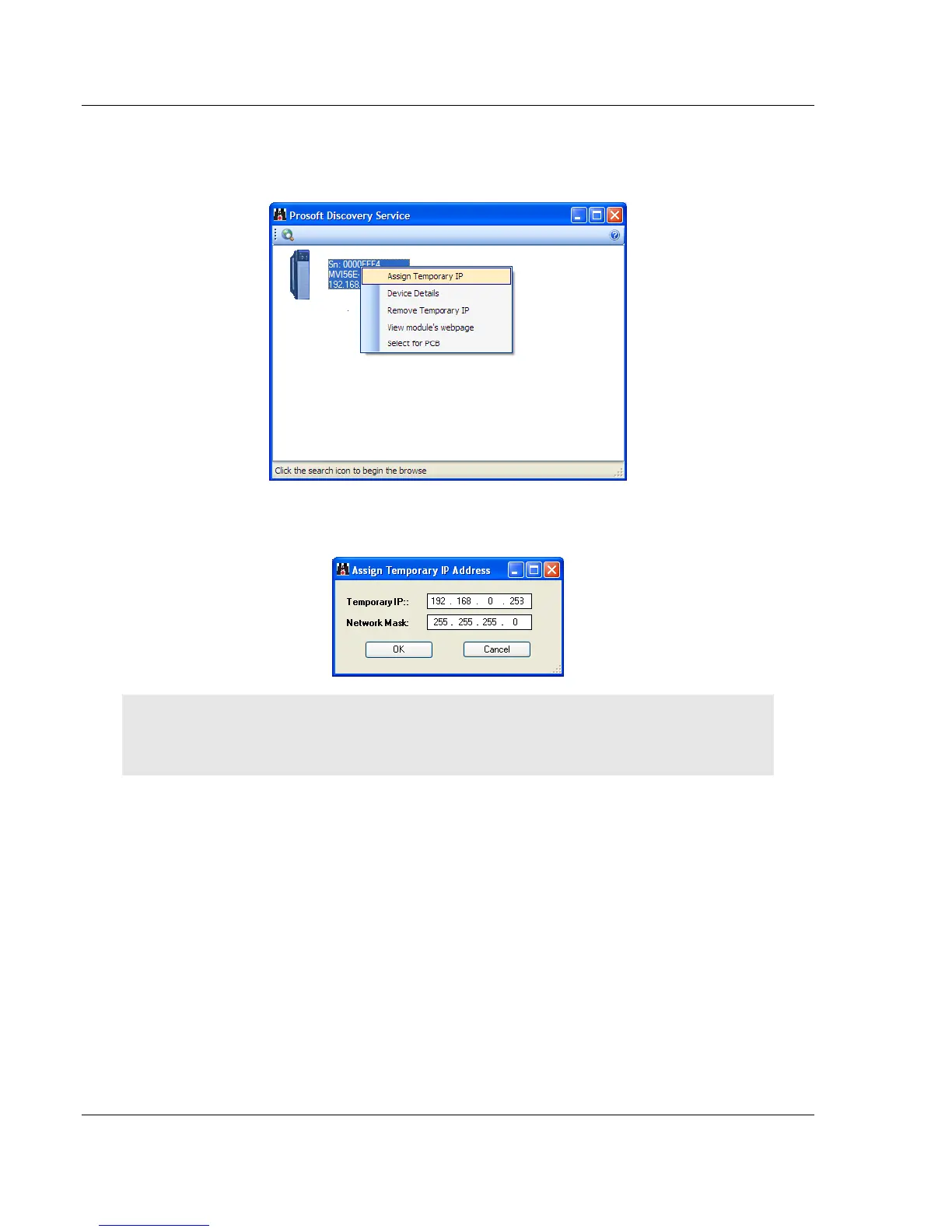
4 In the Connection Setup dialog box, click the BROWSE DEVICE(S) button to
open the ProSoft Discovery Service. Select the module, then right-click and
choose ASSIGN TEMPORARY IP.
5 The module’s default IP address is usually 192.168.0.250. Choose an unused
IP within your subnet, and then click OK.
Important: The temporary IP address is only valid until the next time the module is initialized. For
information on how to set the module’s permanent IP address, see Setting Up a Permanent IP
Address (page 22).



 To Next Page