MVI56E-GSC/GSCXT ♦ CompactLogix or MicroLogix Platform Start Here
Enhanced Generic ASCII Serial Communication Module User Manual
ProSoft Technology, Inc. Page 29 of 140
April 24, 2017
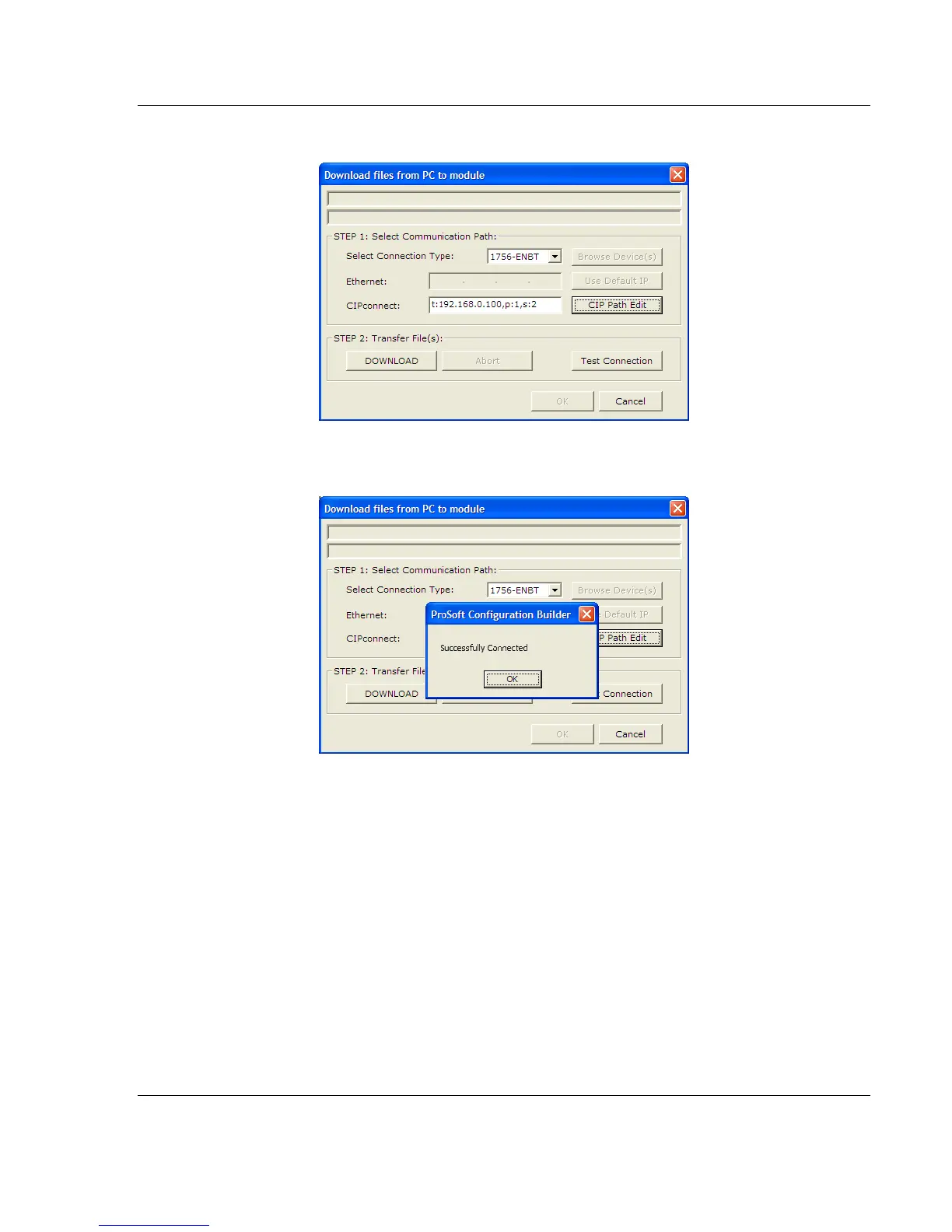
3 Check the new path in the download text box.
4 Click TEST CONNECTION to verify that the physical path is available. The
following message should be displayed upon success.
5 Click OK to close the Test Connection pop-up. You are now ready to use
CIPconnect for downloading changes to the module's Ethernet configuration
settings. You may also use this connection to access module diagnostics
screens and menus. For more information, see the chapter on Diagnostics
and Troubleshooting. For more information, see the chapter on Diagnostics
and Troubleshooting (page 57).



 To Next Page