Start Here MVI56E-GSC/GSCXT ♦ CompactLogix or MicroLogix Platform
User Manual Enhanced Generic ASCII Serial Communication Module
Page 28 of 140 ProSoft Technology, Inc.
April 24, 2017
Rack 1
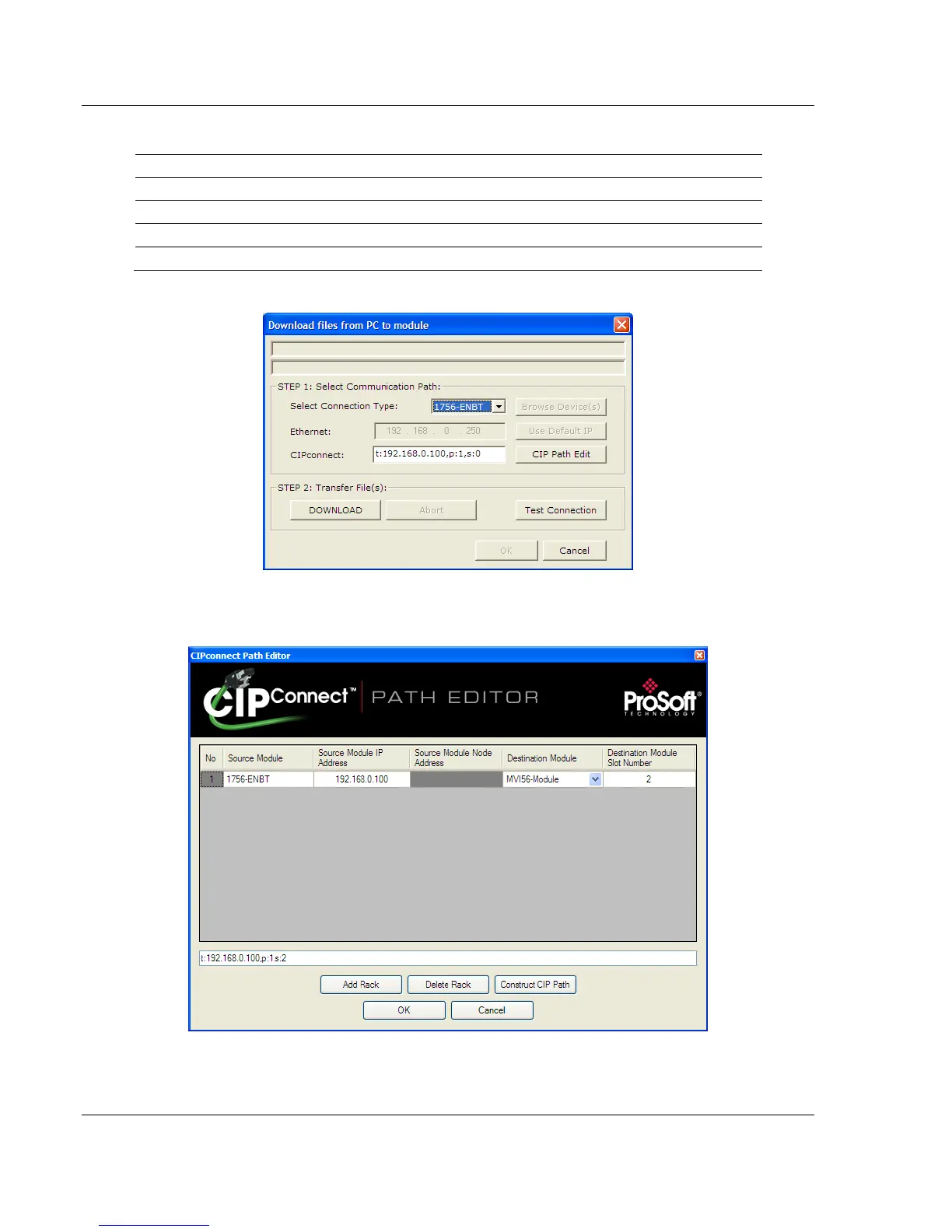
1 In the Download window, click CIP PATH EDIT.
2 Configure the path as shown in the following illustration, and click
CONSTRUCT CIP PATH to build the path in text format.
Click OK to close the CIP PATH EDITOR and return to the Download dialog
box.



 To Next Page