MVI56E-GSC/GSCXT ♦ CompactLogix or MicroLogix Platform Diagnostics and Troubleshooting
Enhanced Generic ASCII Serial Communication Module User Manual
ProSoft Technology, Inc. Page 59 of 140
April 24, 2017
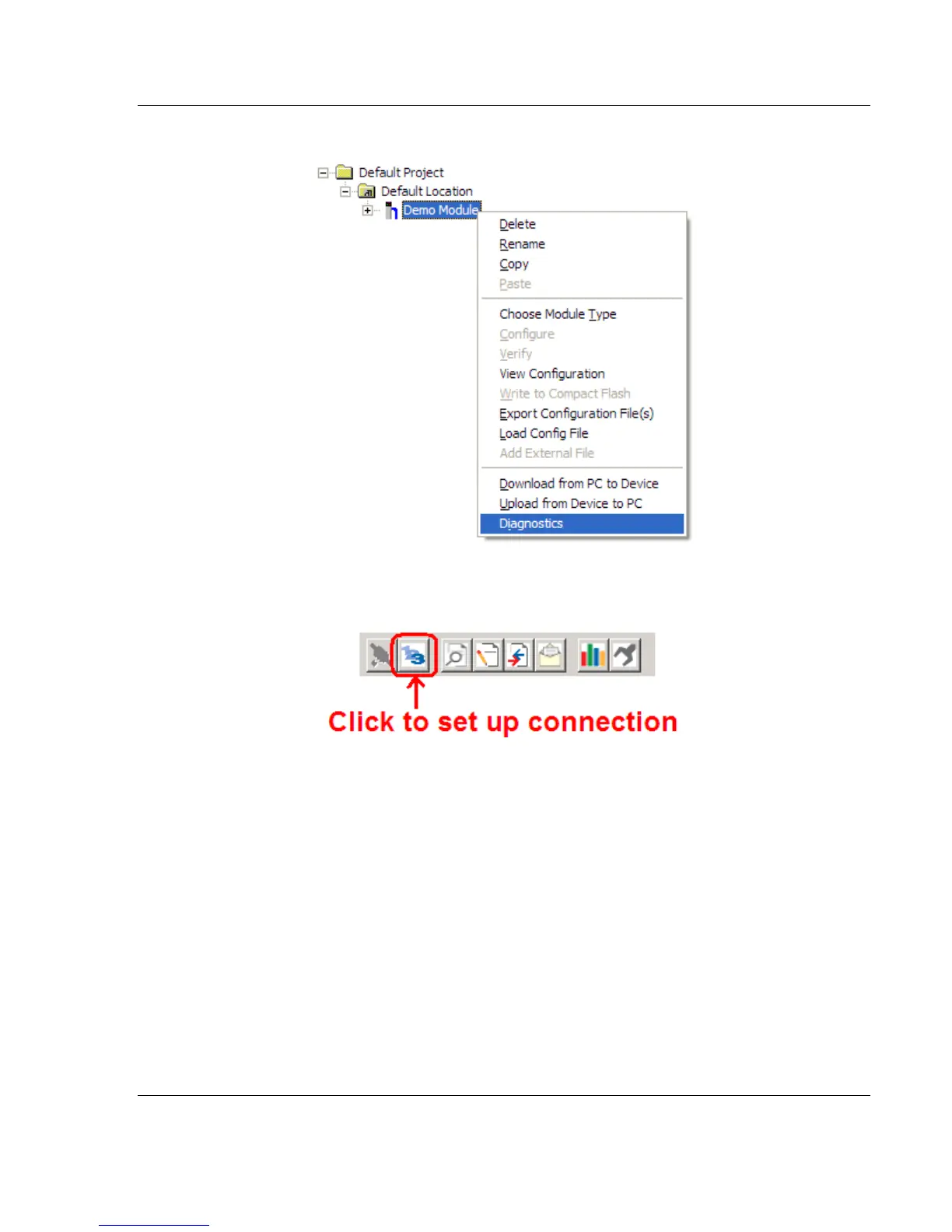
2 On the shortcut menu, choose DIAGNOSTICS.
3 In the Diagnostics window, click the SET UP CONNECTION button to browse for
the module’s IP address.



 To Next Page