43
MARK76V3002 Rev 3
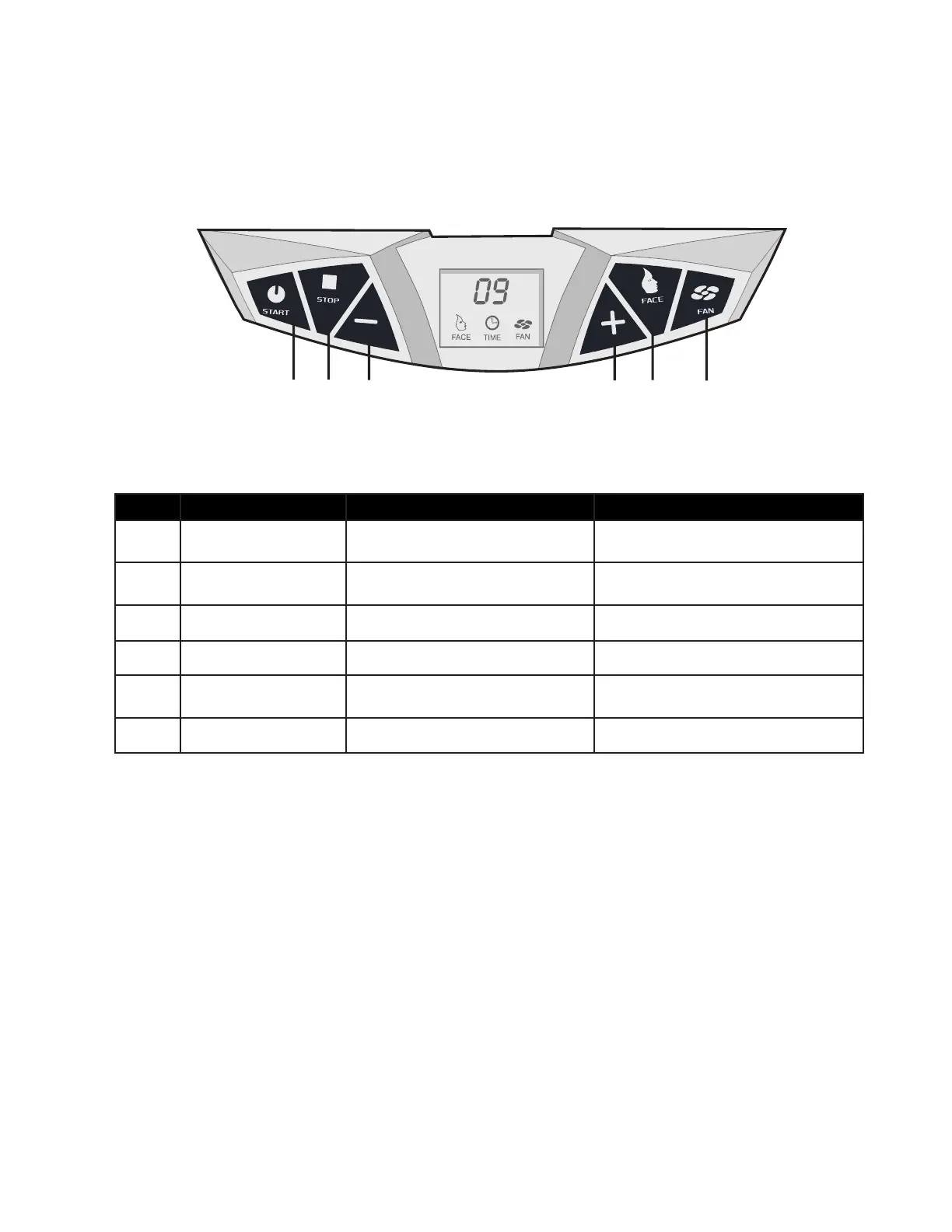
# Function Description Additional Information
A Start Use this button to start the
tanning session.
B Stop Use this button to stop or pause
the tanning session.
C Minus Decrease tanning time Decrease cooling fan speed
D Plus Increase tanning time Increase body cooling fan speed
E Face Tanner Usethisbuttonwillturnothe
lamps in your door panel.
F Fan Use this button to use the fan
Control Functions
A B C D E F





 To Next Page